
Build Industrial Applications
on Proxus
Extend Proxus with high-performance logic, connect to governed industrial data, and ship from a single gateway to many sites without rebuilding your stack.
Fast Deployment
Run Proxus locally, on gateways, or in your environment with Docker-based workflows and fast setup paths.
Explorearrow_forwardC# Edge Functions
Write custom calculations, transformations, and workflow logic close to the process with C# scripting.
Explorearrow_forwardSDK and APIs
Build against Proxus APIs and SDK surfaces when low-code is not enough for your industrial scenario.
Explorearrow_forwardMCP and AI
Connect AI tools to governed operational context through the Proxus MCP server and approved read-only access.
Explorearrow_forwardWhy Developers Choose Proxus
Work closer to industrial reality without giving up control
Developer Entry Points
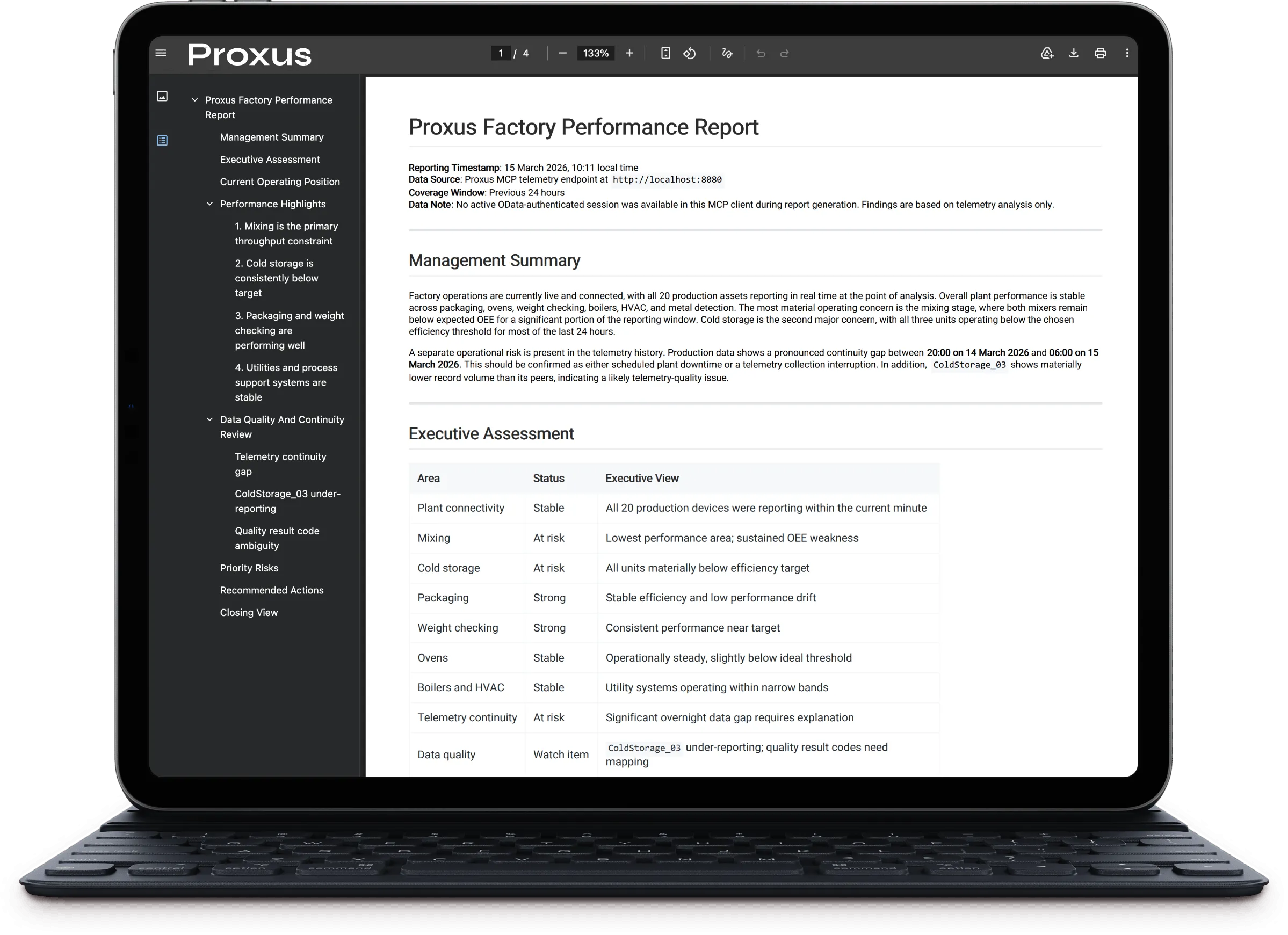
MCP documentation, governed telemetry access, and AI-ready reporting workflows.
MCP ServerEdge Functions Example
Write logic close to the process with C#
public class TemperatureGuard : FunctionBase
{
    public TemperatureGuard(object sys, object log, object cfg) : base(sys, log, cfg) { }

    protected override void OnMessageReceive(FunctionContext ctx)
    {
        if (ctx.Message is TransportData data)
        {
            foreach (var p in data.Payload)
            {
                if (p.Key == "Temperature" && double.TryParse(p.Value, out var temp) && temp > 85.0)
                {
                    LogWarning($"Motor temp critical: {temp}°C");

                    _ = Save(new List<Payload> {
                        new Payload { Key = "Level", Value = "Critical" }
                    }, "Motor1_Alarm");
                }
            }
        }
        base.OnMessageReceive(ctx);
    }
}
Edge Functions run on the gateway — no cloud dependency, minimal latency.
Start with docs, then walk through your architecture
Explore the developer surfaces first, then book a technical session if you want to map Proxus to your edge, UNS, and integration model.