
For regulated industries (e.g., Pharma, Food & Beverage), traceability is mandatory. Proxus maintains an immutable Audit Trail of all user actions and system changes. For information about user management and permissions, see Security & Access Control.
Viewing Audit History
Unlike generic log lists, the Audit Trail in Proxus is context-aware. You can access the history of any record (Device, Rule, User, etc.) directly from its detail view.
- Open the detail view of any record.
- Click the Audit Trail button in the toolbar.

Audit Details
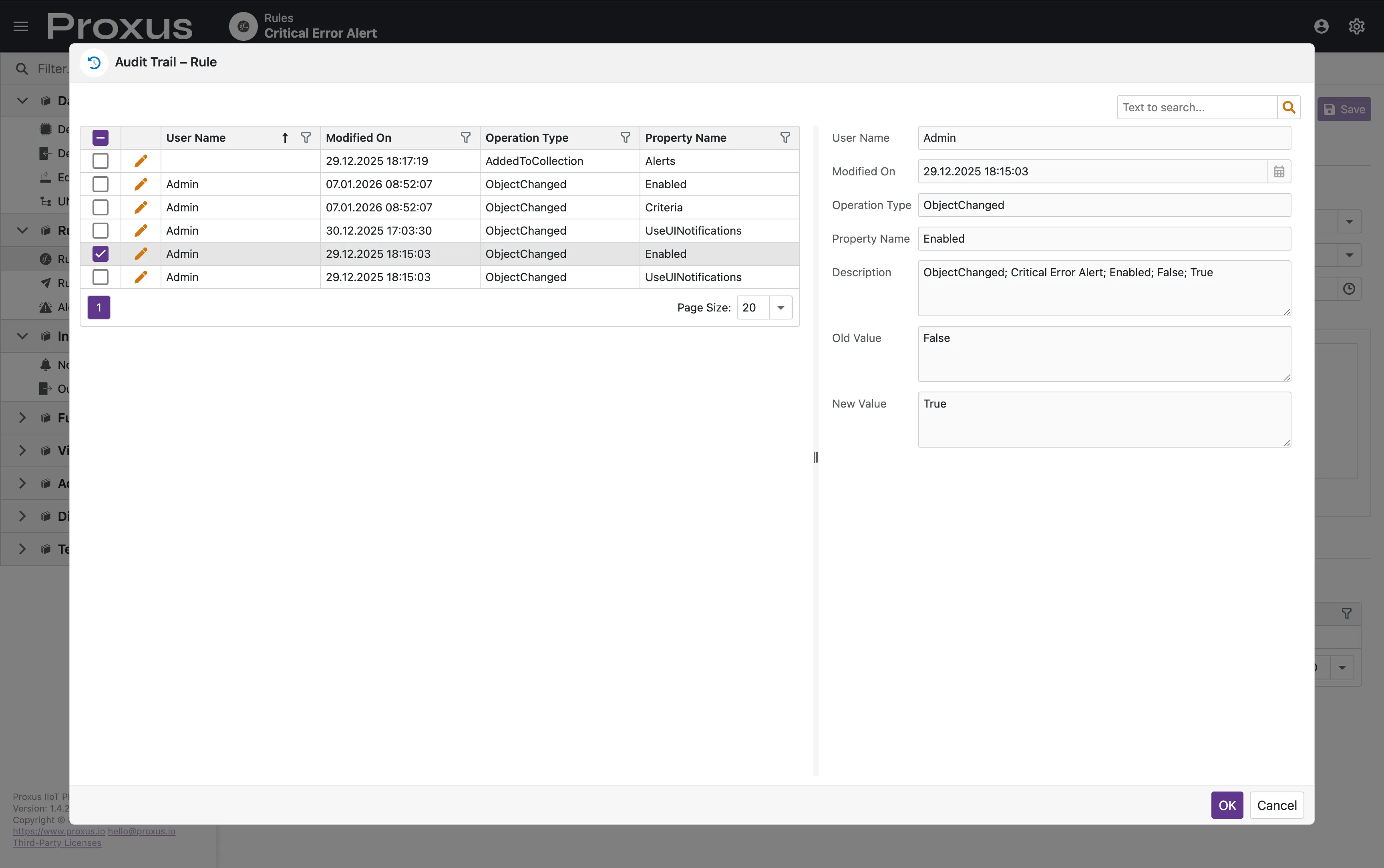
The Audit Trail dialog provides a granular history of property-level changes.
Captured Data
The system records the following for every modification:
- User Name: The account that performed the action.
- Modified On: Precise timestamp of the change.
- Operation Type: The nature of the change (e.g.,
ObjectChanged,AddedToCollection). - Property Name: The specific field that was modified (e.g.,
Enabled,Criteria). - Old Value: The data before the change.
- New Value: The data after the change.
System Logs vs Audit Logs
It is important to distinguish between the two:
Audit Logs
Records USER actions (Business Logic). Used for compliance.
System Logs
Records SYSTEM events (Errors, Debug info). Used for troubleshooting.
You can view technical System Logs under Administration > System Logs. This stream includes output from the platform subsystems, gateway connections, and internal actors. For more information about system logs, see System Logs.
Control log levels, retention time, and file logging via the Logging & Tracing section in Proxus-config.toml.