
A Device Profile acts as a blueprint or template for a specific type of machine. Instead of defining Modbus registers for every single "Generator" you own, you define the profile once and apply it to hundreds of Devices.
Creating a Profile
Navigate to Data Management > Device Profiles and click New.

Identity & Protocol

- Profile Name: A descriptive name for the template (e.g.,
Siemens S7-1200 Standard). - Protocol: Select the communication driver (e.g.,
Modbus TCP,Siemens S7,OPC UA). This selection determines the format of addresses and available connection options.
For a complete list of supported drivers and their specific configuration needs, see the Protocols Overview.
Connection Parameters
This section defines the default communication settings. These values act as defaults but can be overridden per device in the Device Detail View.
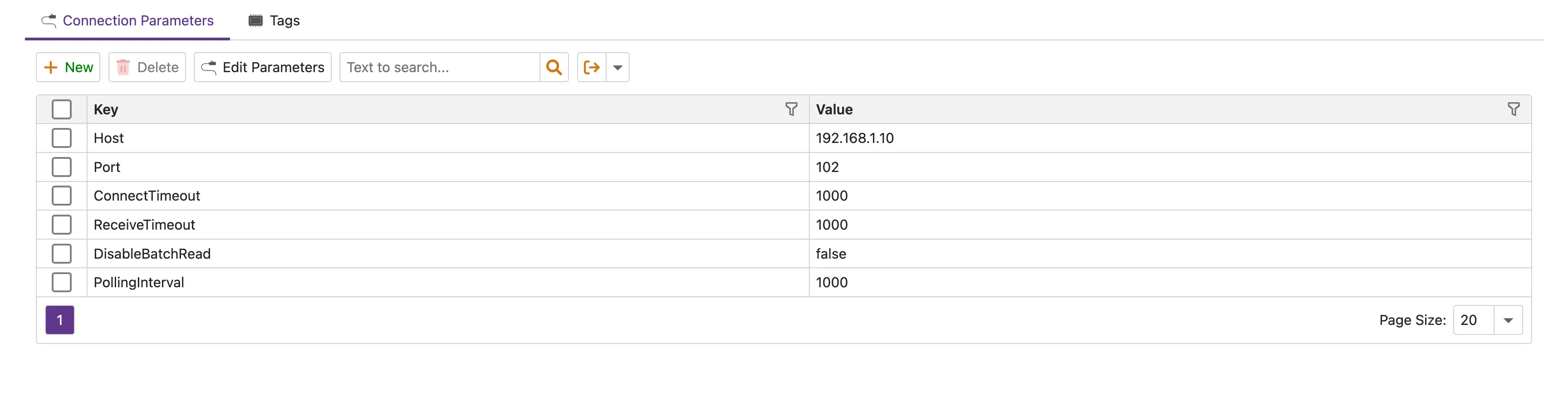
- Click the Edit Parameters button above the grid.
- In the popup, add or modify the keys (e.g.,
Port,Timeout). - Click OK to save.
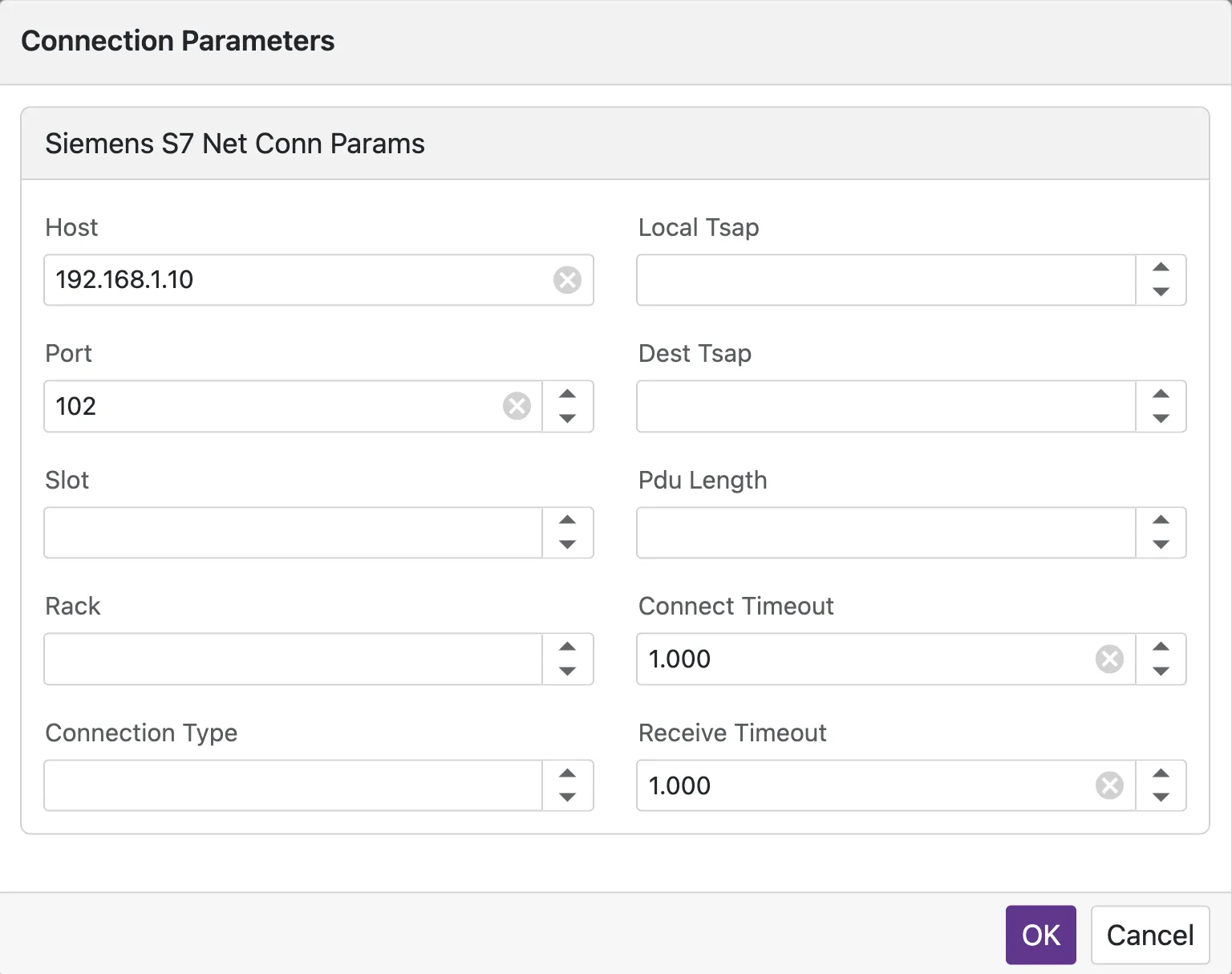
- Host: Default IP address (often overridden on the Device).
- Port: TCP port number.
- ConnectTimeout: Connection timeout in milliseconds (Default: 3000).
- ReceiveTimeout: Response timeout in milliseconds (Default: 3000).
- PollingInterval: Default read cycle in milliseconds (Default: 1000).
Tag Definitions
Tags are the specific data points (registers, memory addresses) you want to monitor on the device. For OPC UA, SNMP, and MTConnect protocols, you can use the Tag Browser to visually discover and import tags instead of entering addresses manually.

To manage tags:
- Click the Edit Tags button above the grid.
- The Tag Editor popup will appear, allowing you to add, edit, or remove multiple tags.
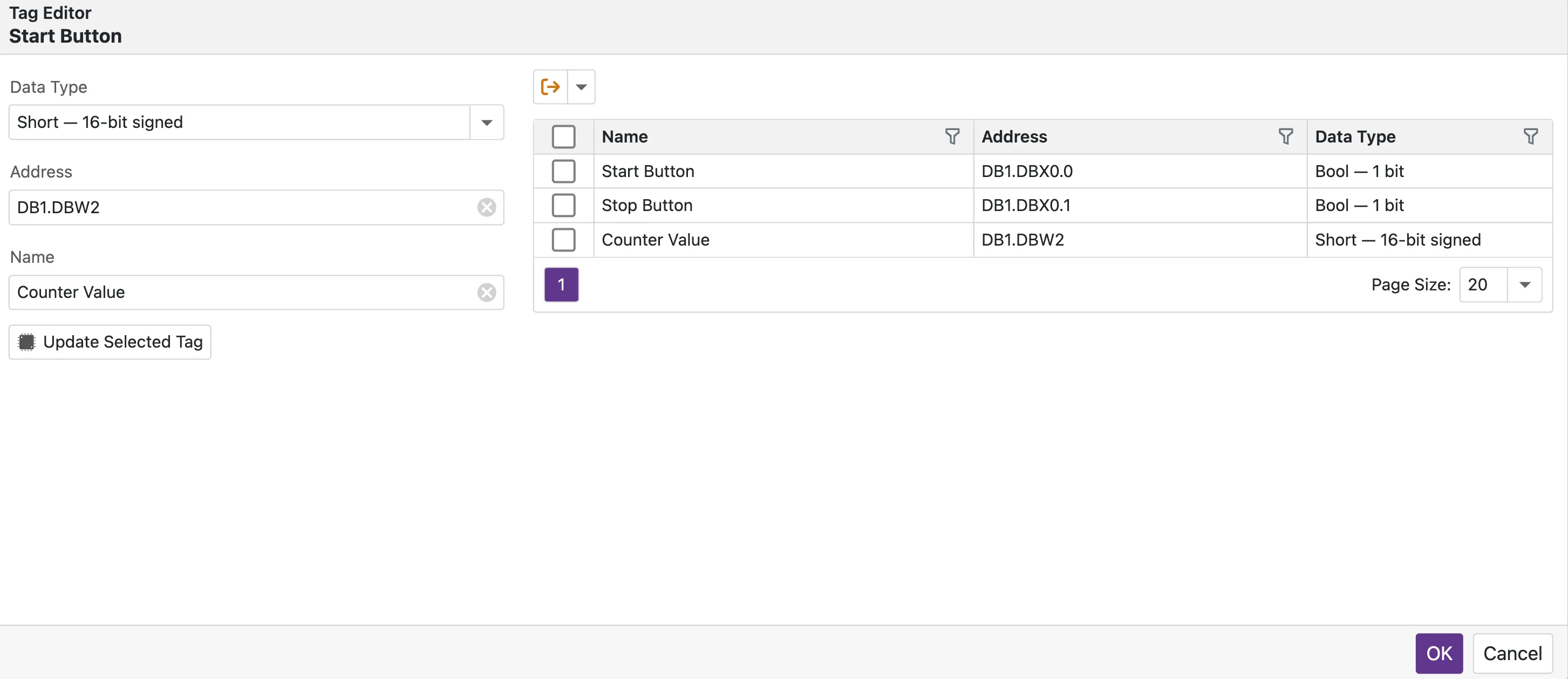
| Field | Description |
|---|---|
| Name | A friendly name for the metric (e.g., MotorSpeed, Temperature). |
| Address | The protocol-specific address (e.g., DB1.DBD10 for Siemens or 40001 for Modbus). |
| Data Type | How the raw bytes should be interpreted (Boolean, Int16, Float32, String). |
| Unit | (Optional) Engineering unit for the tag (e.g., bar, kWh, m/s). You can select a standard unit or enter a custom value. |
| Scan Rate | (Optional) Individual polling interval for this tag. Set to 0 to inherit the global PollingInterval. |
Versioning & Deployment
Profiles are decoupled from active devices for safety.
- Updates: If you add or change a tag in a profile, the changes are not automatically pushed to live devices.
- Deployment: To apply changes, you must go to the Device configuration, ensure it is linked to the updated profile, and cycle the Active state (off and back on).
Connecting Your First Device
Learn how to instantiate a device using your newly created profile.