
Proxus includes a Model Context Protocol (MCP) server that enables AI assistants and autonomous agents to interact with your IIoT platform through natural language. Query telemetry data, inspect operational structure, and use governed OData access through conversational AI.
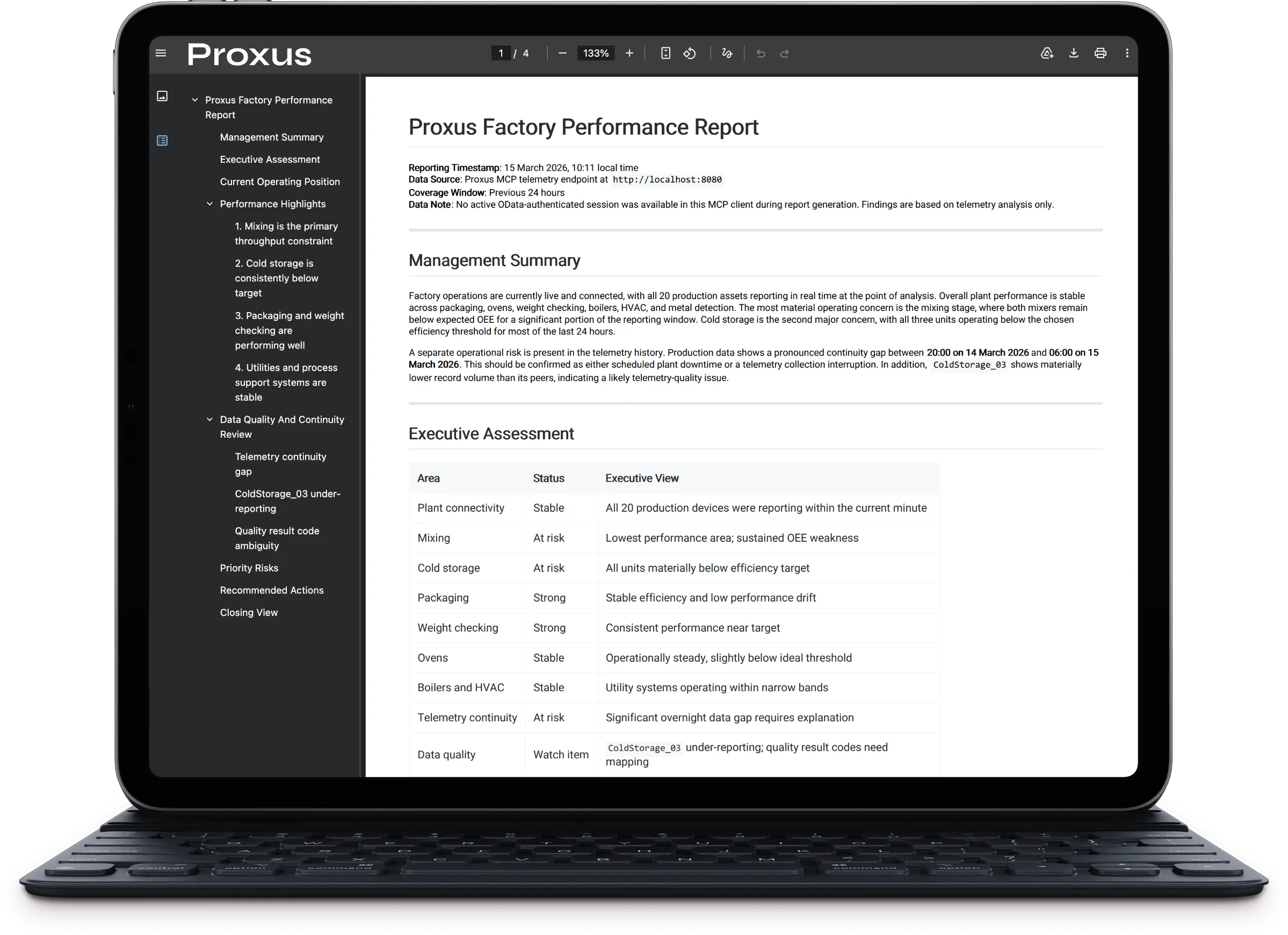
Quick Start
Configure your AI agent
Add Proxus MCP server to your agent configuration (see Agent Configuration below).
Endpoint:
http://your-proxus-server:8080/mcpAuthenticate
Use the
auth_logintool:auth_login(userName: "Admin", password: "your-password")A session is created for 25 minutes.
Start querying
schema_overview()           # Understand the platform
telemetry_devices(hours=24) # List active devices
telemetry_latest(count=10)  # Get recent sensor data
Use resources and prompts when the client supports them
resources/read("proxus://schema/overview")
prompts/get("proxus_read_entity")
Auth-protected tools can still appear in client tool lists. Access is enforced when the tool is called. If the client is not authenticated, Proxus returns a structured auth_required or auth_expired response instead of exposing raw backend errors.
MCP Capabilities
Proxus currently exposes four MCP capability groups:
| Capability | What it provides |
|---|---|
tools | Action-oriented operations such as auth, telemetry queries, schema discovery, and governed OData access |
resources | Reusable schema documents that can be listed and read by URI |
prompts | Reusable operational workflows for read, write, and telemetry analysis tasks |
completions | Allowed-values completions for supported tool and prompt parameters |
Available Tools
Proxus MCP provides 15 tools organized into four categories:
Authentication Tools
| Tool | Description |
|---|---|
auth_login | Login with username/password and create an MCP session (25 min) |
auth_logout | End an active MCP session |
auth_whoami | Show active sessions and current session status |
Telemetry Tools (ClickHouse)
Direct access to time-series sensor data stored in ClickHouse (DeviceRawData).
| Tool | Description | Parameters |
|---|---|---|
telemetry_query | Execute custom SQL SELECT query | query, maxRows=1000 |
telemetry_latest | Get most recent records | count=10, deviceName?, key? |
telemetry_stats | Aggregated statistics (count, min, max, avg) | hours=24, deviceName?, key? |
telemetry_devices | List devices with recent telemetry | hours=24 |
telemetry_keys | List available metrics/tags | deviceName?, hours=24 |
Telemetry Schema (DeviceRawData):
| Column | Type | Description |
|---|---|---|
| Time | DateTime64(3) | Timestamp with milliseconds |
| DeviceId | UInt32 | Device identifier |
| DeviceName | String | Device name |
| Key | String | Tag/metric name (e.g., Temperature, Pressure) |
| DataType | Enum | Bool, Short, Int, Float, Double, String, DateTime |
| NumericValue | Float64 | Numeric value |
| StringValue | String | String value |
Schema Tools
Discover available data and understand the platform structure.
| Tool | Description |
|---|---|
schema_overview | Platform overview with data sources and workflow guide |
schema_entities | List canonical OData entities plus common aliases such as Alarm -> Alert, Tag -> DeviceProfileRegister, and Dashboard -> DashboardData |
schema_telemetry | ClickHouse DeviceRawData table schema with example queries |
schema_templates | Return creation templates for selected entities |
schema_protocols | Return protocol metadata, connection parameters, and tag formats |
schema_odata_metadata | Summarize canonical OData entity sets, properties, keys, aliases, and navigation paths |
OData Tool
| Tool | Description |
|---|---|
odata_request | Execute governed OData API requests for entity read/write flows with call-time auth enforcement |
Parameters: method, path or endpoint, body?, baseUrl?, sessionId?, userName?/username?, password?
Example:
{
  "method": "GET",
  "path": "Device?$top=10&$filter=IsOnline eq true"
}
Auth behavior:
odata_requestmay be visible before login in MCP clients that snapshot tools during initial discovery.- Anonymous calls return structured
auth_requiredwhen the requested data requires authentication. - After
auth_login, the same client session can often reuse access automatically.sessionIdremains available as a compatibility fallback. - Authorization remains governed by platform roles. Depending on policy, responses may return full data, filtered data, or member-level redaction.
Entity and field guidance:
- Use canonical entity set names when possible:
Alert,DeviceProfileRegister, andDashboardData. - Proxus still accepts common aliases such as
Alarm,Tag, andDashboardfor compatibility. - Prefer
IsOnlineorCurrentStatusfor live device connectivity checks. - Treat
Connectedas a legacy persisted field, not the primary live-status signal.
Available Resources
Clients that probe resources/list, resources/templates/list, and resources/read can use the following schema resources directly.
Direct Resources
| URI | Description |
|---|---|
proxus://schema/overview | Platform overview, workflow, and high-level capability summary |
proxus://schema/entities | OData entity catalog for canonical sets such as Device, Alert, DeviceProfileRegister, Rule, Function, Integration, DashboardData, and Log, plus common aliases |
proxus://schema/telemetry | ClickHouse telemetry schema and example query guidance |
Resource Templates
| URI Template | Description |
|---|---|
proxus://schema/templates/{entityName} | Creation template for a selected entity such as Device, Tag, or DeviceProfile |
proxus://schema/protocols/{protocol} | Protocol definition document for entries such as Modbus_Tcp, OpcUa, or SiemensS7_1200 |
Available Prompts
Clients that support prompts/list and prompts/get can bootstrap common operational workflows without inventing their own MCP playbook.
| Prompt | Purpose |
|---|---|
proxus_read_entity | Safe read workflow for inspecting a selected entity with schema-first guidance |
proxus_write_change | Controlled change workflow that reads current state, applies a minimal write, and verifies the result |
proxus_analyze_telemetry | Telemetry investigation workflow that starts with schema and safe summary tools before custom SQL |
Some MCP clients probe resources/* and prompts/* automatically during discovery. Proxus now answers those requests directly instead of returning "method not available" warnings.
Agent Configuration
OpenAI Codex CLI
Add to ~/.codex/config.toml:
[mcp_servers.proxus]
url = "http://localhost:8080/mcp"
Usage in Codex:
› connect to proxus mcp server
› Admin password empty

• Called proxus.auth_login({"userName":"Admin","password":""})
• Connected. Session valid for 25 minutes.

› analyze telemetry data for the last 24 hours

• Called proxus.telemetry_devices({"hours":24})
• Called proxus.telemetry_stats({"hours":24})
Qwen CLI
Add Proxus to your Qwen MCP configuration:
qwen mcp add proxus http://localhost:8080/mcpUsage in Qwen:
qwen --allowed-mcp-server-names proxus "Use mcp__proxus__schema_overview and summarize the platform in 3 bullets."If your Qwen build does not execute one-shot prompt arguments reliably, pipe the prompt through stdin instead:
printf '%s\n' "Use mcp__proxus__schema_overview and return only the platform name." | qwen --allowed-mcp-server-names proxusIf Qwen supports MCP resources and prompts in your version, you can also request:
qwen --allowed-mcp-server-names proxus "Read proxus://schema/overview and summarize the platform."MCP Inspector
The official MCP Inspector can connect directly to Proxus using Streamable HTTP:
- URL:
http://localhost:8080/mcp - Transport:
Streamable HTTP
Use Inspector to validate tools/list, auth_login, and tool-call responses during rollout or troubleshooting. It can also validate resources/list, resources/read, prompts/list, and prompts/get directly.
Gemini CLI
Add to ~/.gemini/settings.json:
{
  "mcpServers": {
    "proxus": {
      "httpUrl": "http://localhost:8080/mcp"
    }
  }
}
Usage in Gemini:
gemini "analyze recent telemetry data"The Gemini CLI uses ~/.gemini/settings.json for configuration. After adding the server, it will be available for all Gemini-powered tools.
Claude Desktop
Use a Streamable HTTP MCP entry that points directly to:
http://your-proxus-server:8080/mcpClaude Desktop MCP configuration formats change over time. Use the current Streamable HTTP configuration format supported by your Claude version and point it to the Proxus /mcp endpoint.
Cursor IDE
Add to .cursor/mcp.json in your project:
{
  "mcpServers": {
    "proxus": {
      "url": "http://localhost:8080/mcp"
    }
  }
}
Windsurf / Codeium
Add to MCP configuration:
{
  "servers": {
    "proxus": {
      "type": "http",
      "url": "http://localhost:8080/mcp"
    }
  }
}
Custom Python Agent
from mcp import ClientSession
from mcp.client.http import HttpClient

async def query_proxus():
    async with HttpClient("http://localhost:8080/mcp") as client:
        session = ClientSession(client)
        await session.initialize()

        # Login
        result = await session.call_tool("auth_login", {
            "userName": "Admin",
            "password": ""
        })

        # Get device telemetry
        devices = await session.call_tool("telemetry_devices", {
            "hours": 24
        })

        print(devices)
Common Workflows
Device Status Report
1. auth_login(userName, password)
2. odata_request(GET, api/odata/Device?$filter=Enabled eq true)
3. telemetry_devices(hours=1)  # Which devices have recent data?
Resource-First Schema Discovery
1. resources/list()
2. resources/read(proxus://schema/overview)
3. resources/read(proxus://schema/entities)
4. auth_login(userName, password)  # if an authenticated flow is required
Prompt-Guided Safe Change
1. prompts/list()
2. prompts/get(proxus_write_change, entityName="Device", changeIntent="disable target device")
3. auth_login(userName, password)
4. Follow the returned workflow with odata_request
Client-Safe Auth Flow
1. schema_overview() or schema_entities()
2. auth_login(userName, password)
3. odata_request(GET, api/odata/Device?$top=10)
4. auth_whoami()  # Inspect session status if needed
Telemetry Analysis
1. telemetry_keys(hours=168)     # What metrics are available?
2. telemetry_stats(hours=168, key="Temperature")
3. telemetry_query("SELECT toStartOfHour(Time) as Hour, avg(NumericValue)
                    FROM DeviceRawData
                    WHERE Key='Temperature'
                    GROUP BY Hour
                    ORDER BY Hour")
Troubleshooting Device
1. schema_entities()  # Understand data model
2. odata_request(GET, api/odata/Device?$filter=DeviceName eq 'PLC_01')
3. telemetry_latest(deviceName="PLC_01", count=50)
4. telemetry_stats(hours=24, deviceName="PLC_01")
Security Configuration
All MCP settings are defined in Proxus-config.toml under the [MCP] section. See Configuration Reference — Model Context Protocol for the full list of keys and environment variable overrides.
[MCP]
Enabled = true                    # Enable/disable MCP server
AllowedMethods = "GET,POST,PATCH,PUT"  # Allowed HTTP methods
BlockDelete = true                # Block DELETE operations
BlockBulkOperations = false       # Block OData batch/bulk operations
SessionTtlMinutes = 25            # MCP session lifetime
SessionHeaderName = "X-Proxus-Mcp-Session" # Compatibility session header
SessionCookieName = "proxus_mcp_session"   # Session cookie used by HTTP clients
SessionKeyPrefix = "proxus:mcp"   # Session storage key prefix
RedisConnection = ""              # Optional shared session store
AdminOnly = false                 # Restrict to admin users
RateLimitEnabled = true           # Enable rate limiting
RateLimitRequestsPerMinute = 60   # Requests per user per minute
ODataRateLimitRequestsPerMinute = 30      # Per-minute rate limit for OData tool calls
TelemetryRateLimitRequestsPerMinute = 120 # Per-minute rate limit for telemetry tool calls
AuditLogging = true               # Log all MCP operations
IPWhitelist = []                  # IP restriction (empty = all allowed)
MaxConcurrentSessionsPerUser = 0  # 0 = unlimited
AlertOnSuspiciousActivity = false # Log suspicious attempts
DebugLogging = false              # Extra MCP debug logs
Production Recommendations
Read-Only Mode (Maximum Safety):
[MCP]
Enabled = true
AllowedMethods = "GET"
AdminOnly = true
RateLimitRequestsPerMinute = 30
IPWhitelist = ["10.0.0.0/8", "192.168.0.0/16"]
Standard Mode (Controlled Write):
[MCP]
Enabled = true
AllowedMethods = "GET,POST,PATCH"
BlockDelete = true
RateLimitRequestsPerMinute = 60
AuditLogging = true
Troubleshooting
Connection Failed
- Check server is running:
curl http://localhost:8080/healthz - Verify MCP is enabled in
Proxus-config.toml - Check firewall allows port 8080
401 Unauthorized
- Call
auth_loginfirst with valid credentials - Session expires after 25 minutes: re-authenticate if needed
- Check
AdminOnlysetting if using non-admin account
Tool Visible But Access Denied
This is expected for some MCP clients. Proxus can expose a tool in discovery while still enforcing access at call time.
Expected responses:
auth_required: login is required before the tool call can proceedauth_expired: the previous session expired or is no longer valid- successful call with filtered or redacted fields: your role can access the entity, but not every member
Rate Limit Exceeded
Increase limit in configuration:
[MCP]
RateLimitRequestsPerMinute = 120
Tool Not Found
Ensure you're using the correct tool names:
- Telemetry:
telemetry_query,telemetry_latest,telemetry_stats,telemetry_devices,telemetry_keys - Schema:
schema_overview,schema_entities,schema_telemetry - OData:
odata_request - Auth:
auth_login,auth_logout,auth_whoami
API Reference
Endpoint
POST http://your-server:8080/mcp
Content-Type: application/json
Accept: text/event-stream, application/json
Initialize Request
{
  "jsonrpc": "2.0",
  "id": 1,
  "method": "initialize",
  "params": {
    "protocolVersion": "2024-11-05",
    "clientInfo": {"name": "my-agent", "version": "1.0"},
    "capabilities": {}
  }
}
Tool Call Request
{
  "jsonrpc": "2.0",
  "id": 2,
  "method": "tools/call",
  "params": {
    "name": "telemetry_latest",
    "arguments": {"count": 10}
  }
}
Related Resources
- REST API Reference : Complete OData API documentation
- Security Configuration : Platform security settings
- Audit Logs : Viewing and managing audit trails