
This guide will walk you through deploying the Proxus stack locally and connecting a simulated device to witness real-time data flow.
Prerequisites
Docker Engine 4GB+ RAM
Ensure you have Docker and Docker Compose installed on your machine.
Deployment
The fastest way to get Proxus running is using our automated installer. Run the following command in your terminal:
curl -fsSL https://proxus.io/install.sh | bashOnce the script completes, start the stack:
cd proxus-platform
docker compose up -d
Wait about 30-60 seconds for the containers to initialize. Then open the Management Console at http://localhost:8080.
- Username:
Admin - Password: (Leave blank)
Proxus requires a license to activate gateways. You can request a free demo license at proxus.io/contact.
Connecting a Simulator
Since you likely do not have a physical PLC connected to your development machine, we will use the built-in Simulator protocol to generate data.
Create a Device Profile
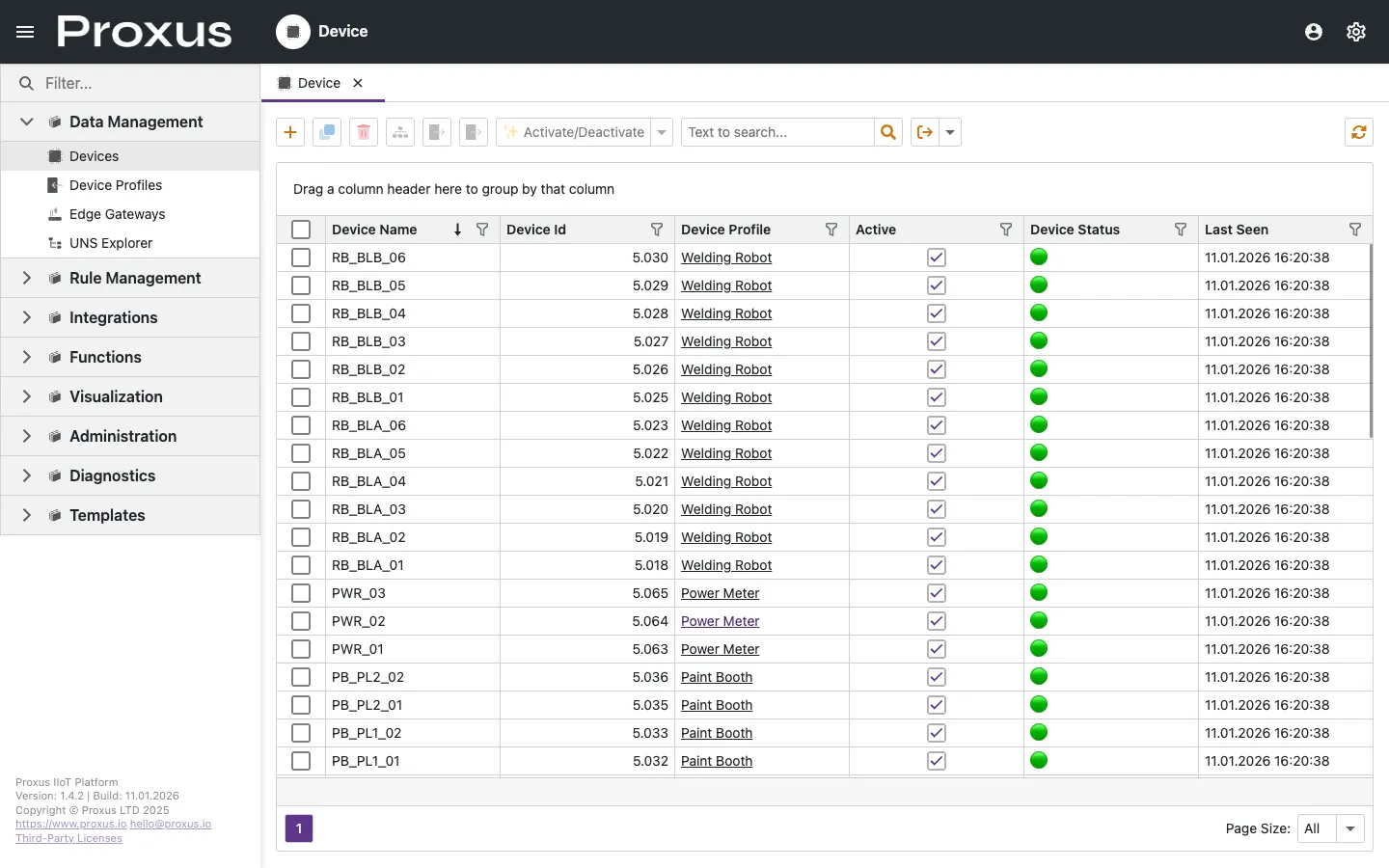
- Navigate to Data Management > Device Profiles in the sidebar.
- Click New.
- Name it
Simulated Generator. - Select Protocol:
SIMULATOR. - Add the following Tags (the Address field defines the
[min,max]range):- Name:
Temperature, Address:[20,80], Type:Double - Name:
Vibration, Address:[0,5], Type:Double - Name:
Status, Address:[0,1], Type:Bool
- Name:
- Click Save.
Add the Device
- Navigate to Data Management > Devices.
- Click New.
- Name:
Gen_01. - Profile: Select
Simulated Generator. - Gateway: Select the default
SYSTEMgateway (this is the local gateway installed with your server). - Click Save.
Activate
In the devices list, find Gen_01. You will notice it is Passive by default. Check the Active box. The system will deploy the configuration to the Gateway immediately.
Verify Data Flow
To confirm that data is flowing into the platform:
- Click on the
Gen_01device name to open the details view. - Switch to the Latest Values tab.
- You should see
TemperatureandVibrationvalues updating live without refreshing the page. - Click a trend cell to open the fullscreen signal view if you want to inspect recent history or switch to Raw mode.
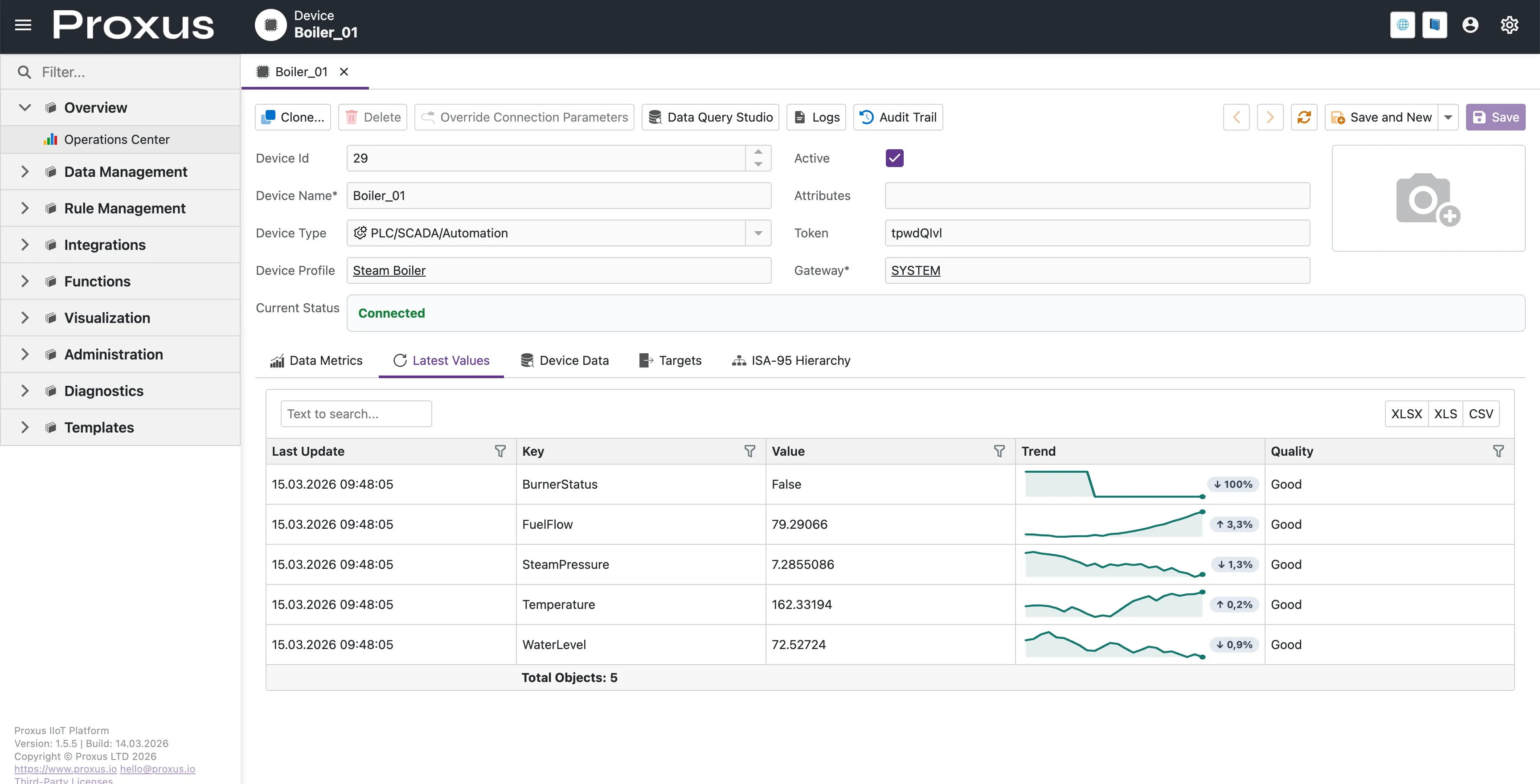
Congratulations! You have successfully deployed Proxus and ingested your first data stream.
Next Steps
Now that you have live data, explore the platform architecture or start building automation rules.