
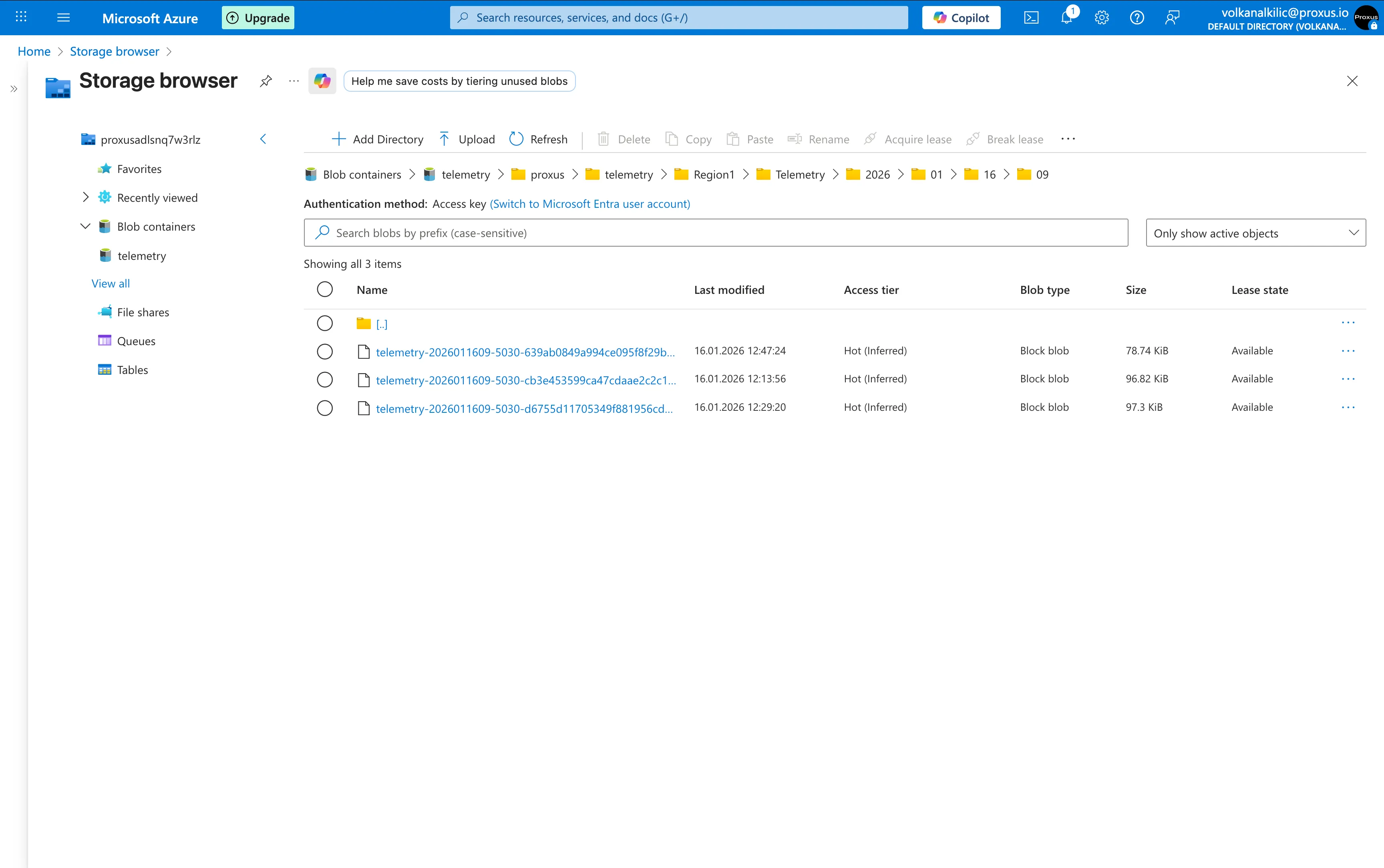
Export telemetry directly to Azure Data Lake Storage Gen2 (ADLS Gen2). This connector is optimized for high-throughput scenarios, supporting efficient batching and popular big-data formats like Apache Parquet.
ADLS Gen2 Documentation
learn.microsoft.com
Azure Setup Guide
To use this connector, you need to configure Azure resources to allow Proxus to write data.
Create a Storage Account
- Go to the Azure Portal.
- Create a new Storage Account.
- Under the Advanced tab, enable Hierarchical namespace. This is required for ADLS Gen2.
- Note down the Account Name.
Create a Container
- Navigate to your new Storage Account.
- Go to Data storage > Containers.
- Create a new container (e.g.,
telemetry). This will be your FileSystem parameter.
Register an Application (Service Principal)
- Search for Microsoft Entra ID (formerly Azure AD).
- Go to App registrations > New registration.
- Name it (e.g., "Proxus-Integration") and register.
- From the Overview page, copy the Application (client) ID and Directory (tenant) ID.
Create a Client Secret
- In your App Registration, go to Certificates & secrets.
- Create a New client secret.
- Copy the Value immediately (you won't be able to see it later). This is your ClientSecret.
Assign Permissions (RBAC)
- Go back to your Storage Account.
- Select Access Control (IAM) > Add > Add role assignment.
- Select the role Storage Blob Data Contributor (Note: "Contributor" or "Owner" is NOT sufficient for data access).
- Assign access to User, group, or service principal.
- Select the App you registered in Step 3.
Configuration Parameters
To configure the connector in the Proxus Management Console, navigate to Integrations > Outbound Connectors and create a new Azure Data Lake target.
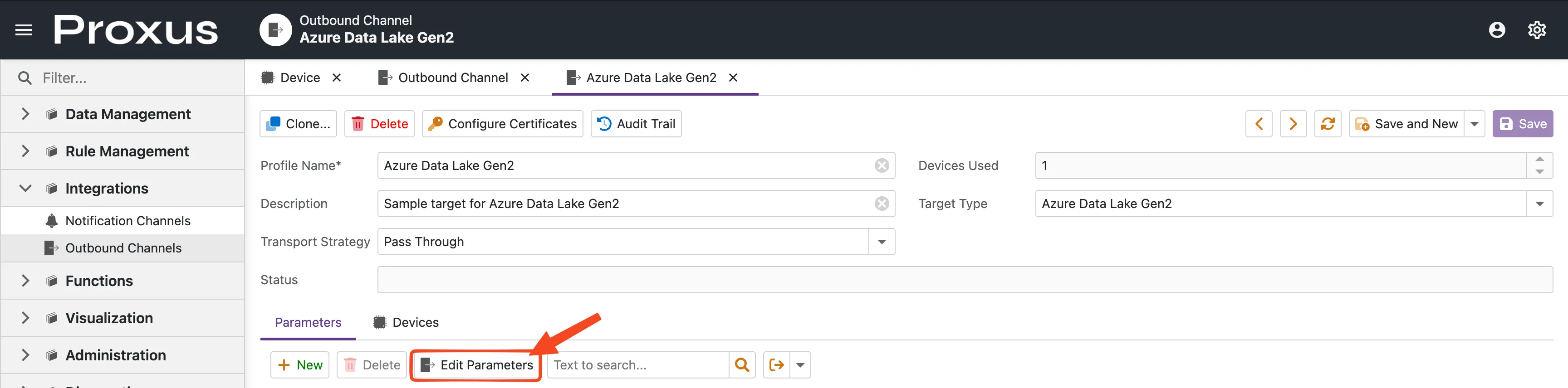
Click the Edit Parameters button to open the configuration dialog.
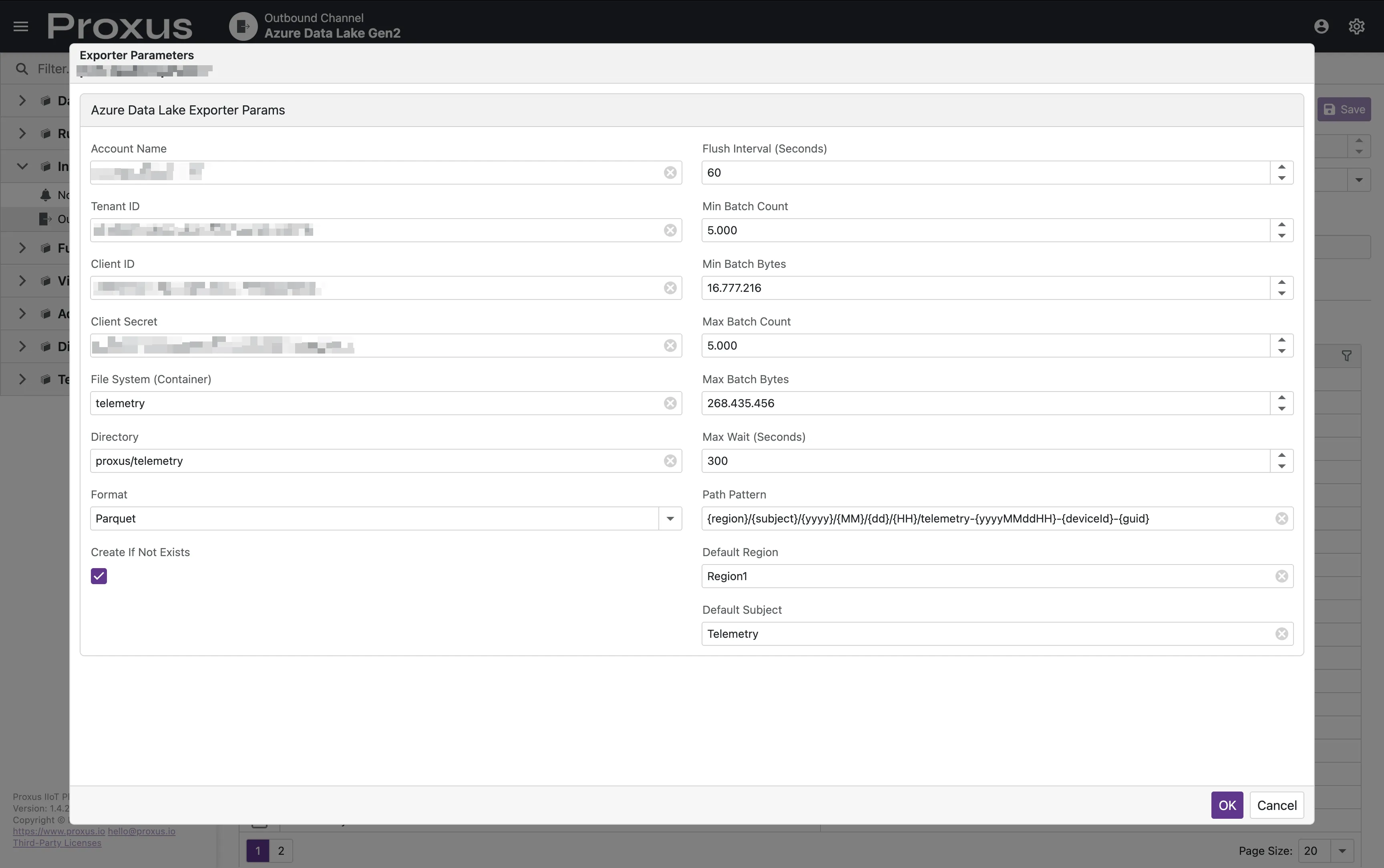
Authentication
Authentication is handled via a Service Principal.
| Parameter | Required | Type | Default | Description |
|---|---|---|---|---|
| AccountName | Yes | string | - | Azure Storage Account name. |
| TenantId | Yes | string | - | Azure Tenant ID. |
| ClientId | Yes | string | - | Application (Client) ID for Service Principal. |
| ClientSecret | Yes | string | - | Client Secret for Service Principal. |
Storage Settings
| Parameter | Required | Type | Default | Description |
|---|---|---|---|---|
| FileSystem | Yes | string | - | The name of the container (filesystem). |
| Directory | No | string | / | Base directory path within the container. |
| Format | No | string | parquet | Export format: parquet, json, or csv. |
| PathPattern | No | string | See below | Dynamic path template for generated files. |
| CreateIfNotExists | No | bool | true | Create the container/directory if they don't exist. |
| CsvDelimiter | No | string | , | Delimiter used when format is set to csv. |
Batching & Performance
These settings control when data is flushed from the internal buffer to Azure.
| Parameter | Type | Default | Description |
|---|---|---|---|
| FlushIntervalSeconds | int | 30 | Interval for checking batching thresholds. |
| MaxWaitSeconds | int | 300 | Maximum time to keep a batch open before flushing. |
| MinBatchCount | int | 5000 | Minimum records required to trigger a flush after MaxWaitSeconds. |
| MinBatchBytes | long | 16777216 | Minimum bytes (16MB) required to trigger a flush after MaxWaitSeconds. |
| MaxBatchCount | int | 100000 | Hard limit for record count to force an immediate flush. |
| MaxBatchBytes | int | 67108864 | Hard limit for batch size (64MB) to force an immediate flush. |
Performance Considerations
Avoiding the "Small File Problem"
In big data ecosystems, having millions of small files (e.g., a few KBs or MBs each) significantly degrades the performance of analytics engines like Apache Spark, Azure Databricks, or Azure Synapse. This is known as the "Small File Problem".
To avoid this, we recommend:
- Increase Batching Thresholds: Adjust
MaxBatchBytesandMaxBatchCountto create larger files. While Parquet files are ideally 128MB - 512MB for big data tools, even reaching 32MB - 64MB per file is a major improvement over frequent small flushes. - Tune Wait Times: Increase
MaxWaitSeconds(e.g., to 1800 for 30 minutes) if your data volume is low, allowing Proxus to collect more data before creating a new file. - Optimized Path Patterns: Avoid using too many high-cardinality dynamic tokens (like
{guid}or{deviceId}) in the middle of your directory structure if it causes too much partitioning.
Path Pattern Tokens
The PathPattern parameter supports dynamic tokens that are replaced at runtime:
| Token | Description |
|---|---|
{region} | Value from metadata Region or DefaultRegion. |
{subject} | Value from metadata Subject or DefaultSubject. |
{yyyy} | Year (4 digits). |
{MM} | Month (01-12). |
{dd} | Day (01-31). |
{HH} | Hour (00-23). |
{yyyyMMddHH} | Combined timestamp (e.g., 2024011614). |
{deviceId} | The unique ID of the device. |
{deviceName} | The name of the device. |
{guid} | A unique identifier to prevent filename collisions. |
Default Pattern: {region}/{subject}/{yyyy}/{MM}/{dd}/{HH}/telemetry-{yyyyMMddHH}-{deviceName}-{guid}
Internal Behavior
- Reliability: Uses a durable outbox mechanism. Messages are acknowledged (ACK) only after a successful upload to Azure. If an upload fails, messages are negatively acknowledged (NAK) and retried.
- Memory Management: Utilizes advanced memory pooling (
RecyclableMemoryStream) to prevent Large Object Heap (LOH) fragmentation during high-volume exports. - Parquet Schema: When using
parquetformat, files are written with a strictly typed schema includingdeviceId,deviceName,topic,measureName,measureValueType, and values fordouble,long,bool, andstringtypes along with atimestamp.