Version 1.5.5 improves the device detail experience for operators who need faster signal visibility without manual refresh cycles.
New Features
Live Device Detail Runtime
- Automatic runtime updates: Device detail runtime sections now update automatically while the page stays open.
- Live status visibility: Current device status refreshes in place without requiring a full page reload.
- Faster operator feedback: Teams can watch current values, device data, and runtime metrics change as fresh telemetry arrives.
Inline Trend Preview
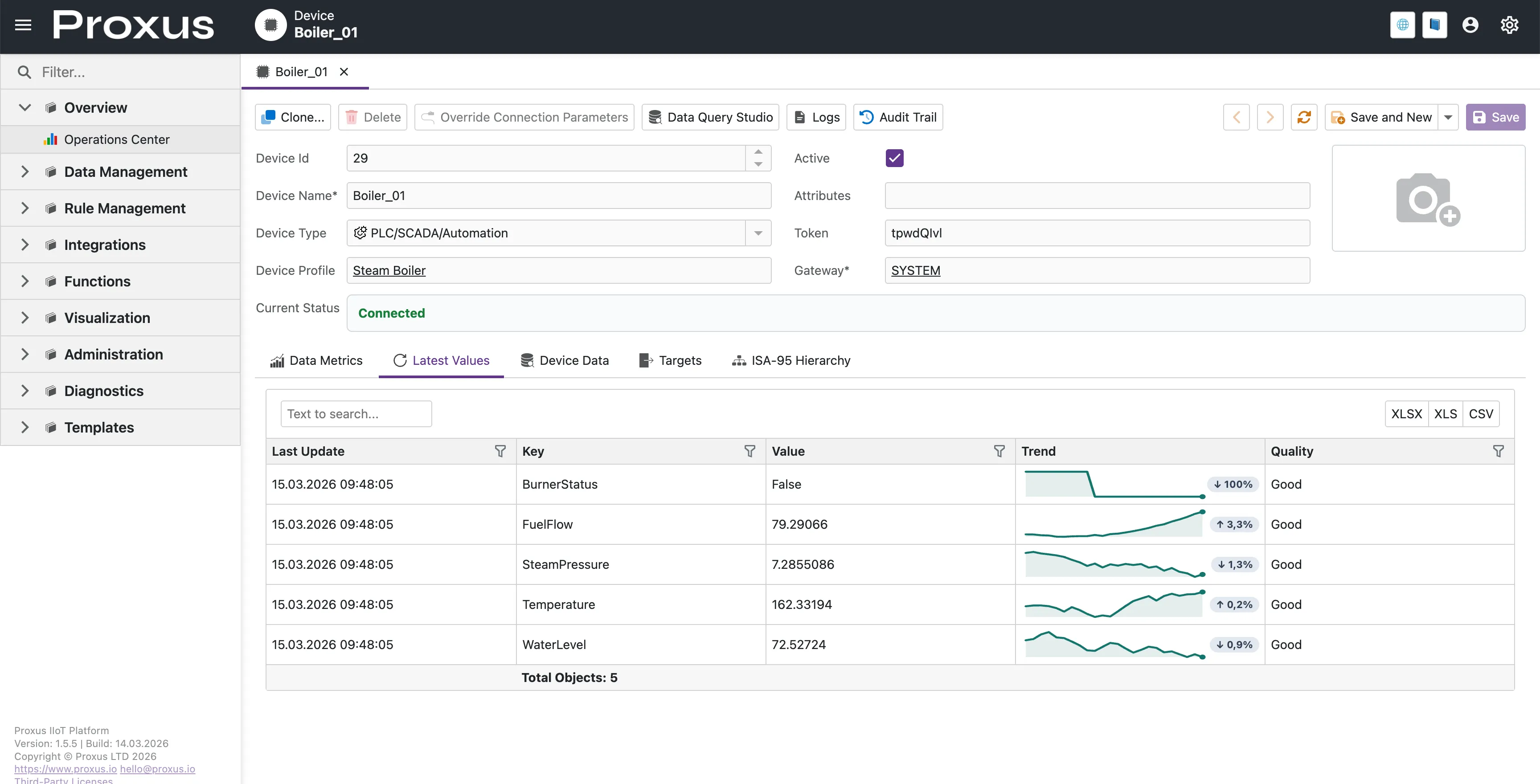
- Signal trend sparkline: Latest Values now includes a compact trend preview for each signal directly in the grid.
- Click-to-explore interaction: Selecting a signal opens a dedicated fullscreen trend view for deeper inspection.
Fullscreen Signal Trend View
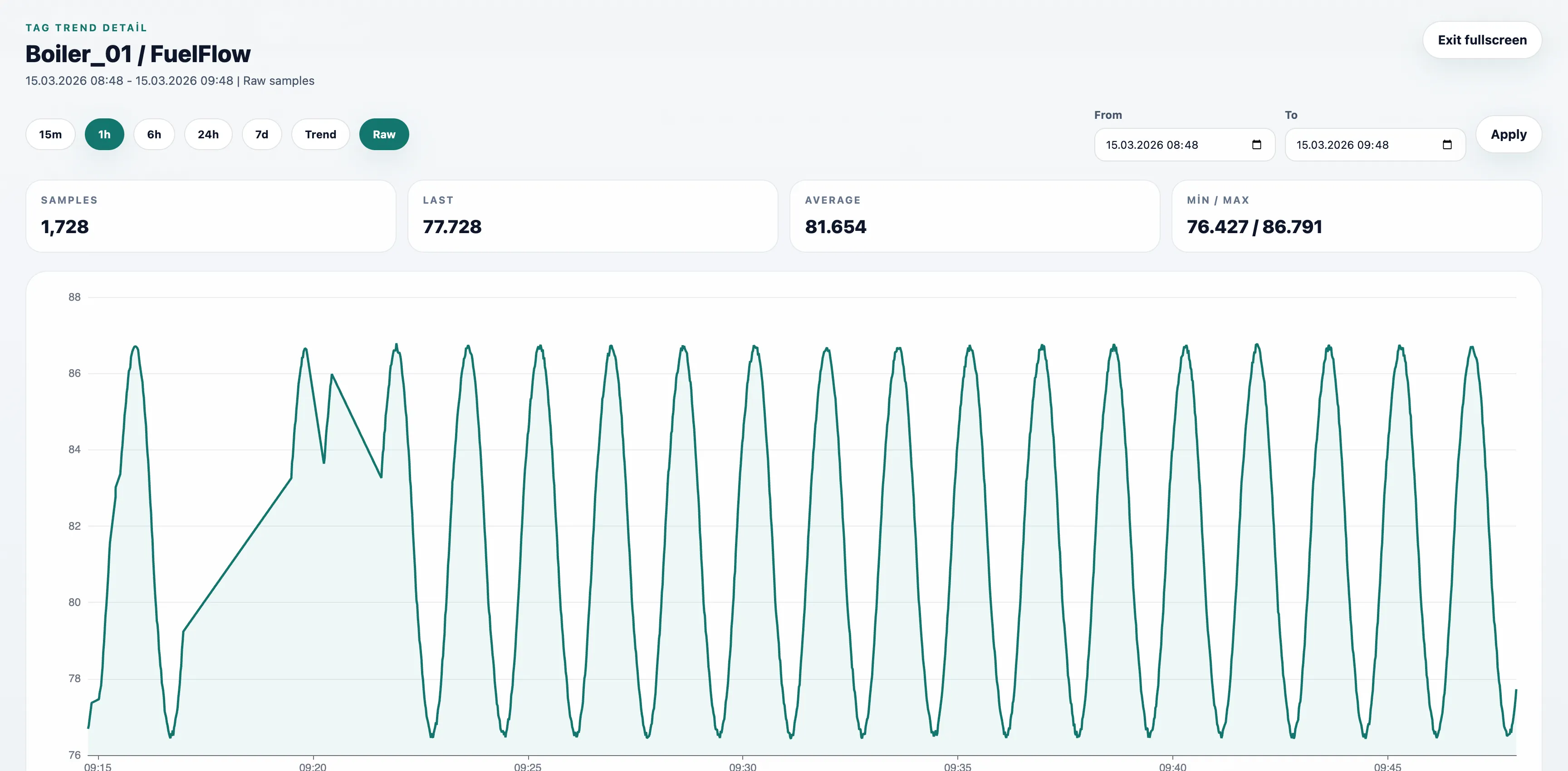
- Historical trend analysis: Numeric signals open in a fullscreen chart with recent trend context.
- Date range control: Operators can switch between quick ranges such as 15m, 1h, 6h, 24h, and 7d or apply a custom range.
- Extended raw inspection window: Raw mode can now be used for up to 1 hour when operators need a closer look at short-interval signal behavior.
- Quick statistics: Last value, average, min, max, and sample count are shown together with the chart.
- Event fallback for non-numeric data: Text or state-based signals open as a time-ordered event history instead of an empty chart.
Improvements
UNS Explorer Trend Preview
- Inline trend column: Tag rows in the UNS Explorer now include the same compact trend preview pattern used in Device Latest Values.
- Fullscreen drill-down: Clicking the trend preview opens the historical trend view for deeper inspection without leaving the UNS context.
- Responsive live preview: The inline preview uses bounded live samples so large namespaces stay responsive while operators still see recent movement.
Latest Values Grid Usability
- Cleaner toolbar layout: Search and export actions are grouped into a simpler single-row toolbar.
- Header filtering support: Column-level filtering remains available from the grid headers.
- Interaction cues: Trend previews now show pointer feedback to make drill-down affordance clearer.
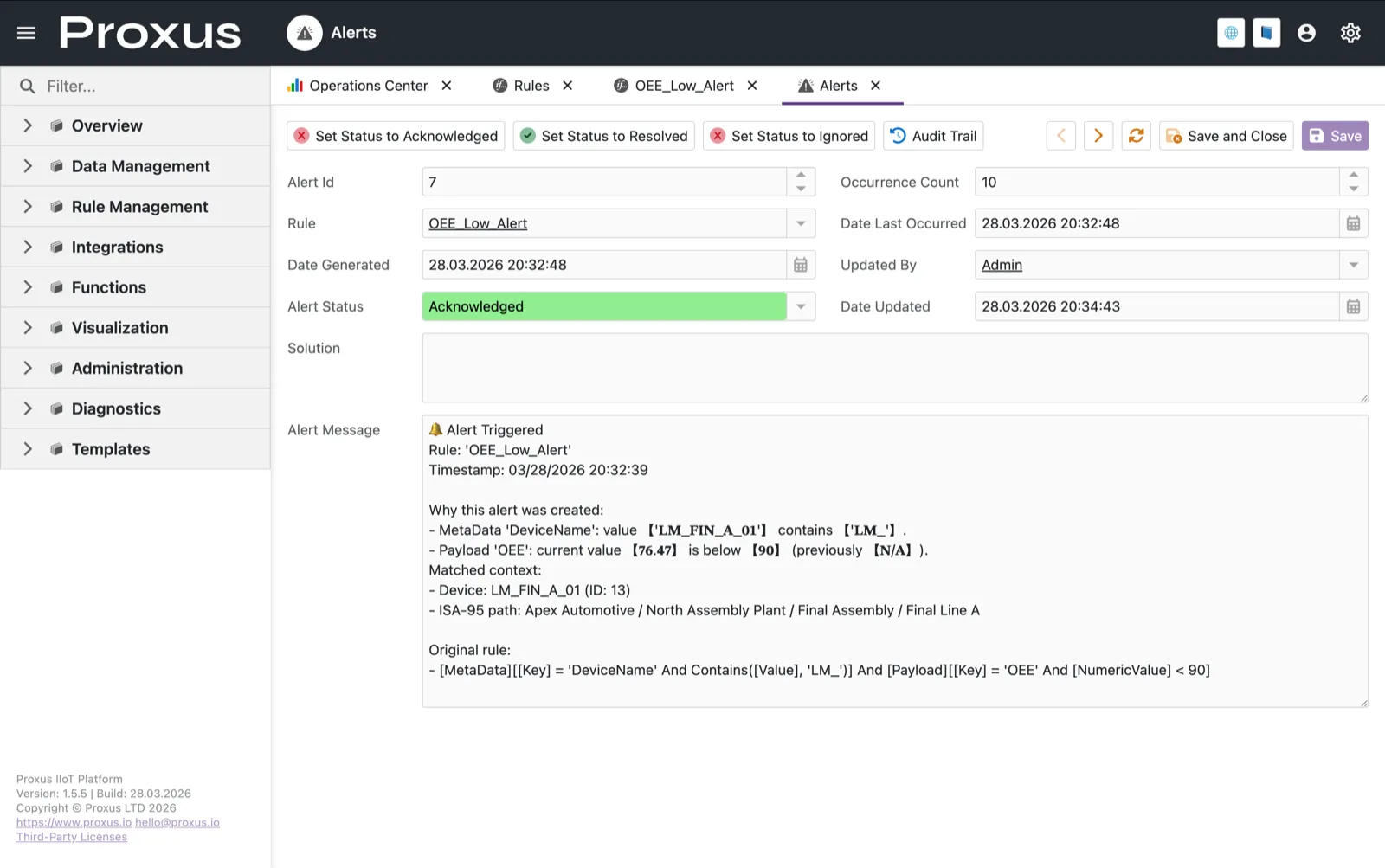
Clearer Alert Explanations
- Direct trigger reasoning: Alert messages now explain which metadata, attribute, or payload condition matched instead of dumping full raw records.
- Highlighted matched values: Device names, live values, thresholds, and previous values involved in the trigger are visually emphasized inside the alert detail message.
- Faster operator triage: Teams can understand why an alert fired from the Alerts detail view without manually comparing every field in the record.