Platform · Edge
Decide at the line, not three systems later.
The edge runtime collects, evaluates and buffers next to the equipment, and keeps doing so when the link to the centre drops. Gateways keep no configuration of their own: it comes from the hub, so a failed unit is replaced rather than rebuilt.
In the product
See what each site sends, through which gateway, to which target.
The flow view sizes every path by the values it carries per minute, from the plants through the edge gateway and the hub to the historian. The figures are from the simulated plants, not a throughput benchmark.

- Runs
- One gateway process plus a messaging container next to it that holds the local buffer, installed by one script on a plant server or industrial PC. No database at the edge
- Evaluates
- Rules, alarms, statistical anomaly detection and your own functions
- Keeps working
- Collection, rules and alarms continue when the link to the hub drops
- Buffers
- 48 hours of data by default, up to 30 days per gateway, replayed when the link returns
Work at the edge. Forward with context.
Collect, evaluate and buffer close to the equipment before forwarding data to the hub.
What it solves
What teams run into without it.
-
Latency where it matters
A rule that has to wait for a round trip to a data centre is not a rule an operator can act on.
-
Outages become holes
When collection lives centrally, every network incident writes itself permanently into your history.
-
Bandwidth spent on noise
Sending every raw sample to the centre costs link capacity and storage for values nobody reads.
-
Every site becomes a pet
When configuration lives on the box, a failed PC means travelling to site, reinstalling, restoring a backup that may not exist and reconfiguring drivers by hand.
What you get
Built in, not bolted on.
-
Rule engine
Expression rules (thresholds and conditions) and anomaly rules, evaluated as each value arrives, raising alarms or triggering downstream actions. Before you save, a rule is replayed over the last 24 hours of stored data, so you see how often it would have fired.
-
Anomaly detection
Z-score, IQR, moving average, rate of change, drift, flatline and gap detection, running live at the edge as values arrive. The trend workspace shows the stored alert moments.
-
Custom functions
Write C# functions against the Proxus SDK when a standard block is not enough.
-
Store and forward
A local buffer keeps 48 hours of data by default (set it per gateway, up to 30 days) and replays it when the link returns, so an outage delays data instead of destroying it.
-
Transform before transport
Scale, convert and filter at the source, and choose pass-through or on-change per target.
-
Fleet of gateways
Deploy additional gateways per site or per area, each with its own identity, all managed from the centre.
-
Configuration from the hub
A new gateway authenticates, receives its devices, rules, functions and integrations, and starts working.
-
Replace, do not repair
Hardware fails eventually. Install the replacement with a new command from the hub and it resumes with the same devices, rules and functions.
What this enables
What the capabilities add up to, in practice.
- Install the site with one script and update it as a unit
- Replace a failed gateway without rebuilding its configuration
- Keep collecting and evaluating when the network or the centre is down
- Act on a rule within the process cycle instead of after a round trip
- Send curated data upstream rather than every raw sample
- Extend the pipeline with your own logic without leaving the platform
When the link drops
An outage delays data. It does not erase it.
- 01
The link drops
A WAN fault, a switch reboot or maintenance on the central server: the gateway can no longer reach the hub.
- 02
The line keeps working
Drivers keep reading, rules keep evaluating and alarms are queued. Every value is written to the gateway’s local buffer.
- 03
The link returns
The buffer replays to the hub and queued alarms are delivered. Nobody exports or re-imports anything.
- 04
History is filled in
Within the buffer retention, the historian fills in the outage period from the buffered values, so next month’s report has no gap to explain.
Buffer retention is set per gateway in the hub: 48 hours by default, up to 30 days, as long as the gateway’s disk can hold that much data at its rate. An outage longer than the retention loses its oldest values first. The internet is not part of this path: with the hub on your own network, an internet outage does not interrupt collection at all.
How it is built
Proxus is written as one system, not assembled from other products: one gateway process at the line, a messaging container beside it for the buffer, and no database at the edge.
Read the architectureProven in production
Running at the edge, including where bandwidth is scarce.
-

Energy
Grid monitoring at the edge
CK Enerji
Ask us about this deployment -
Transportation
Edge filtering under bandwidth limits
Public transportation authority
Ask us about this deployment -
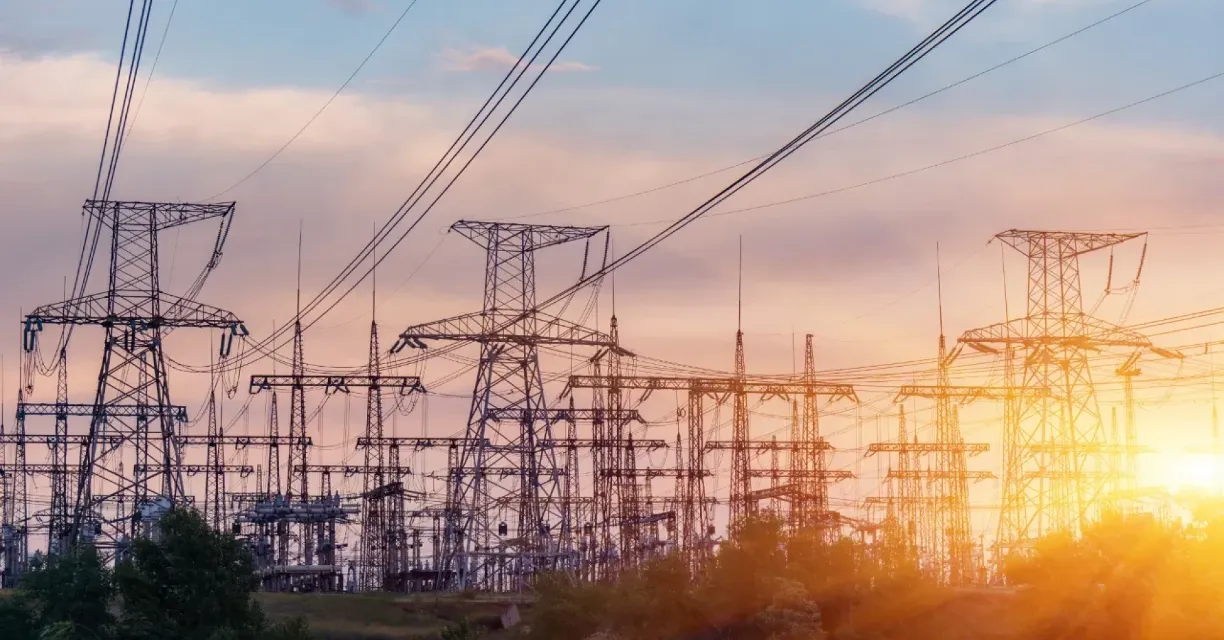
Energy
LV transformer analytics
TREDAŞ
Ask us about this deployment -

Mining & energy
Mining, fleet and solar on one platform
Kaltun Mining
Ask us about this deployment
- What runs at the edge and what runs centrally?
- Collection, rules, anomaly detection, custom functions and buffering run on the edge gateway next to the equipment. The namespace, historian, dashboards and central administration run on the hub. The same product, two roles.
- How much hardware does a gateway need?
- It runs as one gateway process plus a messaging container that holds the local buffer, installed by one script on a plant server, an industrial PC or an edge device. Sizing depends on how many signals and what interval you collect at, which is one of the things a scoping call establishes.
- Can we write our own logic?
- Yes. C# functions written against the Proxus SDK run in the pipeline alongside standard blocks.
Continue
- Platform Industrial connectivity Talk to the equipment you already have. Read more
- Platform Unified Namespace Every signal gets an address that means something. Read more
- Platform Security & deployment Your data, your infrastructure, your rules. Read more
Two numbers set your price: the gateways you run and the data rate they carry. See pricing
Next step
Pull the cable during the demo.
Ask us to disconnect a gateway while you watch: collection carries on, and the history fills back in when the link returns.
- 01
Scoping call
Equipment, protocols, sites and the systems the data has to reach.
- 02
Technical walkthrough
A working demo against a scenario that resembles your plant, not a generic tour.
- 03
Pilot plan
A defined first line or site, with the deployment and security questions answered up front.
- 04
Roll-out
The same templates bring the next lines and sites online.