OT/IT data integration
Connect each machine once. Give every system the same data.
How many systems read your machines today, and do they all agree on what a signal means?
Proxus reads each machine once, gives every signal its place in one plant tree, a unit and an equipment model, and delivers it to the systems that need it: databases, cloud services, message brokers and your own applications. OT keeps one connection per machine; IT gets data it can use without asking what a tag is.
The live demo opens in your browser with your name, company and work email. Nothing to install.
Pricing from $5,500 a year- 60+ machine protocols
- 15+ destination systems
- Unlimited users and dashboards
Running every day at these plants.See deployments


On the screen
Three questions OT and IT ask before they share plant data.

Is every plant described the same way?
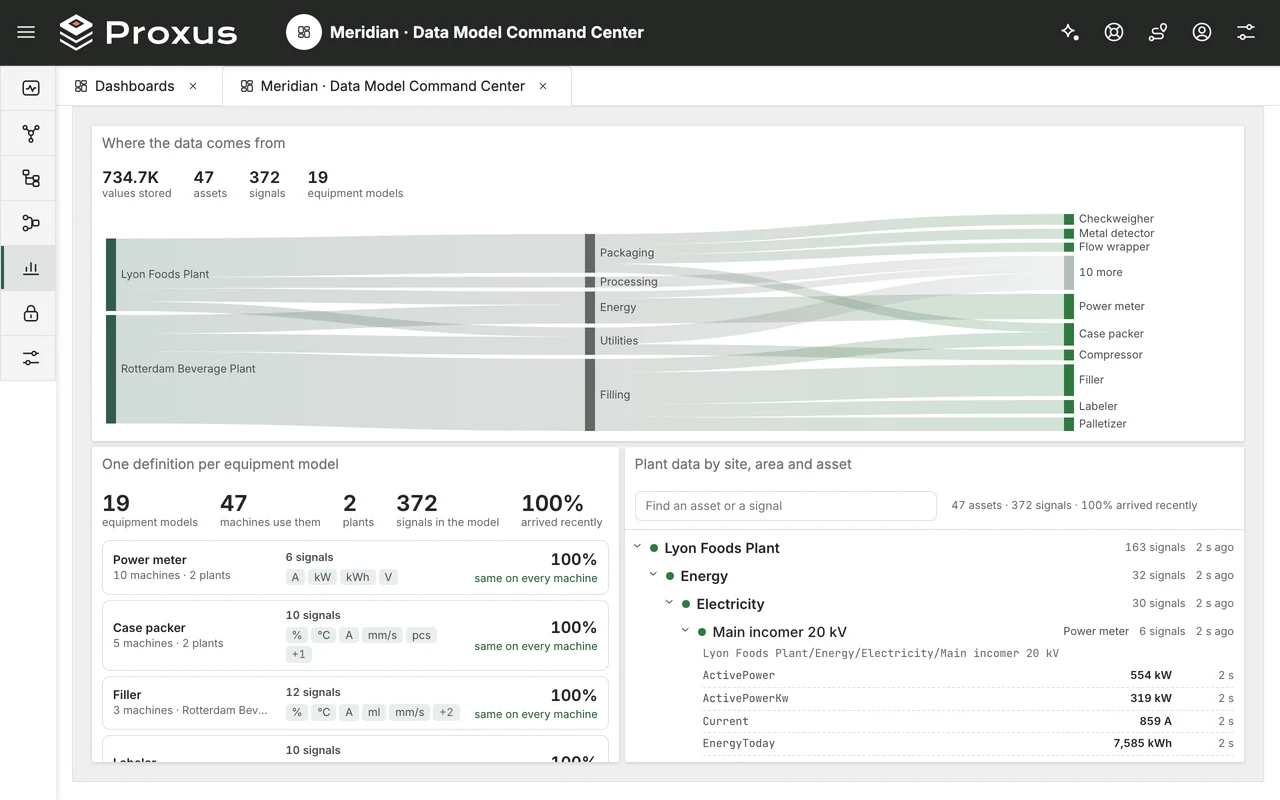
Where the data comes from, plant by plant and area by area, and each equipment model with the machines and plants its one definition covers, its signals and their units. Click a model and the plant tree narrows to its machines, with the latest value of every signal.
- One definition per equipment model, at every plant
- Signals and units per model at a glance
- The latest value and age of every signal

Can IT find a signal without asking OT?
The plant as one tree: enterprise, site, area, cell and machine, with live values on every signal. Open a signal and its history is there, so a data request starts from where the machine is, not from a PLC address.
- Enterprise › site › area › cell › machine
- Live values in the tree
- A signal’s history one click away

Does every system get its data?
The targets in use and every destination Proxus ships with: databases, message brokers, cloud services and REST. Each target shows whether it delivers, when it last succeeded and failed, and the last error, before the consuming team has to ask.
- Status, last success and last error per target
- Each device sends to the targets you pick
- 15+ destination systems built in
Try these screens yourself, in your browser.
The same plant model on the OT engineer’s laptop, the IT architect’s tablet and the plant manager’s phone.
Open the live demoThe live demo opens in your browser with your name, company and work email. Nothing to install.
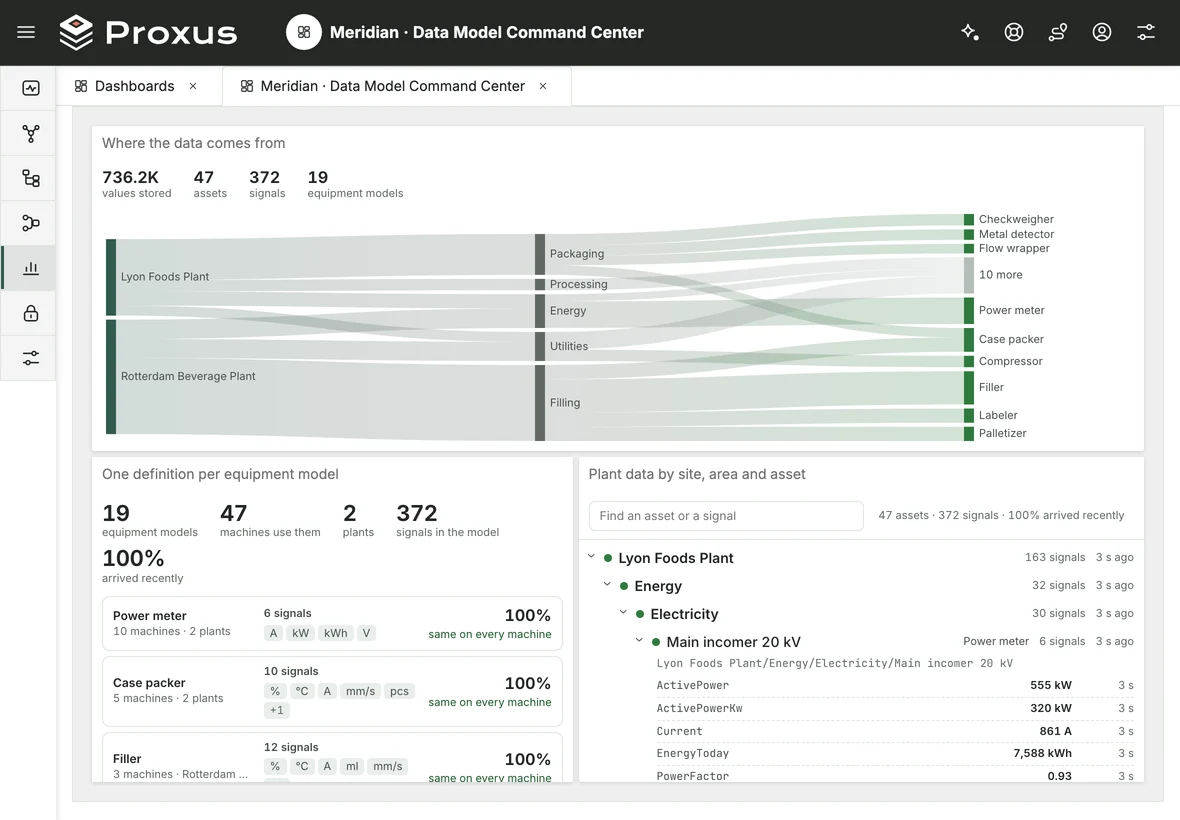
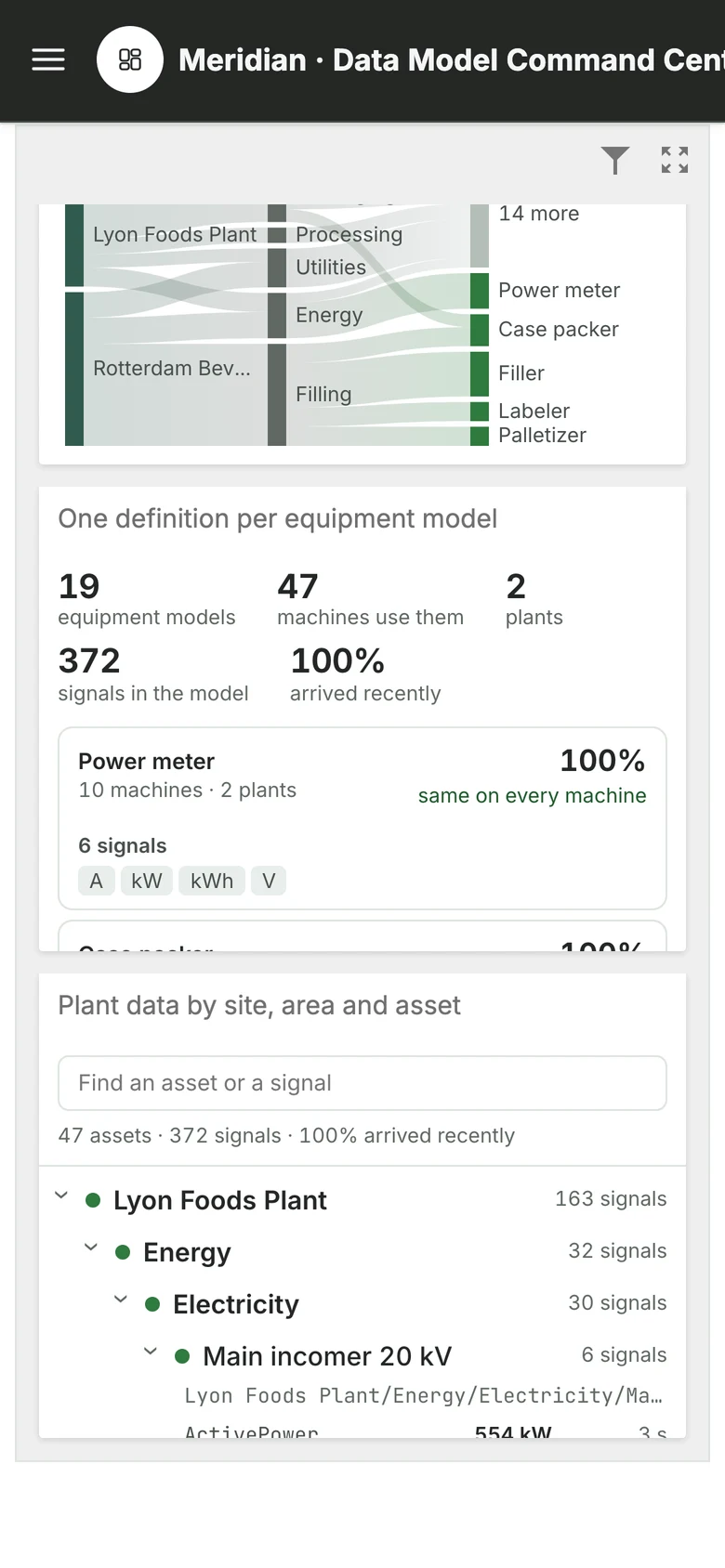
Real Proxus screens; the machine data shown is simulated.
In your estate
One layer between the machines and your systems.
-
Each machine connected once
60+ machine protocols built in, from Siemens S7 and Modbus to OPC UA. One Edge Gateway reads each machine, however many systems use its data.
-
One definition per machine type
A device profile names a machine type’s signals with their addresses, data types and units once; every machine of that type uses it, at every plant.
-
A plant tree both teams read
Every machine sits in an ISA-95 tree: enterprise, site, area, cell and equipment. IT finds data by where it is in the plant.
-
Delivered the way each system wants it
15+ destination systems: SQL databases, ClickHouse and InfluxDB, Apache Kafka, RabbitMQ and MQTT, AWS and Azure services, and REST endpoints.
-
Subscribe instead of integrate
Each Edge Gateway’s built-in MQTT broker publishes the plant tree, one topic per value, so an authorised application reads it in plant order.
-
Access by role and plant area
Each role sees only the part of the tree it is given: a site, an area or a line. Proxus runs on your own servers.
How you start
Start with one line and one consuming system.
Pick a line and the system waiting for its data: a MES, a data platform or a quality application. We connect the machines once, agree the tree and the signal names with OT and IT together, and set up the target; then the same model moves to the other lines and plants.
- We pick the line, its signals and the first consuming system
- The machines are connected once, placed in the tree and delivered
- The same model moves to the other lines and plants
Starter · one Edge Gateway
From $5,500 / year
- Unlimited users and dashboards
- No per-tag or per-target fees
- Runs on your own servers
An annual licence. The price follows the number of Edge Gateways and the data capacity you choose, not machines, tags or targets. Excluding taxes.
Request a pilot call Pricing in detail- Do we have to replace our SCADA or historian?
- No. Proxus reads the machines, or an OPC UA server you already run, alongside your current systems, and can deliver the same data to your existing databases as a target.
- How do IT systems get the data?
- Two ways. Proxus sends it to the systems you set up as targets (15+ destination systems, from SQL databases to Apache Kafka and REST), or an application subscribes to the built-in MQTT broker, where the plant tree is published one topic per value.
- Who decides what a signal is called?
- You do. A device profile names each signal and its unit once per machine type, and the plant tree places each machine. In the pilot we set both up with your OT and IT teams together.
- Can we limit what each team sees?
- Yes. Each role is given parts of the plant tree, such as a site, an area or a line, and sees only the data under them.
- How is it priced?
- Pricing starts from $5,500 a year (Starter, one Edge Gateway). The price follows the number of Edge Gateways and the data capacity, not machines, tags or targets; users and dashboards are unlimited.
Next step
Let’s pick the first line and the first system.
Tell us which machines and which system should be connected first. A Proxus engineer gets back to you and scopes the pilot with you.
Tell us about your plant
A Proxus engineer replies within one working day.
Rather look around first? Try the live demo