Integrations · Microsoft SQL Server
Production data in SQL Server, continuously.
Most plants already have a SQL Server that reporting and business systems read from. Proxus writes every reading into it continuously, one row per value in a table it creates, so the reporting layer stops depending on a nightly export.

- Writes to
- A table Proxus creates on first write, one row per reading (device, tag, value, data type, time)
- Cadence
- Continuous: Pass Through, On Change or Pipelines Only per target
- Reliability
- Buffered at the edge if the database is unreachable
- Consumers
- Reporting tools, views for MES and ERP, and anything else that already reads SQL
Data path
What actually moves, and where it stops.
Continuous writes replace the nightly export
Field
- PLCs, CNCs, robots
- OPC UA servers
- Meters and SCADA
Proxus
- Collect at the line
- Model into the namespace
- Buffer and forward
Microsoft SQL Server
- one row per reading
- report views
- MES and ERP reads
How it works
From the machine to Microsoft SQL Server, in four steps.
- 01
Name the signals
Tags get names and scaling before they reach the database, so rows carry names rather than register addresses.
- 02
Configure the target
Point an outbound target at the SQL Server instance and choose the strategy; the gateway creates its table on first write.
- 03
Let existing tools read
Build report views on that table; reporting and business systems query SQL as they always have, on current data.
- 04
Check delivery
Per-target delivery status shows whether writes are landing.
What you get
Why teams route Microsoft SQL Server through Proxus.
-
No nightly export
Reporting reads current data instead of last night’s snapshot.
-
Tag names, not register addresses
Rows carry the names you gave the tags, not controller addresses.
-
A bad row does not block the feed
A record the database answers but never accepts, such as a value too long for its column, is skipped after a few attempts and named in the target’s status; the data behind it keeps flowing.
-
Least privilege
The platform holds the credential; people and tools keep their own read access.
Where it is used
Typical deployments.
-
Feeding existing reports
Point the reports the business already trusts at views over the Proxus table, on fresher data.
-
MES and ERP integration
Give MES and ERP a current production table to read, or call their API from a pipeline (Call Api).
-
Local BI
Give analysts a familiar SQL surface without giving them plant network access.
- Targets
- SQL Server; PostgreSQL, Oracle, MySQL, Firebird, ClickHouse, InfluxDB and TDengine are also supported
- Payload
- One row per reading: device ID and name, tag name, value (as text), data type and time
- Strategies
- Pass Through, On Change, or Pipelines Only (only what a pipeline sends)
- Security
- Encrypt and TrustServerCertificate options; credentials masked in the hub
- You configure
- Server, Database, User, Password; Encrypt, TrustServerCertificate. Test Connection checks the address and credentials from the hub or from a gateway you choose, without writing data.
Proven in production
Running in production at these plants.
-
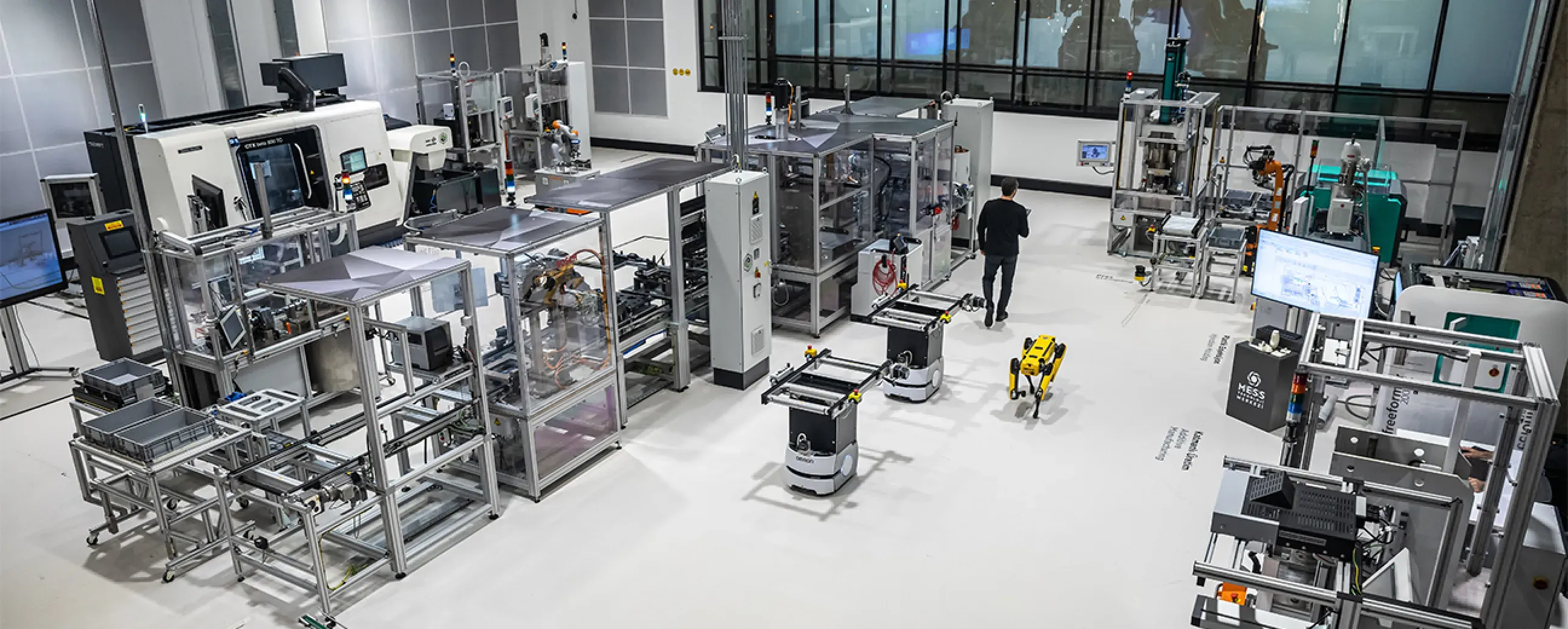
Manufacturing
Digital factory data management
MEXT Digital Factory
Read the case study -

Manufacturing
Edge deployment with SAP integration
Siemens
Ask us about this deployment -

Manufacturing
Unified Namespace with Oracle ERP
Pilenpak
Ask us about this deployment -

Mining & energy
Mining, fleet and solar on one platform
Kaltun Mining
Ask us about this deployment
Questions
Before you wire it up.
- Does this replace our nightly ETL?
- For plant data, usually yes. Values are written continuously, so reports read current data instead of a snapshot from the night before.
- Who owns the table schema?
- Proxus creates and owns one narrow table on first write: device ID and name, tag name, value, data type and time, one row per reading. Build your report views on top of it.
- What if the database is down for maintenance?
- Writes queue at the edge and are delivered when the database returns.
- Can we limit what is written?
- Yes. You choose which devices write to the target, On Change avoids writing unchanged values, and Pipelines Only writes just what a pipeline sends.
Other integrations
- Database
 PostgreSQL Write industrial data continuously into PostgreSQL for applications and analysis. PostgreSQL integration
 - Database
 InfluxDB Stream industrial time-series readings into InfluxDB 2.x. InfluxDB integration
 - Cloud
 Microsoft Azure Send plant data to Azure IoT Hub, or write it in batches to Azure Data Lake Storage Gen2. Microsoft Azure integration
Next step
See it delivering into your own Microsoft SQL Server.
Bring one machine and a SQL Server database. We connect the machine, show the rows arriving in the table Proxus creates, and what happens while the database is down.
- 01
Scoping call
Equipment, protocols, sites and the systems the data has to reach.
- 02
Technical walkthrough
A working demo against a scenario that resembles your plant, not a generic tour.
- 03
Pilot plan
A defined first line or site, with the deployment and security questions answered up front.
- 04
Roll-out
The same templates bring the next lines and sites online.