Version 1.5.4 introduces Operations Center as the primary operational cockpit for real-time monitoring and incident triage.
New Features
Operations Center
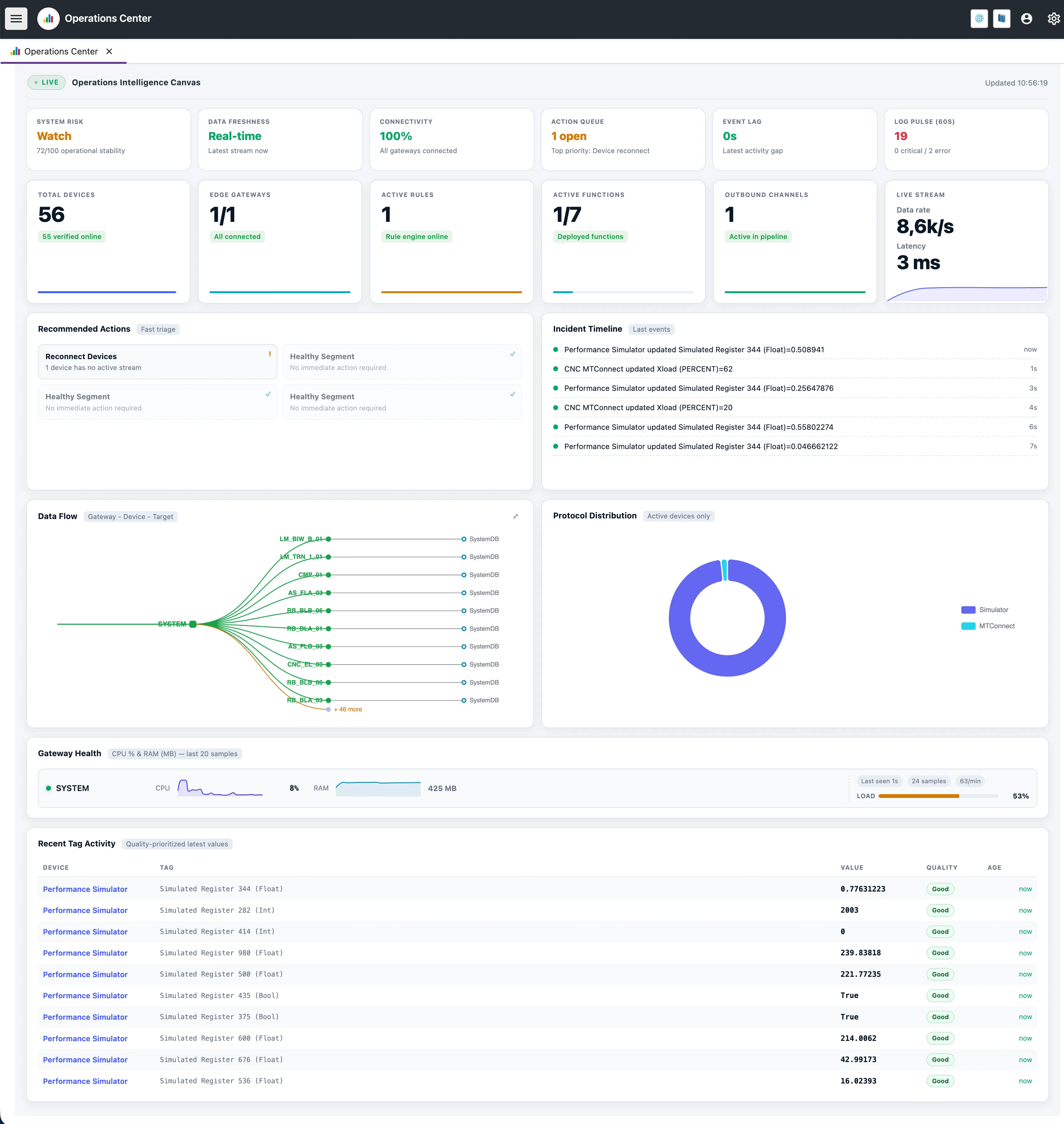
- Signal Row insights: System Risk, Data Freshness, Connectivity, Action Queue, Event Lag, and Log Pulse are presented as actionable insight cards.
- Unified operational canvas: Device health, edge status, data flow topology, protocol distribution, and incident timeline are shown in one place.
- Faster triage workflow: Recommended actions and timeline context help teams move from detection to intervention with less context switching.
Live Stream & Trend Visibility
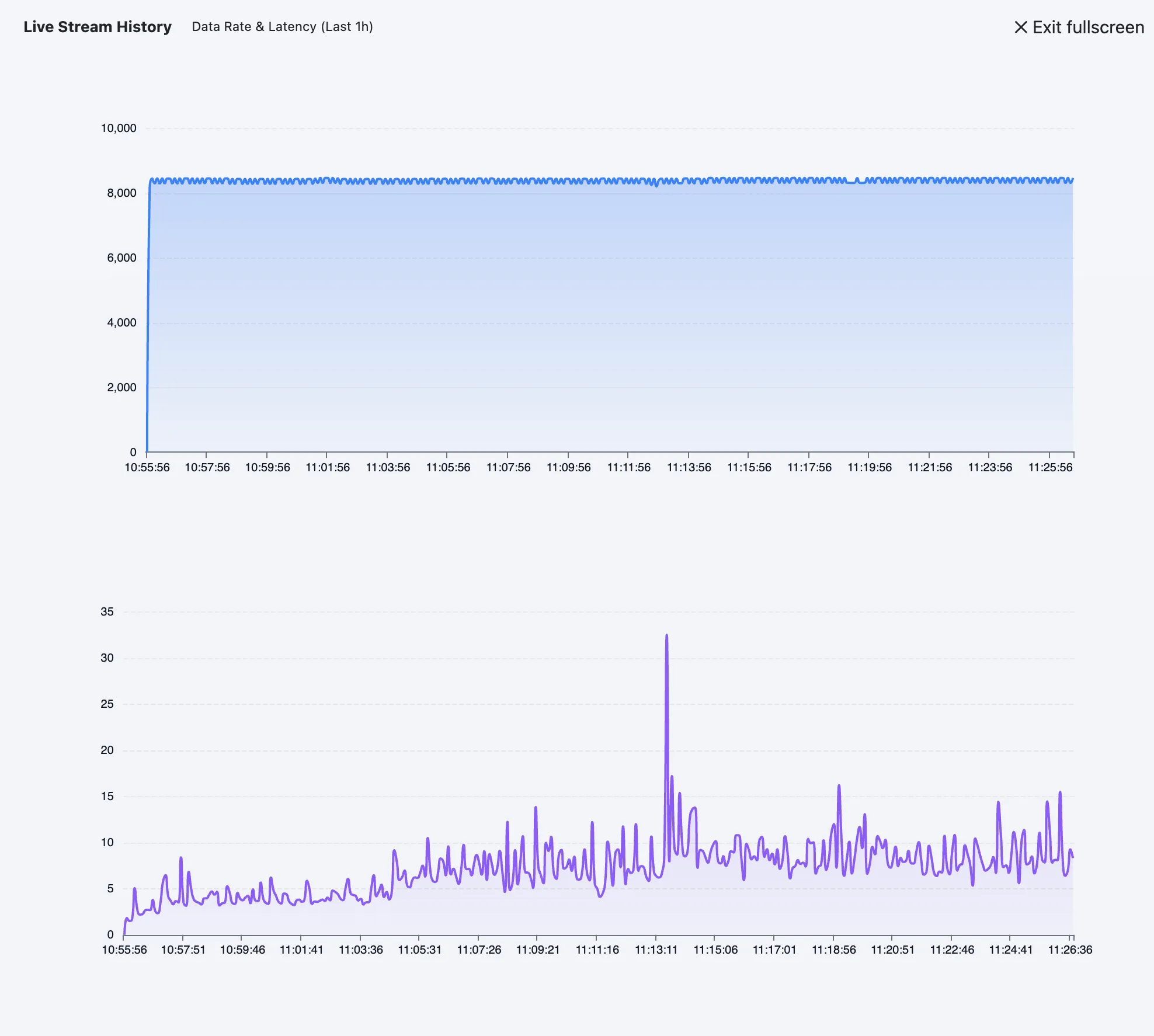
- Live throughput + latency panel: Operational stream rate and latency are visible directly on the canvas.
- Rolling trend context: Teams can compare current conditions against recent trend behavior without leaving the screen.
Gateway and Tag Activity Views
- Gateway health focus: Connected edge state and load-related cues are shown to accelerate field diagnostics.
- Recent tag activity ledger: Latest updates are surfaced in quality-prioritized order for operator follow-up.
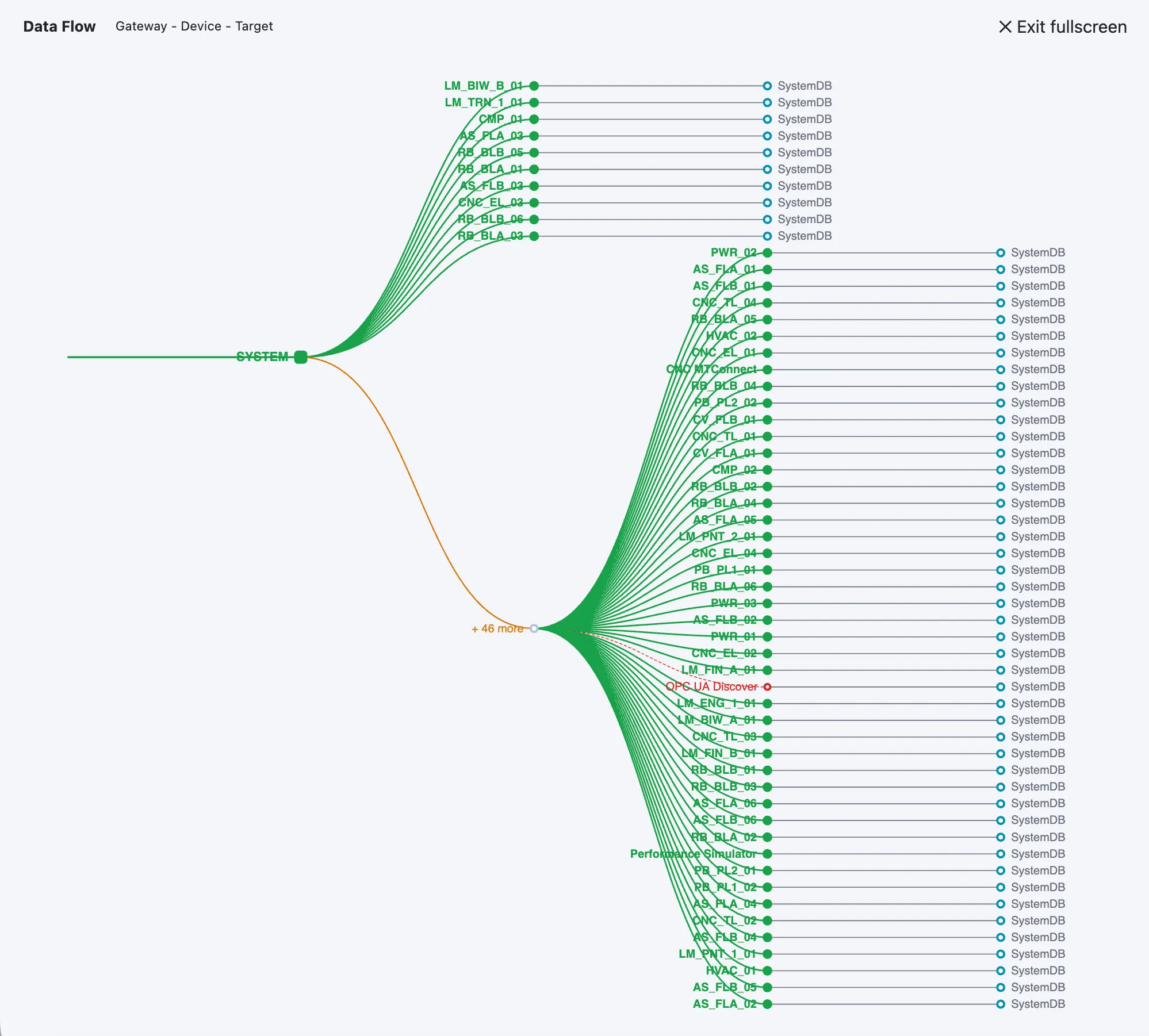
- Data Flow topology view: Gateway -> device -> target relationships are visualized in a single operational graph.
- Pipeline path clarity: Operators can validate where data is produced, how it is routed, and which outbound path is currently active.
- Faster bottleneck isolation: Combined topology and freshness signals make it easier to identify where latency or delivery lag starts.
Improvements
Unit Support Across Data Flow
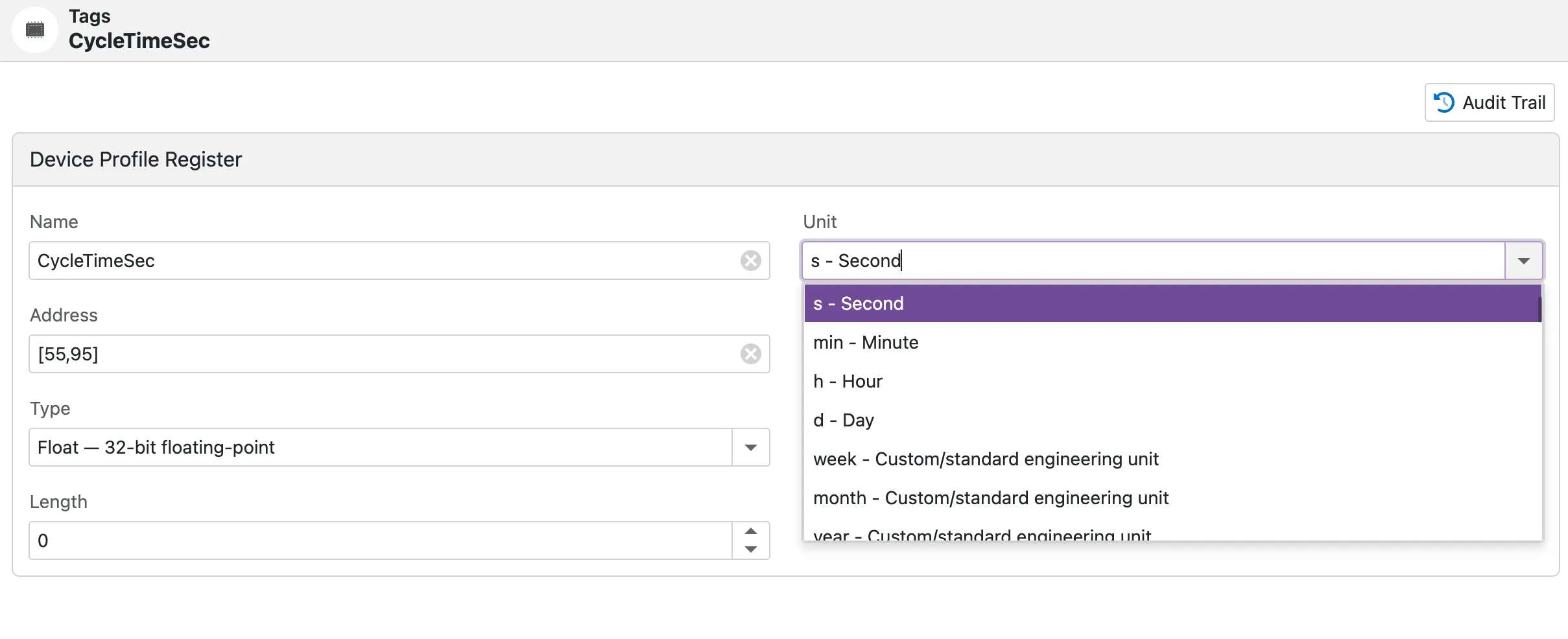
- Tag-level unit support: Tag definitions can include engineering units with standard or custom entries.
- Payload + UNS visibility: Units are preserved across telemetry flow and shown together with live values.
Documentation
- Operations Center: Added/updated full operational guide for signal insights, KPI cards, data flow topology, incident timeline, and triage workflows.
- MCP Server: Updated the AI agent integration guide with client compatibility notes for Codex, Qwen, Claude, and MCP Inspector; clarified call-time authentication and RBAC-governed data access behavior; documented the new MCP
resourcesandpromptscapabilities; and added guidance for canonical OData entity names, compatibility aliases, and live device status fields such asIsOnlineandCurrentStatus.
Navigation Shortcuts
- New top-right quick links: Two new shortcut icons were added to the top-right area.
- Website shortcut: Direct access to
https://proxus.io/. - Docs shortcut: Direct access to
https://proxus.io/docs/.
