Solutions · Condition monitoring
Catch the drift before it becomes a stoppage.
Vibration, temperature, current and pressure data already exist on most machines. Proxus evaluates them where they are produced, so a developing fault raises an alarm instead of appearing in a post-mortem.
- Runs
- At the edge, on live streams, next to the equipment
- Methods
- Z-score, IQR, moving average, rate of change, drift, flatline and gap
- Output
- Alarms with context, plus full-resolution history for analysis
Evaluate the signal where the machine produces it.
Rules and statistical anomaly detection run on the Edge Gateway beside the machine, so a developing fault raises an alarm even while the link to the hub is down.
The shift
What actually changes.
How it works today
- Sensor data lands in an archive nobody queries until after the failure
- Fixed thresholds only trigger when the damage is already done
- An alarm is a red light with no surrounding context
- Post-mortems rely on whatever resolution happened to be kept
With Proxus
- Detection runs on live streams at the edge, next to the equipment
- Statistical methods surface drift before a limit is crossed
- Alarms carry the asset and the values that produced them
- Full-resolution history stays available for the analysis afterwards
How it plays out
A typical sequence, step by step.
An illustrative sequence, not a customer story: written to show the shape of the work rather than to claim a result. Your equipment, sites and systems decide the detail.
-
Baseline
Normal behaviour is learned
Vibration, current and temperature are collected at the interval the process needs, establishing what normal looks like.
-
Day 12
Drift, not failure
A bearing signal moves outside its usual band. No limit has been crossed, but the pattern has changed.
-
Minutes later
Alarm with context
Maintenance receives the asset, the deviating values and the surrounding signals, enough to decide whether to act now or at the next stop.
-
Next planned stop
Work done on schedule
The intervention happens in planned time rather than as an unplanned line stoppage.
What Proxus does here
The working parts behind it.
-
Statistical anomaly detection
Applied to streams as they arrive, so deviations surface within the process cycle.
-
Rules on live values
Expression rules (thresholds and conditions) and anomaly rules, evaluated at the edge as each value arrives, not after a round trip.
-
Actionable alarms
Raised with the asset, the triggering values and the surrounding context.
-
Your own logic
C# functions for equipment-specific calculations a standard block cannot express.
-
Full-resolution history
Keep the underlying data for the analysis that follows an event.
-
Works offline
Detection keeps running when the network to the centre is down.
Deployment scope
What a first deployment involves.
- You connect
- Existing machine signals first, new sensors only where physics demands it
- You run
- Rules and statistical detection on the gateway at the line
- You get
- Alarms with context, plus history at full resolution
- You keep working
- Detection continues when the site is offline
What this enables
- Get a warning window instead of a failure notification
- Use signals the machines already produce before buying sensors
- Keep detection running when the site is offline
- Investigate an event against full-resolution history afterwards
In the product
What needs attention, across every site, in one screen
Open alarms and silent devices come first, with how long and how often; next to them, the health of every site, one cell per device, and the live pipeline from ingest to delivery.
Local product environment with simulated data.

Proven in production
Watching equipment that cannot be allowed to fail.
-

Energy
Grid monitoring at the edge
CK Enerji
Ask us about this deployment -

Energy
LV transformer analytics
TREDAŞ
Ask us about this deployment -

Mining & energy
Mining, fleet and solar on one platform
Kaltun Mining
Ask us about this deployment -
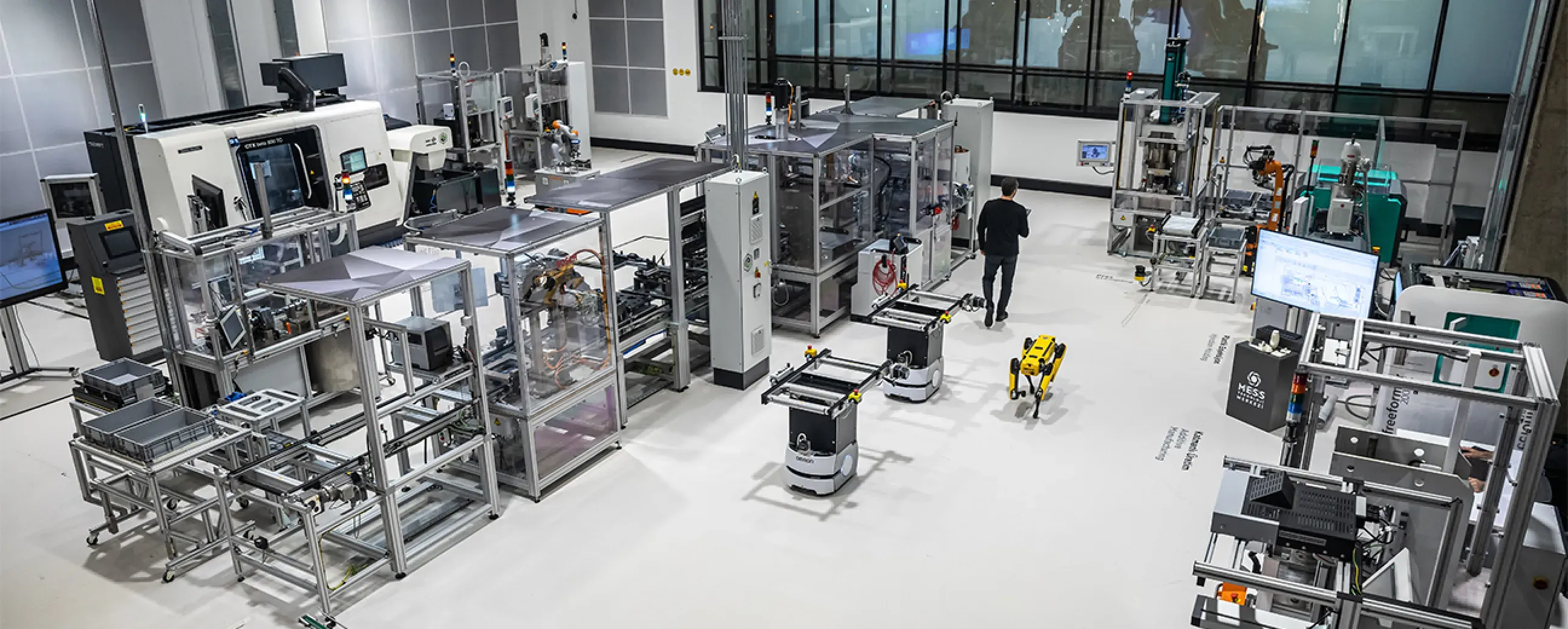
Manufacturing
Digital factory data management
MEXT Digital Factory
Read the case study
Questions
What teams ask before starting.
- Do we need new sensors?
- Often not for a first pass. Motor current, cycle time drift, temperature and pressure already exist on many machines and reveal a lot. Add sensors where the physics demands it, not by default.
- Is this predictive maintenance?
- It is the foundation for it. Statistical anomaly detection tells you that behaviour has changed. Turning that into a failure prediction for a specific asset class needs history and domain knowledge, which this gives you.
- How do you avoid alarm fatigue?
- By evaluating at the edge with context and by tuning detection per signal, so an alarm carries the values that caused it instead of just a threshold crossing.
- Where does detection run?
- On the edge gateway, on live streams, so a developing fault is visible within the process cycle rather than after a round trip to a central system.
Next step
Start with one line, not a programme.
Pick the line that causes the most arguments about numbers. We will scope what it takes to make that one trustworthy, and what the second and tenth would cost in effort.
- 01
Scoping call
Equipment, protocols, sites and the systems the data has to reach.
- 02
Technical walkthrough
A working demo against a scenario that resembles your plant, not a generic tour.
- 03
Pilot plan
A defined first line or site, with the deployment and security questions answered up front.
- 04
Roll-out
The same templates bring the next lines and sites online.
Tell us about your plant
A Proxus engineer replies within one working day.
Rather look around first? Try the live demo