Most writing about the Unified Namespace explains why it is a good idea. This guide is about the part that comes after the decision: the rules you have to write down, the choices that are expensive to change later, and the checks that tell you whether the namespace is working. It assumes you already know the basic idea. If you do not, start with What is a Unified Namespace (UNS)? and come back. For the order of work once the rules are agreed, see the UNS rollout roadmap.
The guide is written for the engineer who will own the namespace: usually someone from automation or OT, working with an IT data team. It is vendor-neutral where it can be. Where Proxus is mentioned, it is to show one concrete implementation of a rule, not to argue that you need it.
What you are actually building
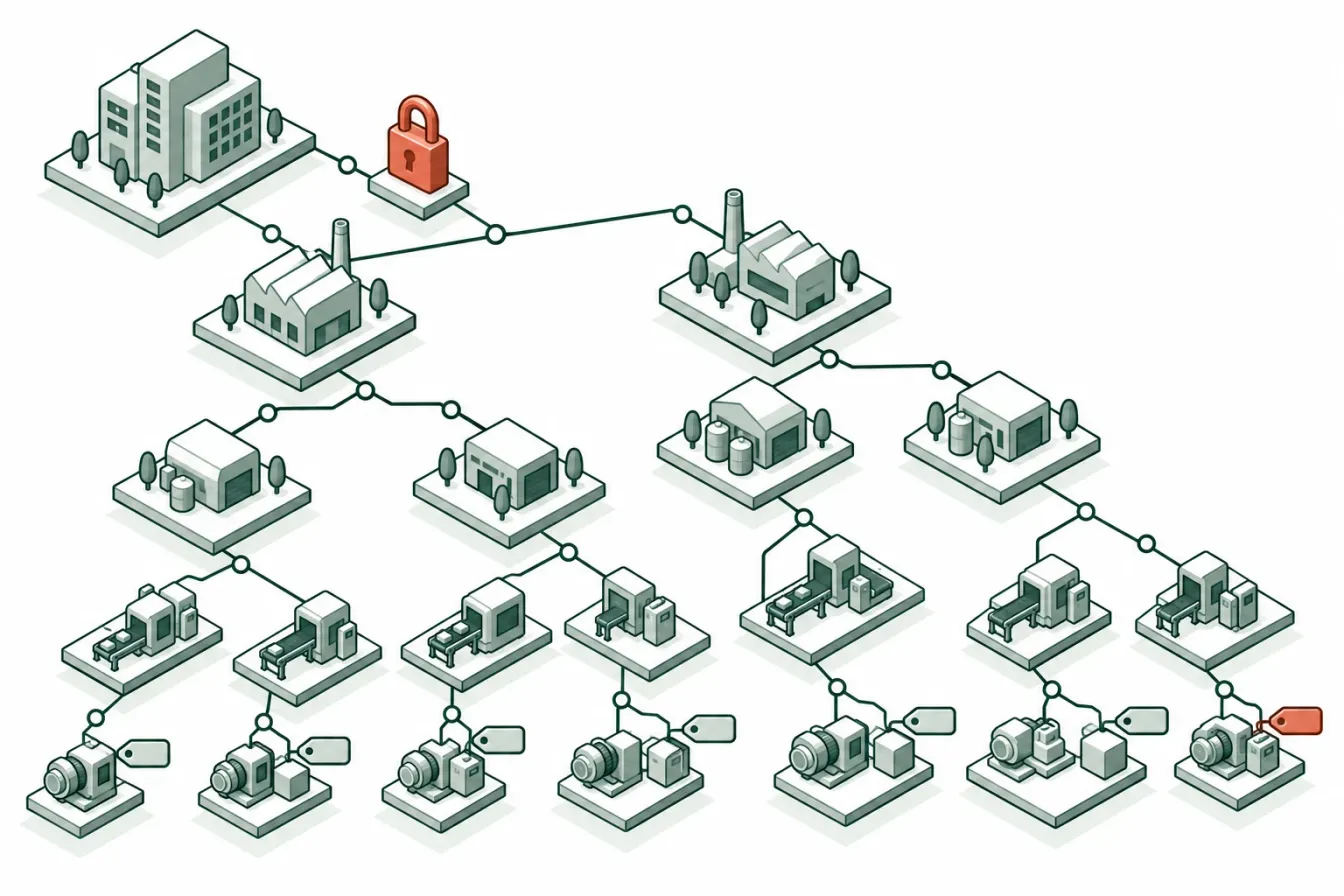
A Unified Namespace (UNS) is one structured place where the current state of the plant can be found by its location: this enterprise, this site, this area, this line, this machine, this value. Producers publish into it. Consumers subscribe to the part they need. Nobody connects to a PLC just to get a number that is already in the namespace.
In practice, a UNS is four things working together:
- A transport. Almost always an MQTT broker, sometimes several. It moves messages and keeps the last value of retained topics. It does not know what anything means.
- A naming contract. The rules that decide where each value lives in the tree. This is the part people remember.
- A payload contract. What a message on a given topic contains: value, time, quality, unit, type. This is the part people forget.
- Ownership and governance. Who may publish where, who may read what, who approves a change to the tree, and how a consumer finds out that something changed.
A broker without the other three is a message bus with a nice folder structure. It works for a demo and decays within months, because every new publisher invents its own conventions. The rest of this guide is about the three contracts that sit on top of the transport.
Decide the scope before the structure
Before drawing a tree, answer three questions in writing.
What belongs in the namespace? Current operational state: process values, machine states, counts, alarms, the active order or recipe, maybe the shift. It is a poor place for bulk historical data, large files, or transactional records that already have a system of record (an ERP purchase order should stay in the ERP; its number can be published as context).
Who is the first consumer? A namespace designed for "everyone, eventually" is designed for nobody. Pick one consumer that will use it in the first months, for example an OEE dashboard or a maintenance system, and design for its needs first. The second and third consumers will show you what was missing.
Is the namespace the source of truth, or a view of it? For live values it is usually the freshest copy, but the PLC remains the authority. For context such as the current order, the authority is the MES or ERP. Write down which system is authoritative for each kind of data. When two systems disagree, this list decides who is right.
Design the hierarchy
Start from ISA-95, then stop adding levels
The ISA-95 equipment hierarchy (enterprise, site, area, line or process cell, unit or equipment) is the usual starting point, and for good reason: it is a standard, it maps to how plants are organized, and most people recognize it. Use it, but resist adding levels for things that are not physical locations.
A common mistake is to fold several dimensions into the path:
Acme/Izmir/Packaging/Line3/Filler/Production/Shift2/Order_44120/CountShift and order are not places. They change every few hours, and putting them in the path means the same physical value moves to a new topic every shift. Consumers that subscribed to the old path stop receiving data, and history is split across paths. Publish the shift and order as their own values, or as context fields in the payload, and keep the path stable:
Acme/Izmir/Packaging/Line3/Filler/Count
Acme/Izmir/Packaging/Line3/_context/Order
Acme/Izmir/Packaging/Line3/_context/Shift
Rule of thumb: a path segment should change only when equipment is physically moved, renamed or replaced.
Allow levels to be empty
Not every site has areas, and not every machine belongs to a cell. Decide whether an empty level is skipped (shorter path) or filled with a placeholder. Both work; mixing them does not. Skipping is easier to read, but it means a wildcard such as +/+/+/Count matches different depths at different sites. Placeholders keep the depth constant, which makes wildcards predictable, at the cost of paths like Acme/Izmir/_none/Line3.
In Proxus, each device carries its place as five optional levels (enterprise, site, area, process cell, equipment module), and empty levels are left out of the topic. That is a reasonable choice, but it is why the MQTT documentation warns that a five-+ wildcard only matches devices with all five levels set.
Separate categories under the device
Under each device or machine node, separate the kinds of data. A minimal split:
| Category | Contains | Typical behaviour |
|---|---|---|
telemetry | Process values read from the machine | Published on every read or on change |
state | Online status, last seen, running state | Retained, so a new subscriber sees it at once |
events | Alarms, stops, quality events | Published once per event, never retained |
_context | Order, recipe, operator, shift | Retained, changes rarely |
Proxus publishes telemetry/<tag> for values and state/_status and state/_lastSeen for the device's state, with the state topics retained. The exact names matter less than the fact that every publisher uses the same ones.
Version the root
Put a version segment at the root (v1/...) from day one. It costs four characters. When you need to change the structure in a way that would break consumers, you can publish v2/... alongside v1/... for a migration period instead of breaking everyone at once. Proxus topics start with v1/ for this reason.
Write the naming rules
Naming disputes are the most common reason a UNS loses credibility. Line1, line_1, L1 and Linie1 in the same tree mean every consumer needs a lookup table, which is exactly the problem the namespace was supposed to remove. Write the rules down before the second site joins.
A short rule set that holds up:
- Allowed characters: letters, digits,
_and-. No spaces, no/inside a name, no+or#(they are MQTT wildcards), no$at the start (reserved for broker system topics). - Case: pick one convention and keep it. MQTT topics are case-sensitive:
Line1andline1are two different topics. - Language: one language for structural names, even in a multilingual company. Display names can be translated in the user interface; topic names should not be.
- Units do not go in names.
Temperature, notTemperature_C. The unit belongs in the payload, where it can be read by a program. - Names describe what, not where it came from.
Speed, notDB40_DBD12. The PLC address is metadata for the people who maintain the connection. - Reserved prefixes: decide on a prefix (such as
_) for system-generated topics so they never collide with tag names.
Enforce the character rule mechanically. Proxus, for example, replaces every character outside letters, digits, _ and - with _, so Lyon Foods Plant becomes Lyon_Foods_Plant and case is kept. Whatever your platform does, document it, because consumers need to know that the name they see in the UI is not always the exact topic segment.
Define the payload contract
The topic tells you where a value belongs. The payload tells you what it is. A consumer should be able to process a message without asking anyone, which means every message on a telemetry topic should carry the same fields.
A practical minimum:
{
  "ts": "2026-10-16T08:14:22.410Z",
  "value": 72.4,
  "dataType": "Double",
  "unit": "°C",
  "quality": "Good"
}
Timestamp. Use UTC, ISO 8601, with milliseconds. Write down which time it is: when the sensor measured it, when the PLC stored it, or when the gateway read it. These can differ by seconds on a polled connection, and for event sequencing that matters. Proxus uses the time the gateway read the value.
Value and type. Publish the value in its natural JSON type (number, boolean, string) and state the type explicitly. A consumer that receives 1 cannot tell whether it is an integer count or a boolean that a PLC stored as a word.
Unit. Carry it in every message, or in a retained metadata topic per tag. Having it in every message costs a few bytes and saves a class of errors.
Quality. Decide what a consumer sees when a read fails. There are two honest options: publish the message with a Bad quality and no trustworthy value, or publish nothing and let the state topic show that the device is offline. The dishonest option is to publish the last good value again with a fresh timestamp. Proxus takes the second option on its telemetry topics: values that could not be read are not published there, and the device page shows the read errors.
Context. Repeating the full place (enterprise, site, area) in every payload makes messages larger, but it lets a consumer that stored messages without topics still know where they came from. Many teams publish a slim payload on per-tag topics and a richer summary message per device. Proxus does this with a _summary topic that holds the latest value of every tag of a device, and an option to add a context object to each tag message.
JSON or Sparkplug B. JSON is easy to read, easy to debug and supported by everything. Sparkplug B adds a defined session model (birth and death messages), typed metrics and compact Protocol Buffers payloads. Choose Sparkplug B when several vendors' systems must interoperate without a custom contract, or when bandwidth is constrained; choose JSON when you control both ends and value readability. You can offer both: Proxus publishes JSON by default and can publish Sparkplug B instead on a gateway's broker, and it can send Sparkplug B to outbound consumers. It does not ingest Sparkplug B from other nodes.
Make state explicit
A namespace is useful only if a consumer can tell the difference between "the value is 0" and "we have not heard from this machine for an hour."
Three mechanisms cover most of this:
- Retained status topics. A retained
state/_statusmessage withOnlineorOfflinemeans a consumer that connects later learns the status at once, without waiting for the next change. - Last-seen time. A retained
state/_lastSeenwith the time of the latest reading lets a consumer decide for itself whether a value is stale. Different consumers have different tolerances: a dashboard may accept a minute, an alarm rule may not. - Last Will and Testament. An MQTT client can register a message that the broker publishes if the client disconnects without saying goodbye. Use it for publishers that connect directly to the broker, so their status flips to offline when they vanish.
Never retain telemetry and events by default. A retained alarm is replayed to every new subscriber as if it just happened.
Plan for more than one broker
In a single plant, one broker is simple. Across several sites, you have to decide where the namespace physically lives.
- One central broker. Every site publishes to it. Simple to reason about, but every site depends on the WAN for its own namespace, and the central broker sees all traffic.
- A broker per site, bridged. Each site has its own broker; a bridge forwards selected branches to a central broker. Sites keep working when the WAN is down. The cost is bridge configuration and the risk of loops or duplicated branches.
- A broker per gateway. Each edge gateway runs a broker for the devices it reads. Local consumers connect to it directly, and the central view is assembled elsewhere.
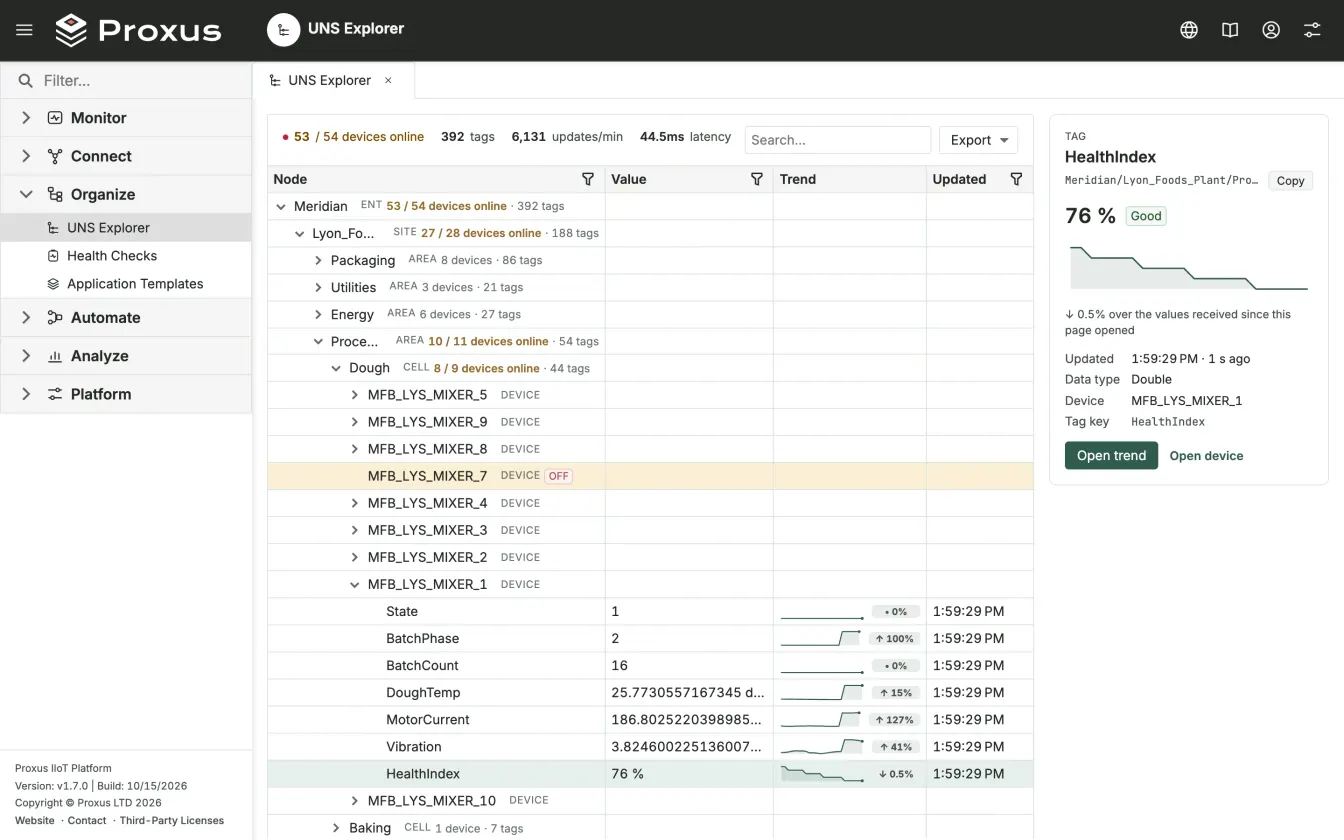
Proxus follows the third pattern: each gateway runs its own MQTT broker and publishes only its own devices, while every value also travels to the hub over a separate, buffered message server. The hub is where history, dashboards and the UNS Explorer show the whole plant; Unified Namespace in Proxus shows that view. Whichever pattern you choose, write down which broker is authoritative for which branch, so two publishers never fight over the same topic.
Secure the namespace
A namespace that anyone on the network can read is a map of your plant and its current state. Treat it accordingly.
- Encrypt the transport. Use MQTT over TLS (port 8883 by convention) and have clients verify the broker certificate against a CA you control. Keep the plain port only for devices that cannot do TLS, and close it when you can.
- Authenticate every client. No anonymous connections in production. Prefer one credential per system over a shared password, so you can revoke one consumer without touching the others.
- Limit what each identity can see. Broker-level access control lists (ACLs) differ widely between brokers; some support per-topic rules, some do not. Know what yours supports. In Proxus, the gateway's broker accepts the gateway's master token or a device's own token and has no per-topic rights, so the master token should go only to trusted systems. Per-branch visibility is enforced in the platform instead: UNS permissions allow or deny a path for a role, and they apply to people, integrations and AI clients alike.
- Separate reading from writing. Publishing a value into the namespace and writing a setpoint to a machine are different acts. Do not let a topic in the namespace become an unaudited path to a controller. If writes are needed, give them their own command model, authorization, validation and audit trail.
Assign ownership
Every branch of the tree needs an owner who approves changes to it. In practice:
| Branch | Typical owner | Approves |
|---|---|---|
| Root and level names | Namespace owner (one person or a small group) | New sites, renamed levels, version changes |
| A site's subtree | Site automation lead | New lines and machines, tag naming within the site |
| A device's tags | The engineer who connects it | Tag names, units, scaling |
_context topics | The system that is authoritative (MES, ERP) | What context is published and when |
Treat a structural change like a database schema migration: write it down, announce it to consumers before it happens, run old and new in parallel when you can, and remove the old path only when no consumer still uses it.
Roll out in phases
Phase 1: one line, one consumer
Connect the machines of one line and only the tags the first consumer needs: state, counts, rejects, a few key process values. Write the naming and payload rules during this phase, not after it. A pilot that skips the rules proves the broker works, which you already knew.
Phase 2: the second consumer
Add a second, different consumer, for example a maintenance tool next to the OEE dashboard. This is the real test of the namespace: the second consumer should need no new connection to the machines, only a subscription. Whatever it is missing (a unit, a state topic, a context value) tells you what the contract lacks.
Phase 3: the second site
Copy the structure to a second site. This is where naming inconsistencies appear, because a different team names things. Resolve them in the rules, not with mappings in the consumers.
Phase 4: retire point-to-point paths
Move existing integrations onto the namespace one at a time, and switch off the old direct connections only after the new path has run in parallel long enough to compare results.
Test it like a product
A namespace is infrastructure that other systems depend on. Test it as such.
- Contract tests. A small script that subscribes to
v1/#for an hour and reports every topic that breaks a naming rule, every payload with a missing field and every unexpected type change. Run it after every change. - Stale-data test. Disconnect a device on purpose. Check that its status changes, that its last-seen time stops, and that no consumer keeps showing the old value as current.
- Outage test. Cut the link between a site and the centre. Check what local consumers still see, what the central view shows, and whether data from the outage arrives afterwards with its original timestamps. How data flows describes what Proxus does in this case.
- Consumer onboarding test. Give the namespace documentation to someone who has never seen it and ask them to subscribe to all temperatures of one line. If they need to ask a question, the documentation or the structure has a gap.
A checklist before you call it done
- The hierarchy is written down, with an example path for every level and the rule for empty levels.
- The naming rules are written down and enforced by a tool, not by memory.
- Every telemetry payload carries time, value, type, unit and quality, and the meaning of the time is documented.
- Status and last-seen topics are retained; telemetry and events are not.
- The transport uses TLS, every client has its own credential, and you know what your broker can and cannot restrict per topic.
- Every branch has an owner, and structural changes follow a written process.
- At least two different consumers use the namespace without their own connection to the machines.
Where to go next
- UNS rollout roadmap: five phases from pilot line to plant puts these rules in order, from the first pilot line to moving existing consumers over.
- SCADA and Unified Namespace (UNS): Architectural Roles in Modern IIoT looks at running SCADA as one consumer among many.
- From OPC UA to MQTT covers how to carry context across when the source is an OPC UA server.
- Choosing software to hold these contracts? Proxus compared with HighByte sets a modelling layer above existing systems against collection, modelling, storage and delivery in one deployment.
- In the Proxus documentation: Unified Namespace, MQTT and the UNS topics, the UNS Explorer and UNS permissions.