Machine monitoring software: See every machine’s state right now, without walking the floor.
Which machine is running, which has stopped, and for how long?
Proxus reads your existing PLCs without touching their programs and shows each machine’s state, its speed against target and how long it has been in that state, live. Stops are recorded with the reason the machine reports, so nobody has to write them down.
The live demo opens in your browser with your name, company and work email. Nothing to install.
Production pricing from $14,000 a year- 60+ machine protocols
- Runs on your own servers
- Unlimited users and dashboards
Running every day at these plants.See deployments



On the screen
Three questions about your machines, answered from their own signals.

Which machines are running right now?
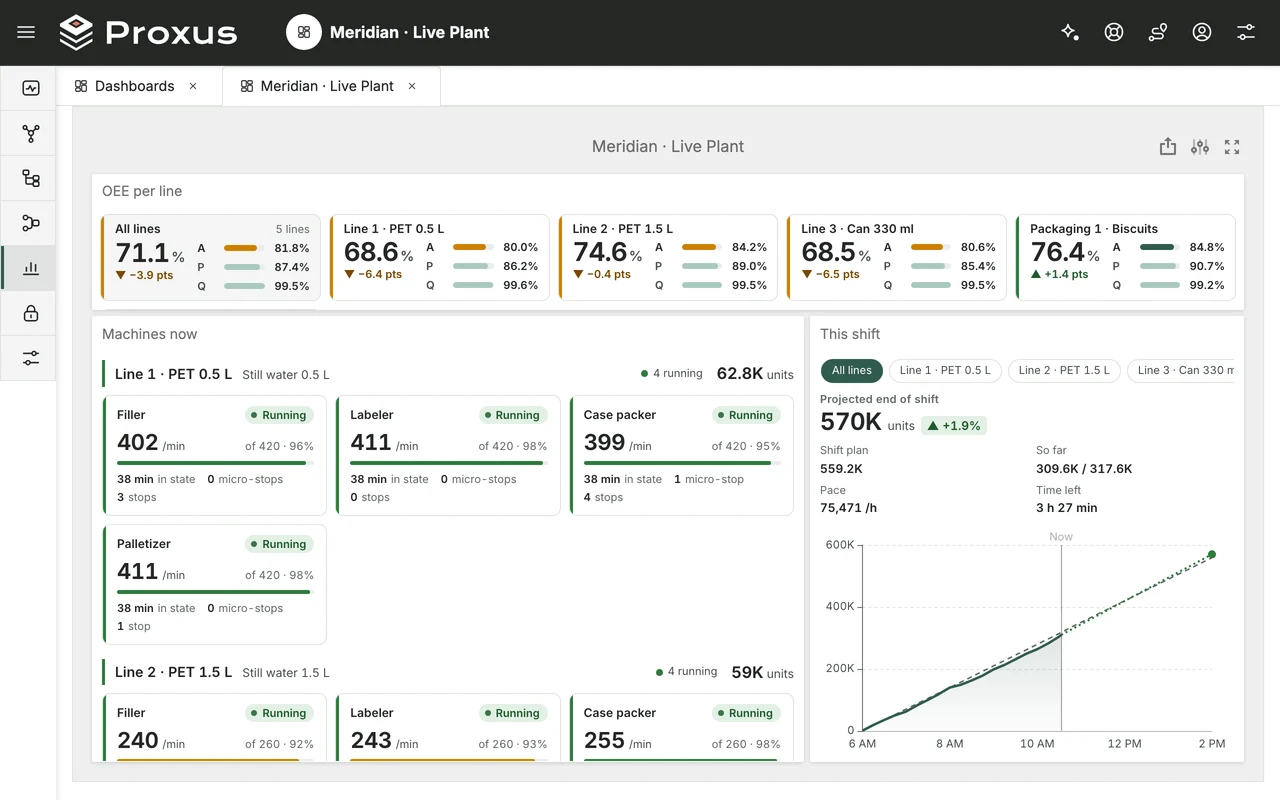
Every machine on its line, with its state, its speed against the rated speed and how long it has been in that state. A stopped machine shows its reason, and the same screen shows whether the shift will reach its plan at this pace.
- State and speed of every machine, line by line
- Minutes in the current state
- Shift output against the plan

When did it stop, and for how long?
Each line’s running and stopped time on one timeline, with faults, waiting and changeovers in their own colours. The short stops that never reach a logbook are caught from the machine data.
- Every stop’s length and the cause the machine reports
- Short stops per machine, counted and timed
- From a week down to a single shift

Which machine is heading for a failure?
Each machine’s health day by day, and a short list of the ones falling fastest. A slow decline nobody notices from one day to the next stands out in the colours, and after maintenance you see the colour come back.
- Day-by-day health per machine
- The fastest decliners, ranked
- Time spent in each vibration zone, per machine
Try these screens yourself, in your browser.
The same machines on the control-room laptop, the supervisor’s tablet and the phone on the floor.
Open the live demoThe live demo opens in your browser with your name, company and work email. Nothing to install.
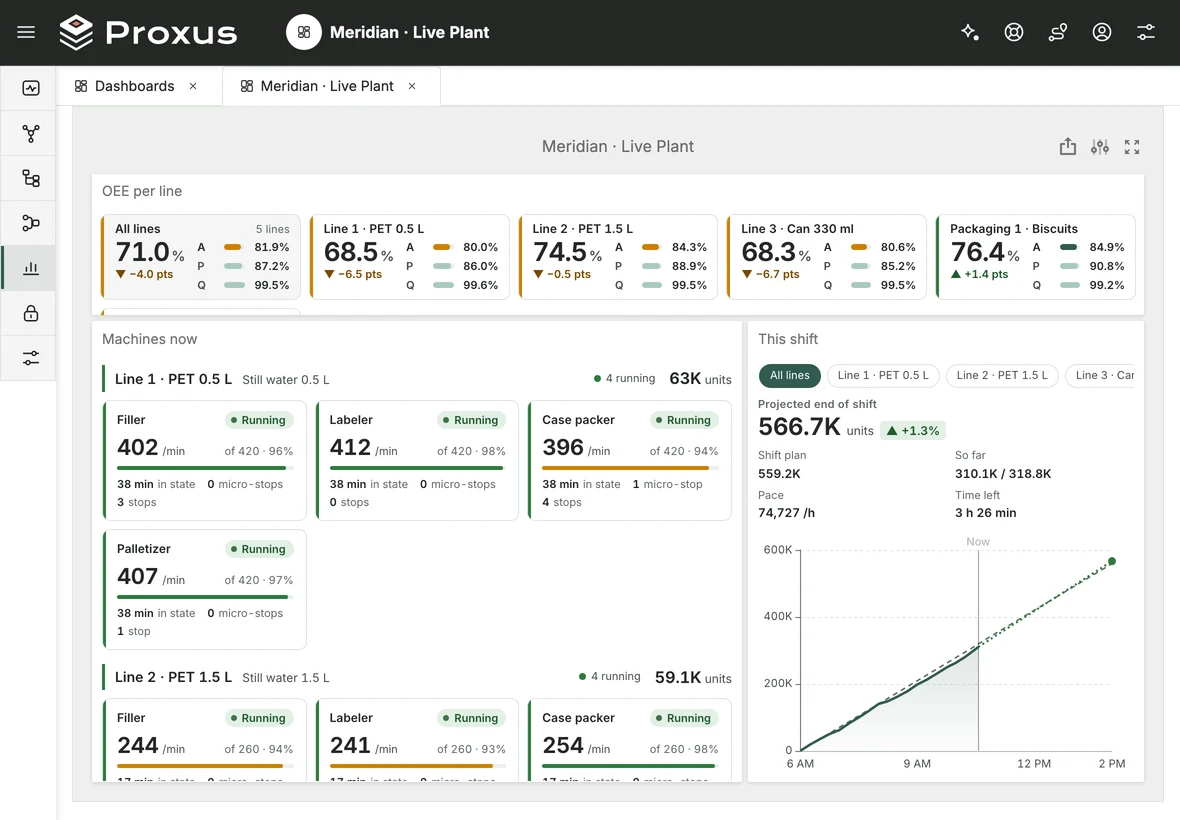
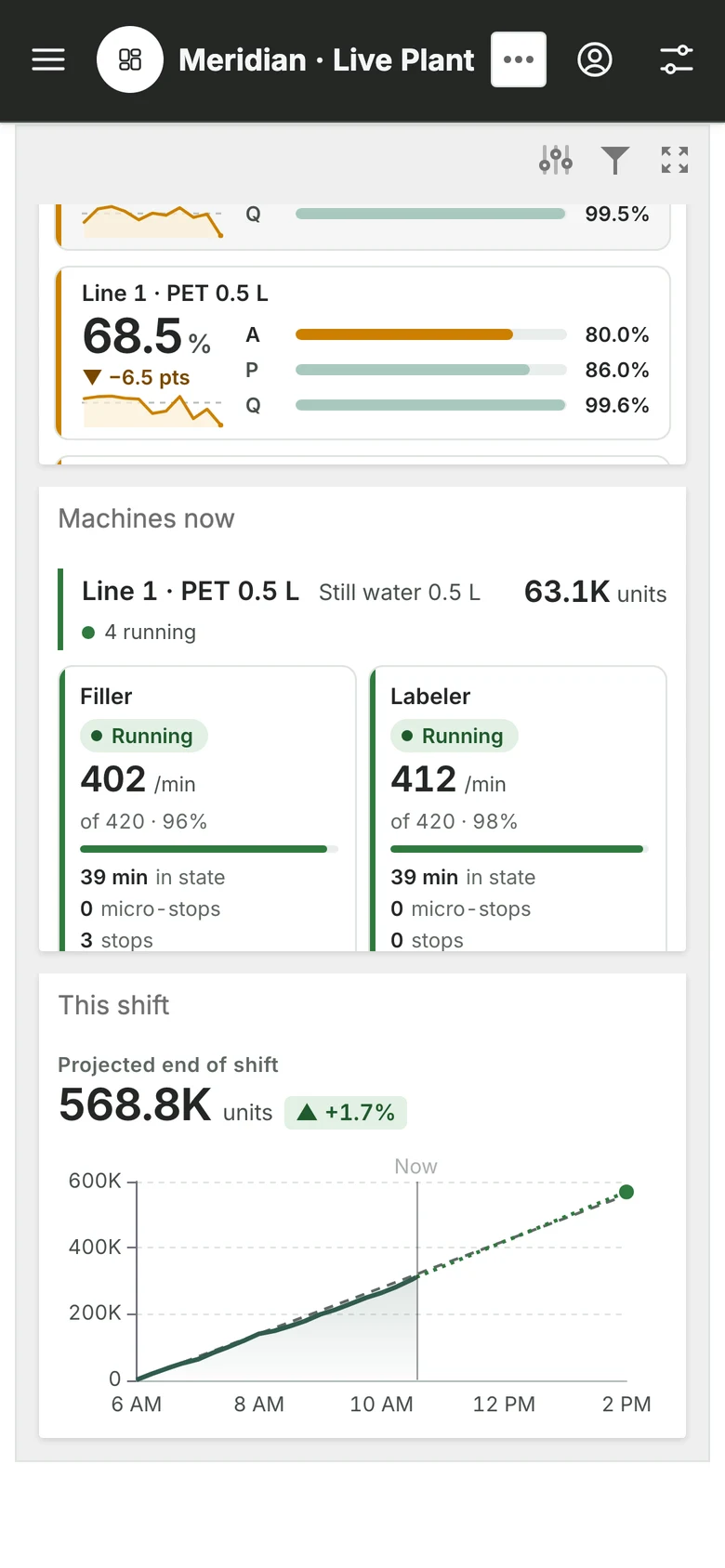
Real Proxus screens; the production data shown is simulated.
In your plant
Machine monitoring with the machines you have, on your own servers.
-
The PLC program stays as it is
Each controller is read over its own protocol. Not a line of the program changes.
-
60+ machine protocols
Siemens S7, Modbus, OPC UA and many more industrial protocols. For older machines without the signals, we look at sensor or I/O module options with you.
-
Your data stays with you
Runs on your own servers. Sending data to a cloud is optional.
-
Alarms from the machine’s own signals
Open problems in one list, acknowledged where you stand, sent to your channels.
-
On the supervisor’s phone
Which machine is down and for how long, in the same numbers as the control room. No app to install.
-
Lines and plants side by side
Every line and plant on the same screen, read the same way.
How you start
Start with one line.
Pick the line you most want to see. We list its machines and the signals each one can give with you; once that line is on screen, the same setup moves to the next lines and plants.
- We list the machines and signals together
- The first line goes live and its machines are on screen
- The same setup moves to the other lines and plants
Core · one Edge Gateway
From $14,000 USD / year
- Unlimited users and dashboards
- No per-machine fees
- Runs on your own servers
An annual licence. The price follows the number of Edge Gateways and the data capacity you choose, not machines. In US dollars, excluding taxes.
Request a pilot call Pricing in detail- Do we have to change the PLC program?
- No. Proxus reads each controller over its own protocol and leaves the program as it is.
- Our machines are old. Will it still work?
- In most cases, yes. Machine monitoring needs a running state and, for speed, a production counter. Where an older machine does not expose them, we look at sensor or I/O module options with you before the pilot.
- How is the reason for a stop recorded?
- When a stop starts and how long it lasts comes from the machine. The reason is read from the states and fault codes the equipment reports; how detailed it gets is something we check on your machines before the pilot.
- Is this an MES?
- No. Proxus reads and shows what the machines report: states, counts, speeds, stops and alarms. It does not plan work orders or manage stock; it delivers the machine data to the MES or ERP you use through a database, a message broker or a REST endpoint.
- How is it priced?
- Production pricing starts from $14,000 a year (Core, one Edge Gateway; a smaller pilot package is listed on the pricing page). The price follows the number of Edge Gateways and the data capacity, not machines or tags; users and dashboards are unlimited.
Next step
Let’s pick the first line to put on screen.
Tell us which machines you most want to see. A Proxus engineer gets back to you and scopes the pilot with you.
Tell us about your plant
A Proxus engineer replies within one working day.
Rather look around first? Try the live demo