How-to guide · for Administrators, Operators
Two-step verification
Ask for a code from an authenticator app after the password. How people turn it on, how administrators reset it and require it.
At the end of this guide, signing in with a password also asks for a 6-digit code from an authenticator app on the person's phone. A stolen password alone no longer opens Proxus, in the browser or through the REST API.
Two-step verification is for people who type a password on the Proxus sign-in page: a Proxus password, or their Active Directory or LDAP password. People who sign in through your identity provider (single sign-on) get the second step from the provider.
Before you start
- An authenticator app on your phone: Microsoft Authenticator, Google Authenticator, Authy, or the one-time codes of a password manager (1Password, Bitwarden and others).
- The phone's clock set automatically. Codes change every 30 seconds.
Turn it on
- Open your account menu at the top right and select My Details.
- Select Set Up Two-Step Verification.
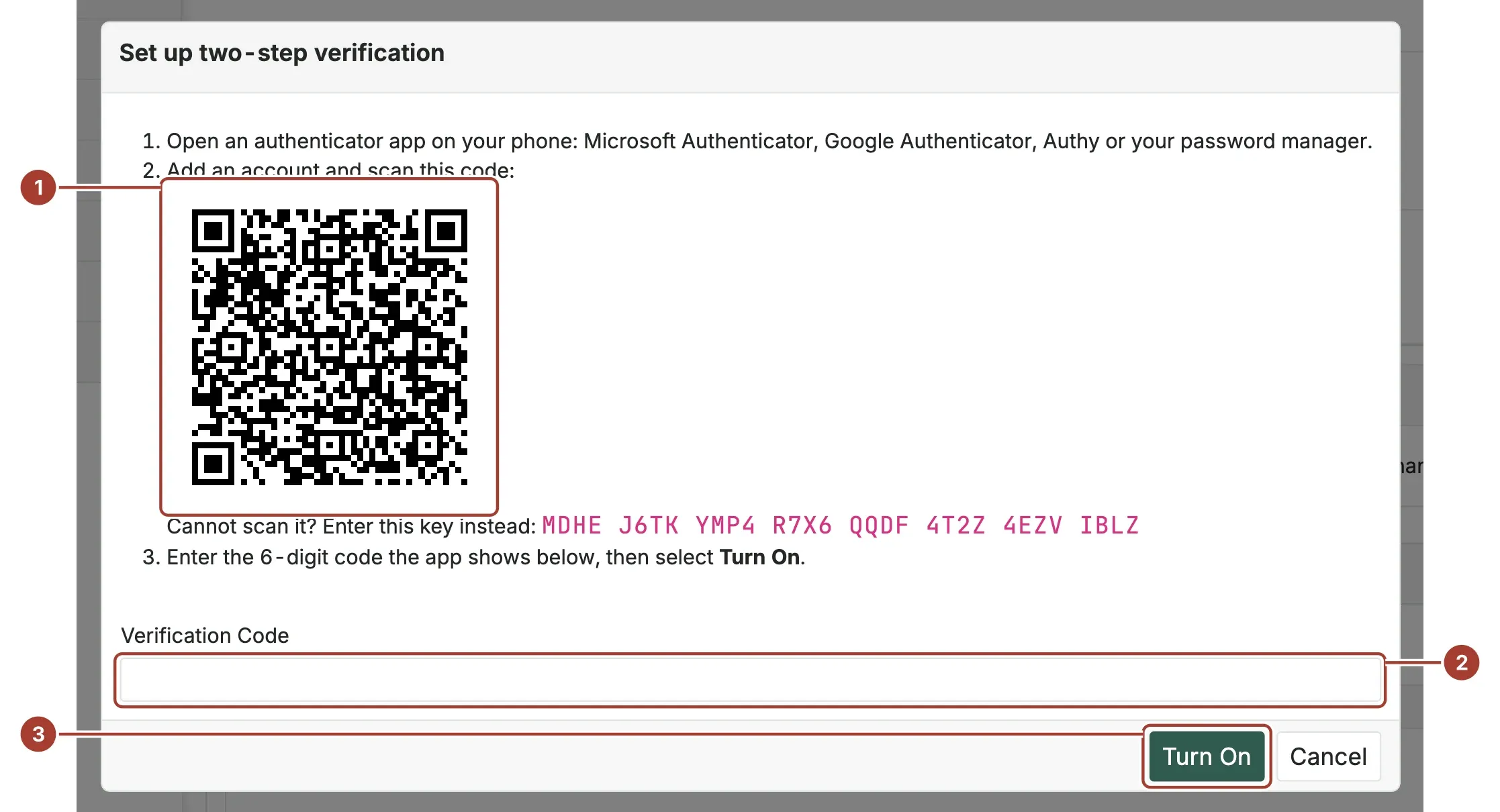
- In the app, add an account and scan the QR code (1). If you cannot scan it, enter the key shown under it.
- Enter the 6-digit code the app shows in Verification Code (2) and select Turn On (3).
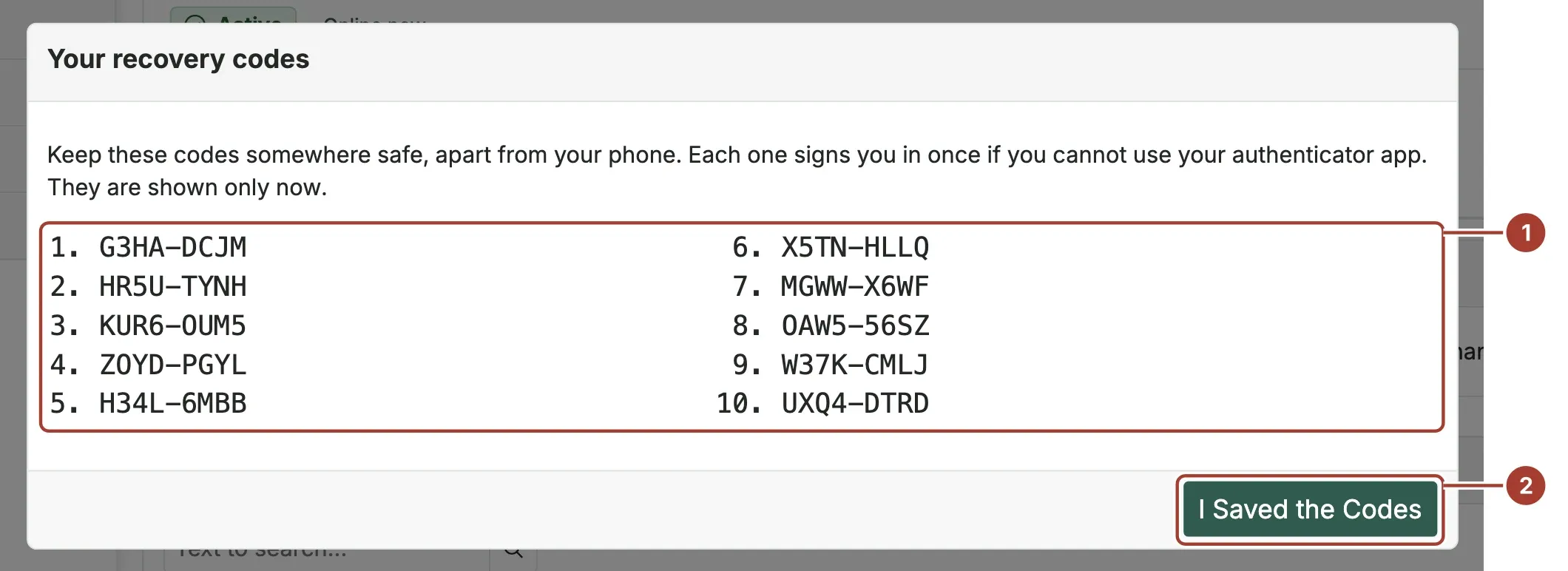
- Proxus shows ten recovery codes (1). Keep them somewhere safe, apart from the phone, then select I Saved the Codes (2). They are shown only this once.
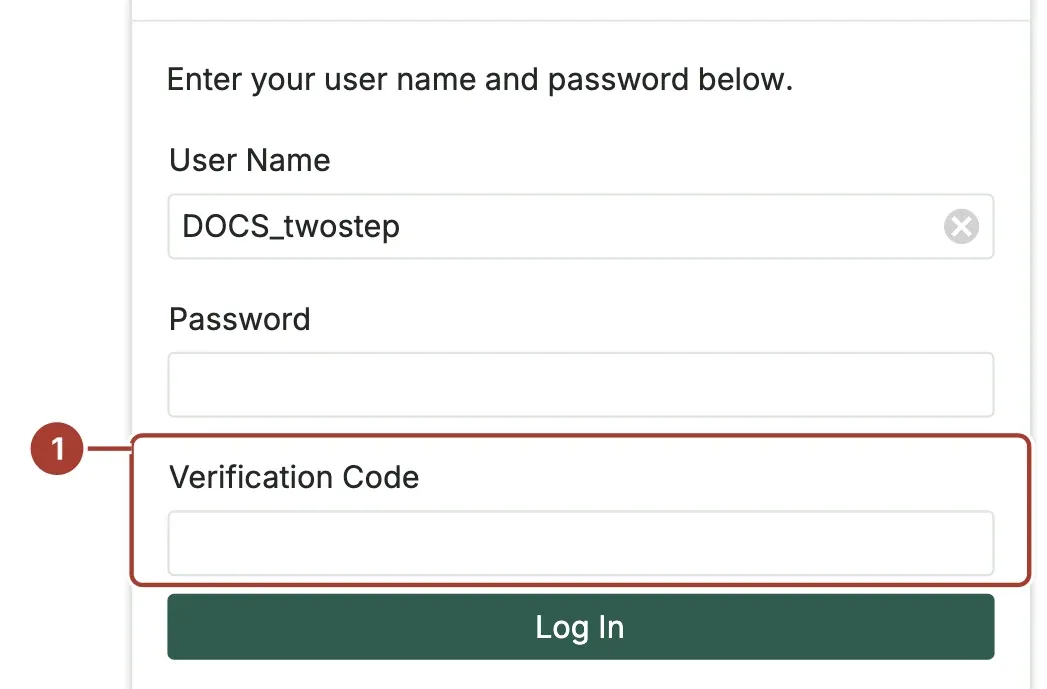
From the next sign-in on, after your user name and password Proxus asks for the Verification Code (1). Enter the code the app shows, together with your password, and select Log In.
Sign in without your phone
Enter one of your recovery codes in Verification Code instead. Each recovery code works once. When you have used some, create new ones: My Details > New Recovery Codes (asks for a code from the app); the old ones stop working.
Turn it off
My Details > Turn Off Two-Step Verification, then enter a code from the app or a recovery code.
Help someone who lost their phone and their codes
An administrator, or anyone who may change users:
- Open Security > Users and open the person's user.
- Select Reset Two-Step Verification (1) and confirm.
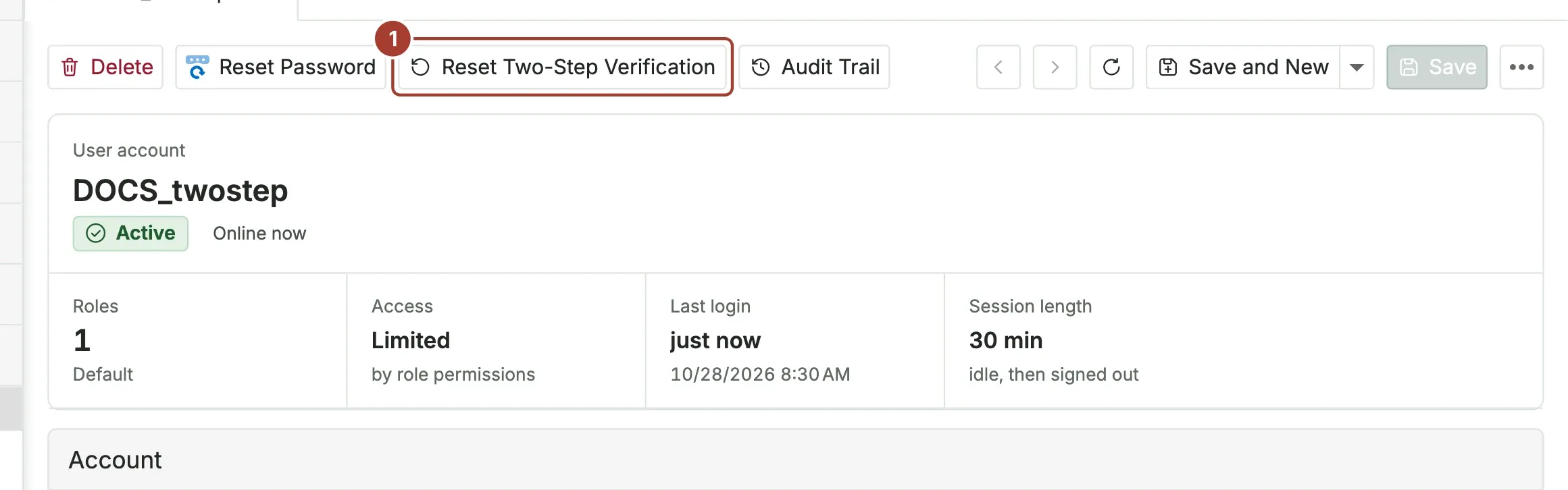
The person signs in with their password only, and sets two-step verification up again on My Details.
Require it for administrators
To make every administrator who signs in with a password use two-step verification, set in Proxus-config.toml:
[Security.TwoStep]
RequiredForAdministrators = true
Restart the hub. An administrator who has not set it up is asked to do so right after signing in and cannot continue without it. Users with the Administrators role, or any role marked Is Administrative, count as administrators. See Configuration keys.
Programs and the REST API
A program that gets a token with a user name and password must send the current code as code when two-step verification is on for that user:
curl -X POST https://proxus.example.com/api/Authentication/Authenticate \
  -H "Content-Type: application/json" \
  -d '{"userName":"maria","password":"...","code":"123456"}'
Without the code the answer is 401 with a message that asks for it. For programs that run without a person, use a service account of your identity provider or a user without two-step verification whose role allows only what the program needs.
How it is protected
- Each code is accepted once. A code typed a second time, by a person or a program, is refused.
- A wrong code counts as a failed sign-in, so account lockout applies.
- The key the app uses is stored encrypted, with the same key as the Certificate Store. Back up the configuration folder: without that key, two-step verification has to be set up again.
- Recovery codes are stored only as hashes, like passwords.
When something does not work
| What you see | Why | What to do |
|---|---|---|
| "That code is not right" with the current code. | The phone's clock is off by more than 30 seconds. | Set the phone's time automatically, then try the next code. |
| The code was right a moment ago. | Each code is accepted once. | Wait for the next code in the app. |
| The account is locked after wrong codes. | Wrong codes count as failed sign-ins. | Wait for the lockout to end, or ask an administrator. |
| Lost phone and no recovery codes. | Ask an administrator to reset two-step verification. |
What's next
- Users and roles
- Single sign-on
- Security: the hardening checklist
Was this page helpful?
Evaluating Proxus? See it on your own machines in a 30-minute technical session.