How-to guide · for Administrators
Support bundle
Create a cleaned-up ZIP file of recent logs, runtime details and configuration fingerprints to send to Proxus support.
At the end of this guide, you have a ZIP file that Proxus support can use to analyse a problem. Proxus removes passwords, tokens, connection strings and file paths from it before you download it.
Before you start
- A user whose role may open Platform > System Logs.
- The time the problem happened, so you can choose a time range that covers it.
Create the bundle
- Go to Platform > System Logs.
- Select Support Bundle in the toolbar.
- Set the options and select Generate. The browser downloads the file.
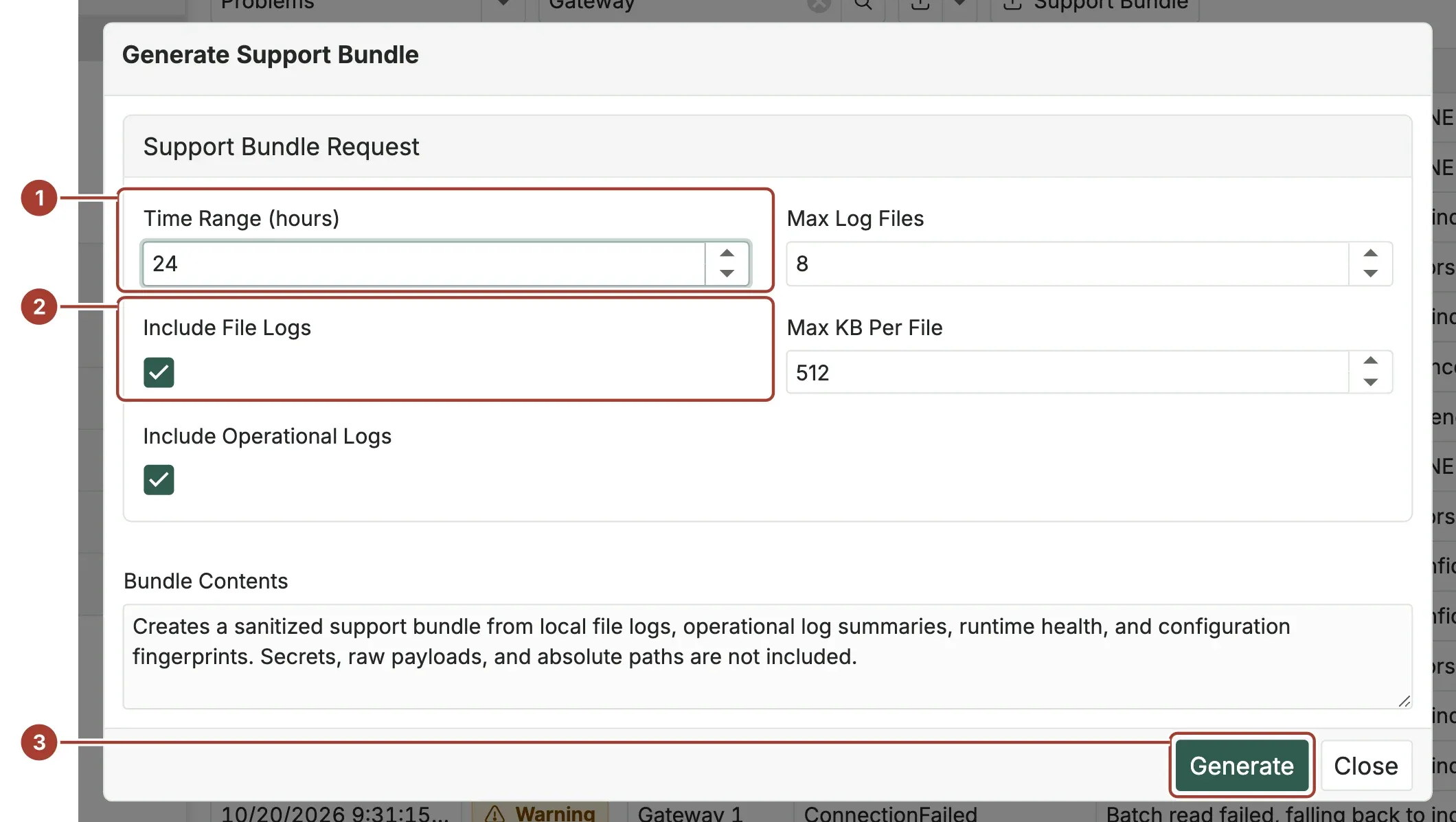
- Time Range (hours): how far back the logs go, from 1 to 168 hours (one week). The default is 24.
- Include File Logs and Include Operational Logs: the log files from disk and the entries of the System Logs list. Both are ticked by default. Max Log Files (1 to 25, default 8) and Max KB Per File (64 to 4096, default 512) limit how much of the log files goes in; the newest part of each file is kept.
- Generate builds the file and downloads it.
The file is named proxus-support-bundle- followed by the date and time in UTC, for example proxus-support-bundle-20261015-142233.zip.
What is in the bundle
| File | Contents |
|---|---|
manifest.json | The options you chose. |
runtime-health.json | The machine name, the operating system and runtime version, the Proxus version, culture and time zone. |
config-fingerprint.json | A few settings in plain text (telemetry database, log level and log options, culture) and a fingerprint of all other settings, so support can see whether the configuration changed without seeing it. |
file-logs/ | The end of each log file, cleaned up. |
operational-logs.json | Up to 500 entries of the System Logs list. |
Before anything goes into the bundle, Proxus replaces passwords, secrets, API keys, tokens, connection strings, credentials in addresses and absolute file paths with [redacted] or [path]. Measured values from your machines are not included.
Send the bundle
Send the ZIP file to your Proxus partner, or to Proxus support through the contact form. Say when the problem started and what you saw, so support can find it in the logs.
What's next
Was this page helpful?
Evaluating Proxus? See it on your own machines in a 30-minute technical session.