How-to guide · for Administrators
Monitoring the installation
Watch a Proxus installation from outside and inside. Health checks, Prometheus and OpenTelemetry metrics, logs, database health and licensed capacity.
At the end of this guide, your monitoring system knows when the hub or a gateway stops answering, and you know where to look for disk space, data volume and licensed capacity before they become a problem.
Before you start
- The hub runs (see Docker or Kubernetes).
- For metrics: a Prometheus server or an OpenTelemetry collector that can reach the hub and the gateway.
What to watch
| Question | Where to look |
|---|---|
| Does the hub or a gateway answer? | The health check /healthz |
| Are devices sending data? Are there alarms? | Monitor > Operations Center |
| Is a gateway near its licensed capacity? Did it drop values? | Platform > License Info, Live Capacity |
| Is the disk filling up? How large is the history? | Platform > Database Health |
| What went wrong? | Platform > System Logs |
| Request rates, response times, runtime figures | Prometheus or OpenTelemetry metrics |
Health checks
The hub and every gateway answer GET /healthz with the plain text Healthy (HTTP 200) when they run, and with Unhealthy (HTTP 503) when their internal runtime is not working.
| Component | Address |
|---|---|
| Hub | http://<hub>:8080/healthz |
| Gateway (SYSTEM and remote gateways) | http://<gateway host>:8083/healthz |
curl -s http://proxus.lyonfoods.local:8080/healthz
Healthy
The shipped compose file uses these checks for the containers' health status, and the Kubernetes manifests use them as startup, readiness and liveness probes. Point your uptime monitoring or load balancer at them. A healthy answer means the service runs; it does not say that every device is connected. For that, use the Operations Center or the Live Capacity table.
Capacity and dropped values
Platform > License Info shows, for every running gateway, how many values per second it passes on and how close it is to its licensed rate. Each gateway reports this every few seconds.

- Health: Healthy, Warning (70 % of the licensed rate or more), Critical (90 % or more), Exceeded (values were dropped) or Stale (no report from the gateway).
- Observed dp/s: values per second now, and the share of the licensed rate.
- Total rejected: values dropped because the gateway was over its licensed rate. Anything above
0means data is missing. See License.
Disk and database size
Platform > Database Health reports on the telemetry database when you open it.
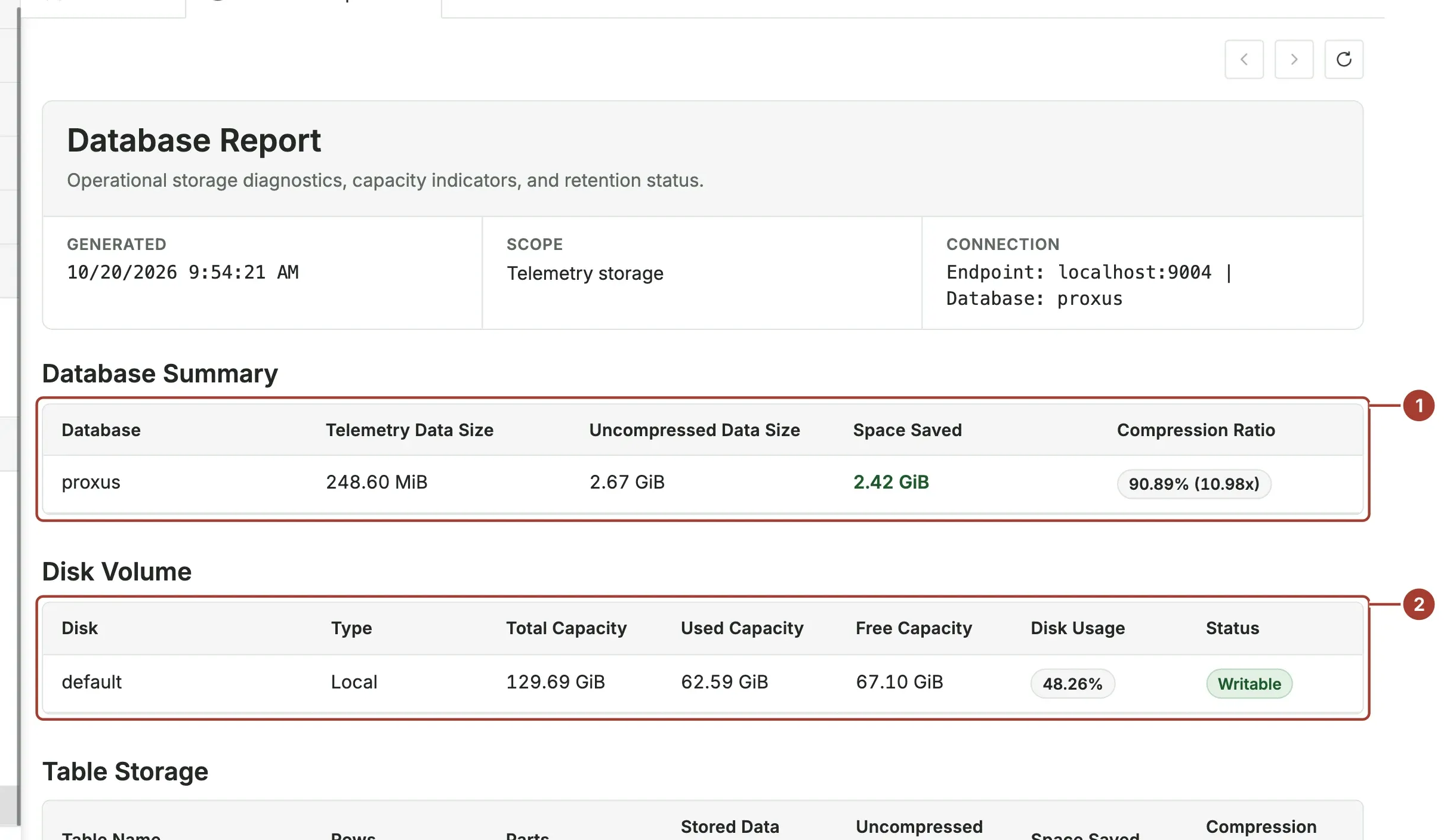
- Database Summary: the size of the stored values on disk, their size before compression, and the space saved.
- Disk Volume: the disk the telemetry database writes to, with its free space and Disk Usage.
Further down, Table Storage lists the largest tables and Retention Policy shows how long each kind of data is kept. Check the free space regularly: when the disk is full, new values can no longer be stored.
The log files on the config volume are not deleted by Proxus. Include that volume in your disk checks. See System logs.
Metrics for Prometheus and OpenTelemetry
Metrics are off by default. To turn them on, set in the configuration file:
[Metrics]
Enable = true

[Otlp]
Endpoint = "http://otel-collector:4317"
MetricsIntervalMilliseconds = 10_000
SkipWhenEndpointUnresolvable = true
Restart the stack. Then:
- The hub and the gateway serve Prometheus metrics at
/metricson their HTTP ports (http://<hub>:8080/metrics,http://<gateway host>:8083/metrics). Add both as scrape targets. - If
[Otlp]Endpointpoints at an OpenTelemetry collector that can be resolved, the same metrics are also pushed there everyMetricsIntervalMilliseconds. When the address cannot be resolved at start, Proxus does not send to it (SkipWhenEndpointUnresolvable = true), so a missing collector cannot slow the gateway down.
The metrics cover incoming and outgoing HTTP requests and the internal processing of the hub and gateway. Values per device and capacity are not metrics; use the screens above for those.
[Tracing] Enable = true also sends traces to the OTLP endpoint. Turn it on only while you investigate a problem.
The message broker
The broker (hub-server) has its own monitoring port, 8222, with the broker's standard status pages, for example http://<hub>:8222/varz (server) and http://<hub>:8222/jsz (stored streams). In the Kubernetes HA variant, each broker pod also serves Prometheus metrics on port 7777 through the service hub-server-metrics.
Logs
- Platform > System Logs collects warnings and errors from the hub and every gateway. See System logs.
- The container output:
docker compose -p proxus logs -f proxus-ui(orproxus-server,hub-server,postgresql,clickhouse).
What's next
Was this page helpful?
Evaluating Proxus? See it on your own machines in a 30-minute technical session.