How-to guide
Set up your company
Create your company in the Proxus portal, have it verified, invite your colleagues and share licences with them.
At the end of this guide, your company is in the Proxus portal, your colleagues are in it, and it can receive commercial licences.
Before you start
- An account in the Proxus portal with a confirmed email address.
- If the Proxus team has already added your company, you get an invitation email instead. Open its link, sign in with the invited address and accept. You can skip to Invite your colleagues.
Create the company
- In the portal, select Create a company at the bottom of the menu, or in the workspace menu at the top left.
- Fill in Company name and Country. Website and Tax number help the Proxus team verify you quickly.
- Select Create company. You become its Owner.
The Proxus team verifies the company, usually within one working day, and you get an email. Until then you can invite colleagues; commercial licences come after verification.
Invite your colleagues
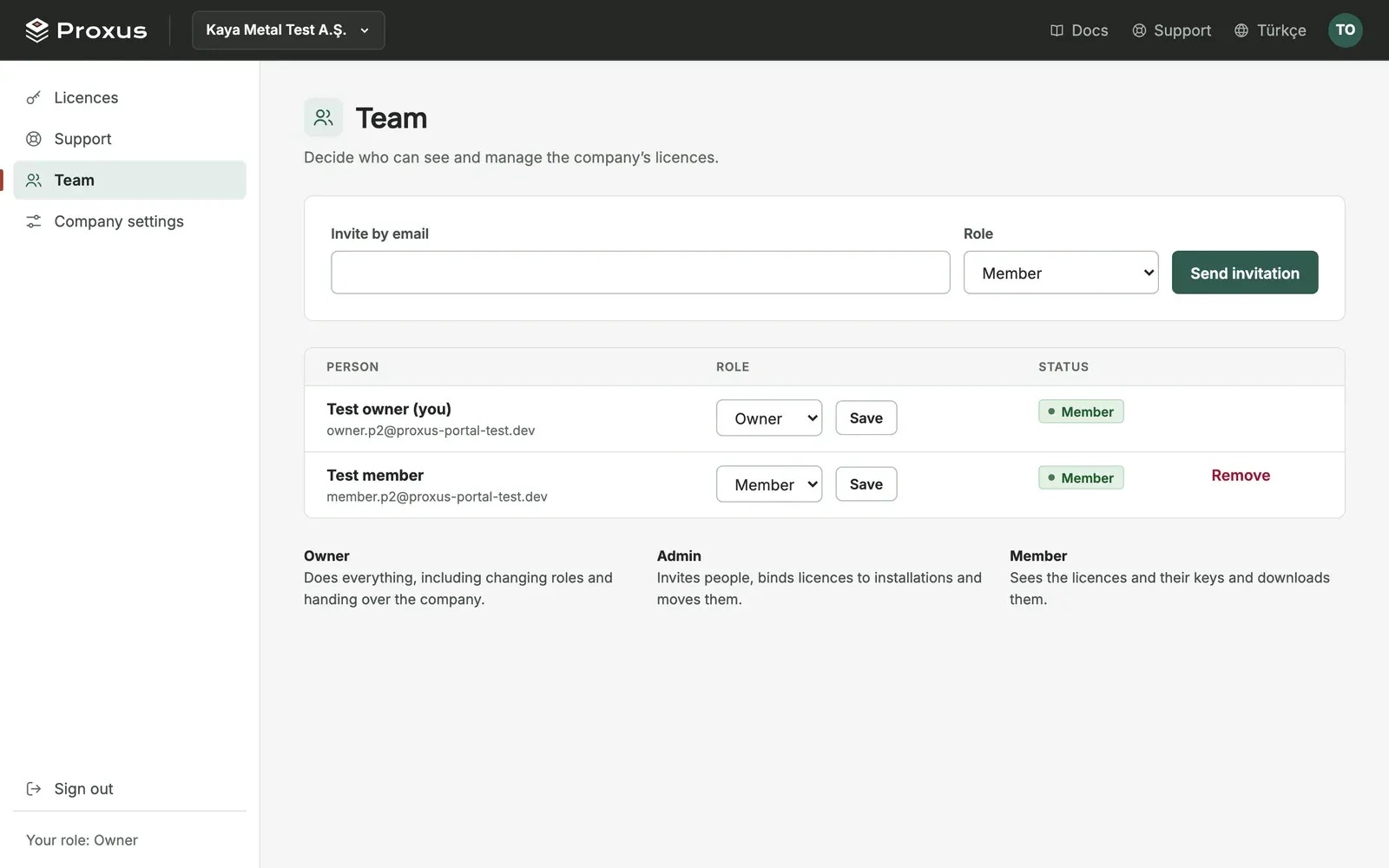
- Choose your company in the workspace menu at the top left and select Team.
- Enter a colleague's email, choose a role and select Send invitation. The invitation is valid for 14 days.
| Role | What it can do |
|---|---|
| Owner | Everything, including changing roles and handing over the company. |
| Admin | Invites people, binds licences to installations and moves them. |
| Member | Sees the licences and their keys and downloads them. |
Share a trial with the company
Trials are personal at first. To let your team see a trial and its key, open the trial's page in your personal workspace and select Move to company. Everyone in the company then sees it.
Get a commercial licence
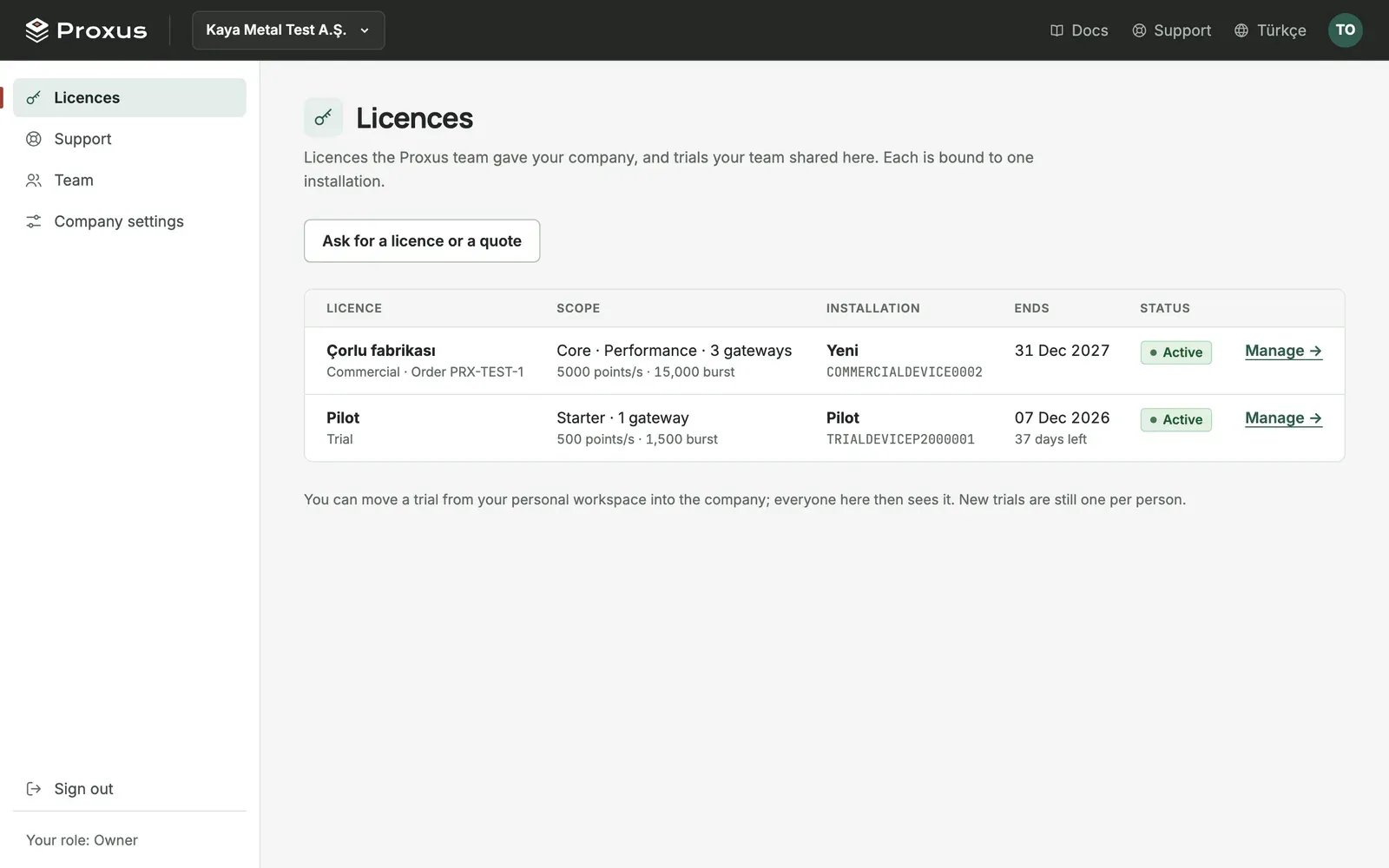
Choose your company and select Licences, then Ask for a licence or a quote. Say how many gateways and which capacity you need. An engineer answers by email, usually within one working day. When the Proxus team defines the licence, it appears under Licences and the company's owners and admins get an email. Bind it to your installation as in Manage company licences in the portal.
What's next
Was this page helpful?
Evaluating Proxus? See it on your own machines in a 30-minute technical session.