How-to guide
Get a trial licence
Take a free 30-day Proxus trial key in the portal, activate it on your hub, and ask for an extension or a commercial licence.
At the end of this guide, your Proxus hub runs on a 30-day trial licence: the full platform, one production gateway at Starter capacity.
Before you start
- Proxus is installed. See Install Proxus.
- An account in the Proxus portal with a confirmed company email address. Trials are not given to personal addresses such as Gmail.
Get the key
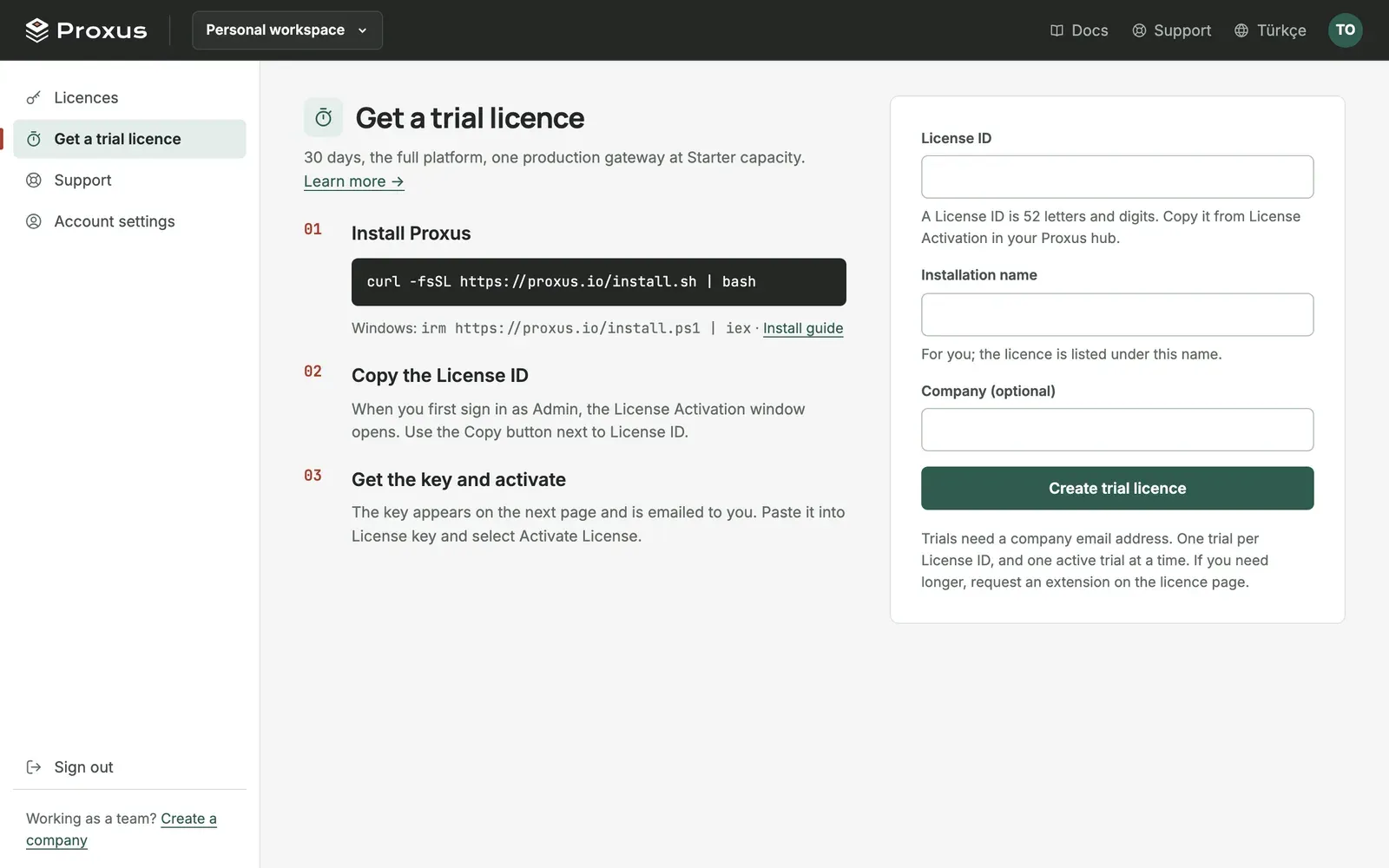
- Sign in to the hub as an administrator. The License Activation window opens. Select Copy next to License ID.
- In the portal, select Get a trial licence.
- Paste the License ID and give the Installation name, a name for you, for example
Pilot line 2. If you belong to a company, you can choose it under Company (optional) so your team sees the licence too. - Select Create trial licence. The key appears on the next page and is emailed to you.
- In the hub, paste it into License key and select Activate License.
You can get one trial for each License ID, and have one active trial at a time. The portal keeps the key: copy it again or select Download .lic file on the licence's page whenever you need it.
Ask for more time
If you are still evaluating when the trial is about to end:
- In the portal, open the licence from Licences.
- Under Extend the trial, say what you are testing and select Ask for an extension.
When the Proxus team approves, the new key is on the licence's page at once and arrives by email. In the hub, deactivate the old licence under Platform > License Info, then activate the new key.
Move to a commercial licence
Commercial licences are given to a company. On the trial's page, select Ask for a quote and say how many gateways and which capacity you need. If you do not have a company in the portal yet, create one first. See Set up your company.
What's next
Was this page helpful?
Evaluating Proxus? See it on your own machines in a 30-minute technical session.