Reference · for Engineers, Operators
Funnel chart
A dashboard item that draws values as the stages of a funnel, one block per stage, so you see where units drop out along a process.
The Funnel chart draws a funnel with one block per stage and the value of each stage on it. Use it for a process that loses units from step to step, such as a packing line, a quality gate or an order flow, where the question is at which step the losses happen.
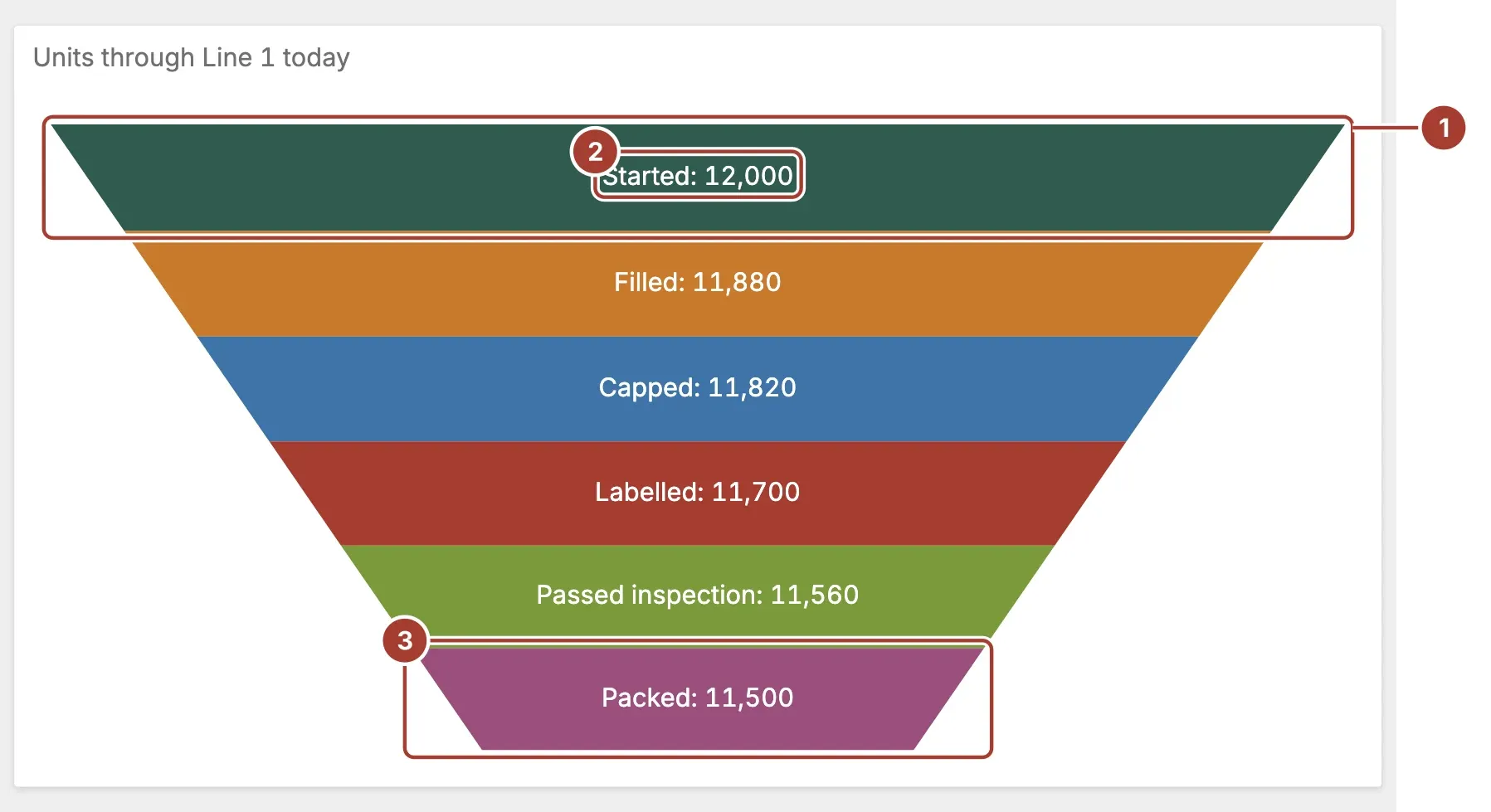
- Block. One stage. The funnel narrows from the top block to the bottom one. With Dynamic Height on, each block is as tall as its share of the total.
- Label. The stage name and its value, written on the block, such as
Started: 12,000. - Last block. The final stage. Blocks follow the order of the stage rows, so sort the Arguments field in process order.
Select a block to filter the other items of the dashboard by that stage. If the item has drill-down turned on, a click drills down into the stage instead. The selected block is drawn darker.
Data fields
| Field | Kind |
|---|---|
| Values | Measure (one or more) |
| Arguments | Dimension (one or more) |
Values is required; without it the item stays empty. There are two ways to fill it:
- With Arguments. Each value of the Arguments field, such as a stage name, becomes one block. Use one field in Values: the block takes its size from the first value. With several fields in Arguments, the label joins their values with a dash.
- Without Arguments. Each field in Values becomes one block, labelled with the field's name. Use this when each stage is a separate column, such as a counter per station.
Selecting a block to filter the dashboard needs the Arguments field.
Settings
| Setting | Values | Default |
|---|---|---|
| Fill type | Solid, Gradient | Solid |
| Curved | No, Yes | No |
| Dynamic Height | No, Yes | Yes |
| Pinch count | A number | 0 |
- Fill type fills the blocks with a flat colour (Solid) or a shaded one (Gradient).
- Curved draws the funnel with curved edges, as if seen slightly from above.
- Dynamic Height makes each block as tall as its value's share of the total. Turned off, all blocks are the same height.
- Pinch count keeps this many blocks at the bottom at the narrow width, like the neck of a funnel.
0narrows the funnel all the way down.
Related
Was this page helpful?
Evaluating Proxus? See it on your own machines in a 30-minute technical session.