How-to guide
Open a support request
Open a support request in the Proxus portal, follow the replies, answer by email and tell us how it went.
At the end of this guide, the Proxus support team has your request with what it needs to answer.
Before you start
- An account in the Proxus portal.
- If you can, the hub's version (under Settings > About in Proxus), and logs or screenshots of the problem.
Open the request
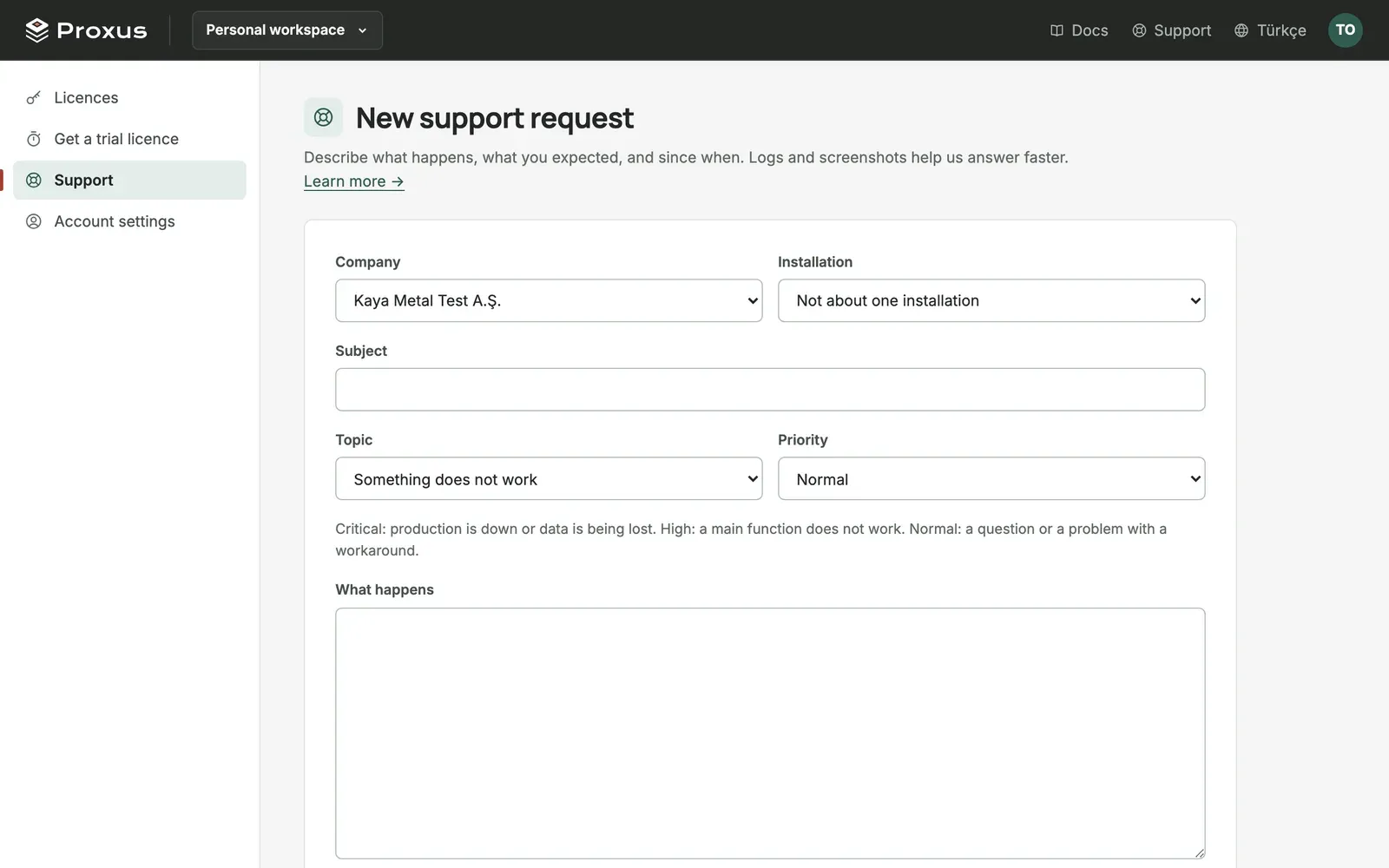
- In the portal, select Support, then New request.
- Choose the Company the request is for, or Only me (no company), and the Installation if it is about one.
- Choose a Topic and a Priority:
- Critical: production is down or data is being lost.
- High: a main function does not work.
- Normal: a question, or a problem with a workaround.
- Write a Subject and, under What happens, describe what happens, what you expected and since when. While you type, the portal suggests documentation pages that may already answer it.
- Add up to five Files, 10 MB each, for example logs or screenshots, and select Send request.
You get an email with the request's code, for example PX-AB12CD. Your company's owners and admins, and your Proxus partner if you have one, are told too.
Follow the request
Every reply comes by email. Reply to that email to answer, or open the request in Support and write there.
| Status | Meaning |
|---|---|
| New | Not picked up yet. |
| Open | Someone is working on it. |
| With support | Your reply is in; it is our turn. |
| Waiting for you | We asked you something. |
| Resolved | We think it is solved. Reply if it is not. |
| Closed | Done. |
The Proxus team answers in working hours: Monday to Friday, 09:00 to 18:00 Turkish time. A day after a request is resolved, you get one question about how it went. One click answers it.
What's next
Was this page helpful?
Evaluating Proxus? See it on your own machines in a 30-minute technical session.