How-to guide · for Developers, Engineers
Write a function
Write a C# function in the hub, build it, deploy it to edge gateways and read its log entries. Start from a template or from your own code.
At the end of this guide, a small C# function runs on the hub's gateway. It reads every message of a tunnel oven and writes a warning to the log, at most once a minute, while zone 1 is above 180 °C. The same steps apply to any function you write.
A function is a C# class that the gateway runs next to its devices. Use one when a pipeline or a rule cannot express what you need. The classes and helpers you can use are described in Functions SDK.
Before you start
You need:
- An edge gateway that shows Connected.
- Some C#. The editor completes code and marks errors as you type.
- A user role that may create and deploy functions.
Step 1: Create the function
Go to Automate > Functions and select New (1).

The new function opens with an empty editor and a Configuration section below it.
Step 2: Start from a template or write the code
To start from an example, open the toolbar's More items menu (...) and select Templates. Select one template and then Select. The editor content is replaced by the template.
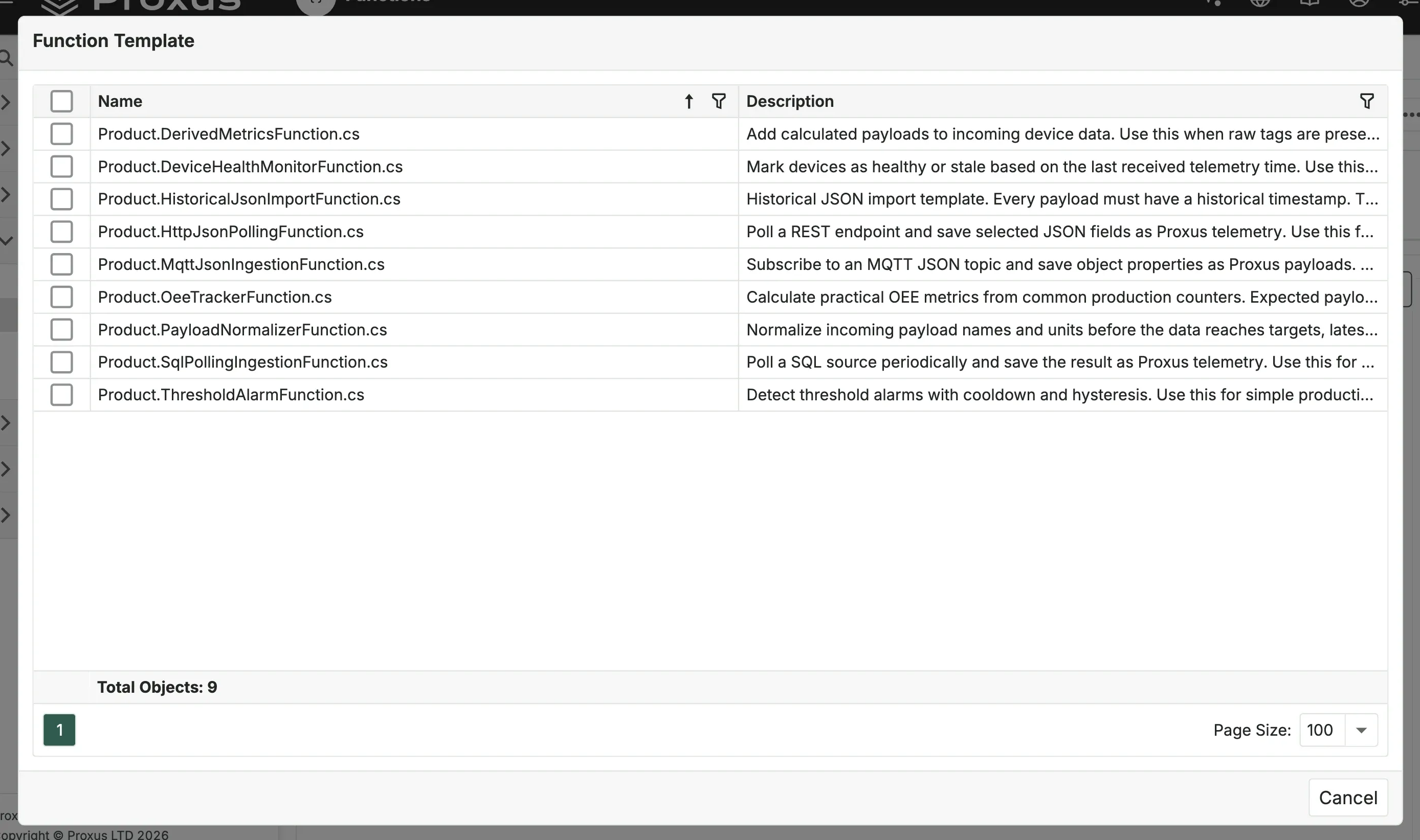
Template (listed as Product.<name>.cs) | What it does |
|---|---|
| DerivedMetricsFunction | Adds calculated values to incoming device data. |
| DeviceHealthMonitorFunction | Marks devices as healthy or stale from the time of their last values. |
| HistoricalJsonImportFunction | Imports historical values from JSON with their own timestamps. |
| HttpJsonPollingFunction | Polls a REST endpoint and saves chosen JSON fields as values. |
| MqttJsonIngestionFunction | Subscribes to an MQTT JSON topic and saves its properties as values. |
| OeeTrackerFunction | Calculates OEE figures from common production counters. |
| PayloadNormalizerFunction | Renames values and converts units before data is stored. |
| SqlPollingIngestionFunction | Polls a SQL source and saves the result as values. |
| ThresholdAlarmFunction | Raises threshold alarms with a cooldown and a dead band. |
Each template gets a short random suffix on its class name, so you can use the same template twice.
For this guide, paste this code into the editor instead:
using System;
using Proxus.Common;
using Proxus.Common.Messages;
using Proxus.SDK.BaseFunctions;

namespace Plant {

public sealed class OvenZoneWatch(object _, object __, object ___) : FunctionBase(_, __, ___) {

    private const string Device = "MFB_LYS_TUNNEL_OVEN";
    private const double Limit = 180;
    private static readonly TimeSpan Quiet = TimeSpan.FromMinutes(1);
    private DateTime _lastWarning = DateTime.MinValue;

    protected override void OnStarted() {
        // Receive every message of tag values the gateway reads.
        Subscriptions?.Add(new SubscriptionContext {
            Type = typeof(TransportData),
            Topics = ["*"]
        });

        base.OnStarted();
    }

    protected override void OnMessageReceive(FunctionContext ctx) {
        if (ctx.Message is TransportData data && data.GetMetaDataValueByKey("DeviceName") == Device) {
            var zone1 = data.GetPayloadValueByName<double>("Zone1Temp");
            if (zone1 > Limit && DateTime.UtcNow - _lastWarning > Quiet) {
                _lastWarning = DateTime.UtcNow;
                LogWarning($"{Device} zone 1 is {zone1:0.0} degC, above {Limit} degC.");
            }
        }

        base.OnMessageReceive(ctx);
    }
}
}
Every function has this shape: one class that derives from FunctionBase, with the three-parameter constructor shown. OnStarted says what the function listens to; OnMessageReceive handles each message.
The function's name is set from the code when you deploy: namespace and class name, here Plant.OvenZoneWatch (the screenshots show a copy in the namespace DOCS). Write the namespace as a block (namespace Plant { ... }) so it is picked up. Names must be unique.
Step 3: Choose the gateways
Open Configuration below the editor. Gateways lists where the function runs; a new function starts with SYSTEM. Add or remove gateways here. Once deployed, the list is locked until you undeploy.
Step 4: Build
Select Build (1).
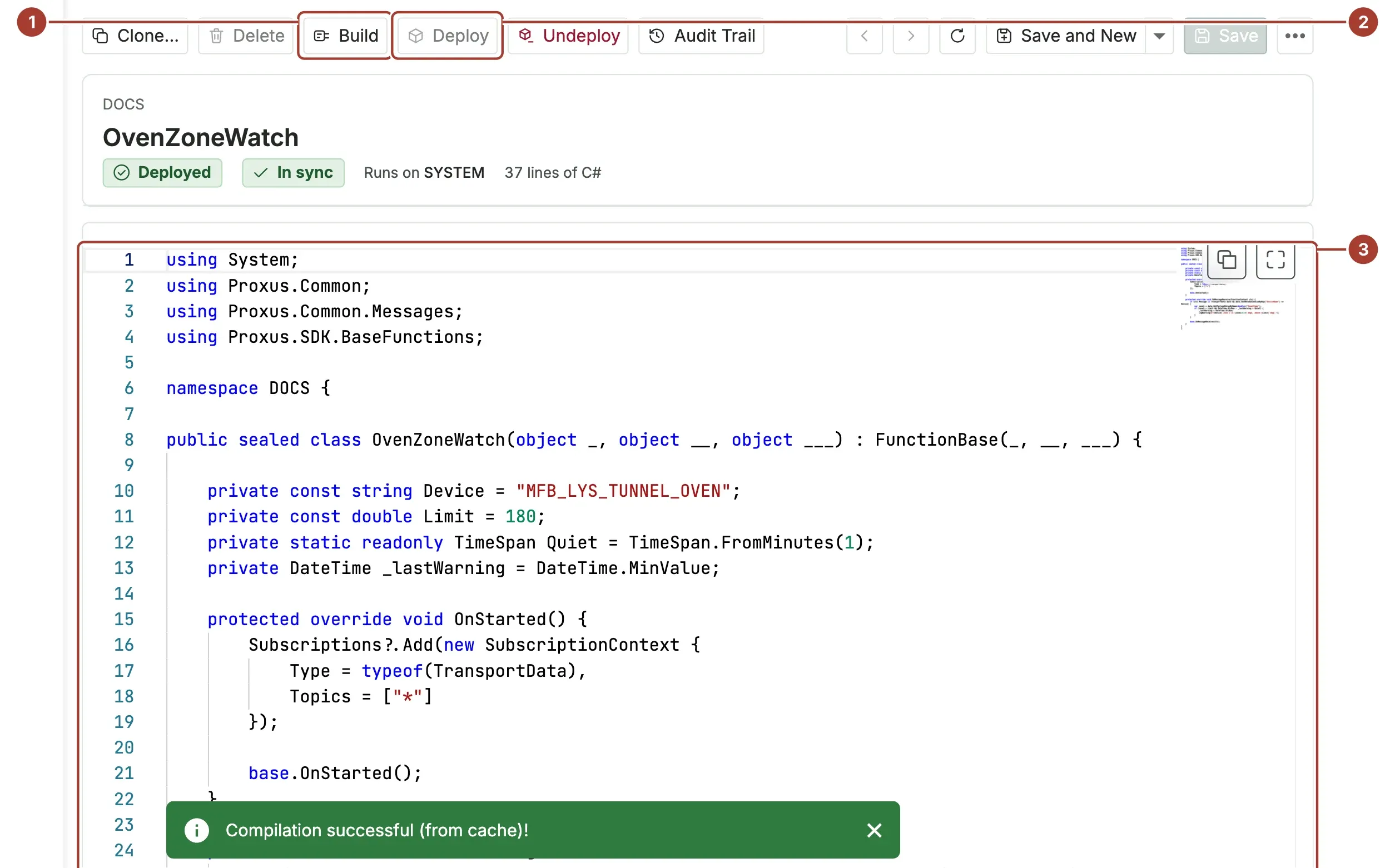
- Build compiles the code in the hub. "Compilation successful!" means it is ready; otherwise the message lists the errors with their lines.
- Deploy sends it to the gateways.
- The editor marks errors and warnings while you type. Press Ctrl+Shift+F (Cmd+Shift+F on a Mac) to format the code. The two buttons at its top right copy the code and switch to full screen.
Step 5: Deploy
Select Deploy and confirm. The hub saves the function, checks that it builds and starts, and sends it to each gateway in Gateways. Each gateway builds it again and starts it. The message names the gateways that confirmed, or the ones that did not answer.
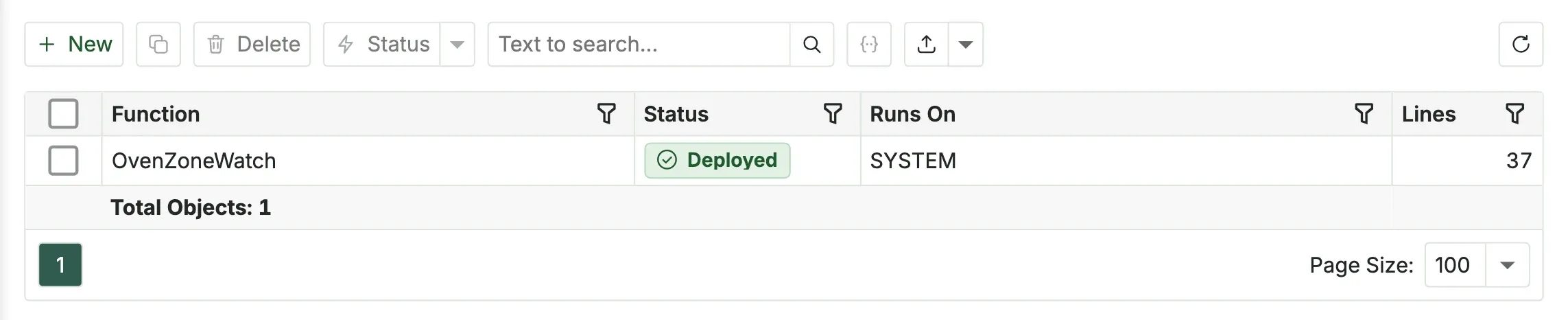
In the list, the function now shows Deployed and where it Runs On.
A gateway that restarts gets its deployed functions back from the hub.
Step 6: Read its log entries
Open the function, open More items (...) and select Logs. The list shows the log entries of this function only. Choose Problems, Errors or All logs, and select Refresh to load new ones.
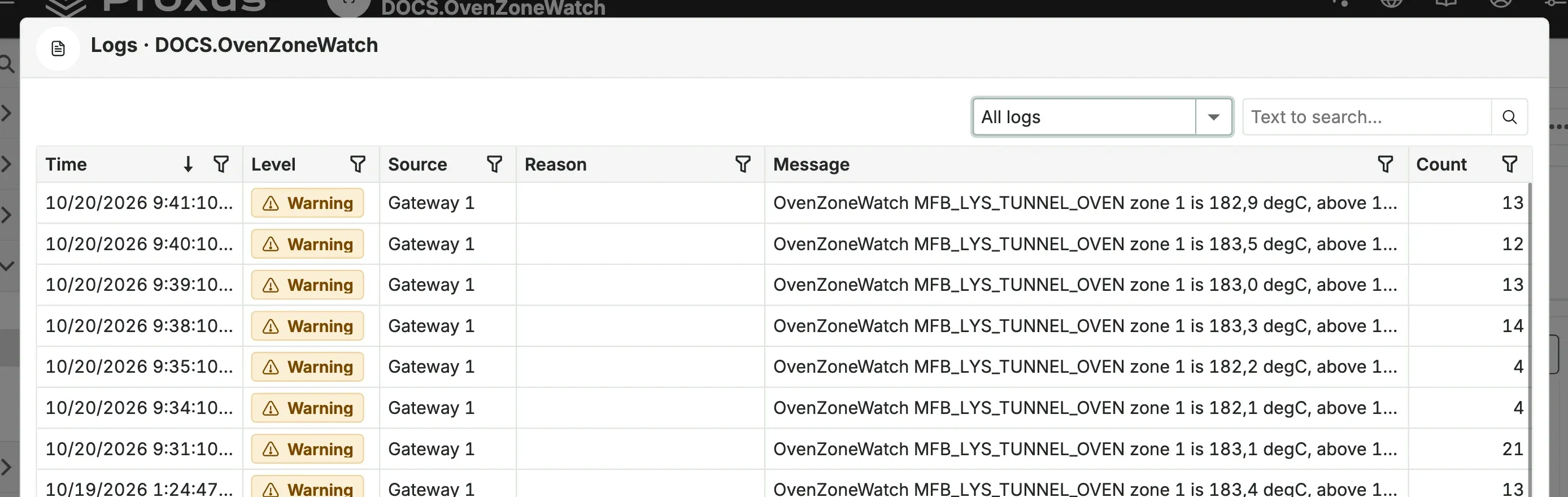
Write to the log from your code with LogInformation, LogWarning, LogError and the other Log... methods.
Change or stop a function
- Change it: edit the code, Build, then Deploy again. Saving alone does not change what the gateways run.
- Stop it: Undeploy stops it and removes it from its gateways. A deployed function cannot be deleted; undeploy it first.
Limits
- Some namespaces cannot be used, among them
System.IO,System.Diagnostics,System.Reflection,System.Data,System.Text.RegularExpressionsandMicrosoft.Win32. The build names the one you used. Read and write databases through the helper methods ofFunctionBaseinstead. - A function that throws too many unhandled errors is undeployed by the gateway; the limit is
ExceptionThresholdPerFunctionin the[UserFunctions]section of the configuration file (10 by default). - To protect the log, each function may write only a few error and critical entries per minute;
LogLevelPolicyin[UserFunctions]sets how many (two of each per minute by default).
[UserFunctions]
ExceptionThresholdPerFunction = 10
LogLevelPolicy = ["Error:2 1m", "Critical:2 1m"]
What's next
- Functions SDK: the base class, helpers and more examples.
- Configuration keys
- Automation troubleshooting
Was this page helpful?
Evaluating Proxus? See it on your own machines in a 30-minute technical session.