Explanation
How the partner programme works
Customer registrations, the protection period, how a registration is won, your agreement and the emails Proxus partners receive.
A Proxus partner finds and serves customers. The portal keeps track of which customer belongs to which partner, so two partners never compete for the same company, and shows each partner where it stands against its agreement.
Registrations and protection
When you start working with a company, register it in the portal. Proxus checks the registration and approves or declines it, and you get an email either way.
An approved registration protects the company for you for the period in your agreement, usually 180 days. You can ask once for an extension, usually 60 days. During protection no other partner can register the company.
A registration can be declined, for example when:
- another partner already has a protected registration for the company,
- the company is already another partner's customer,
- Proxus already works with the company directly.
The first approved registration of a company is the one that counts.
How a registration is won
When Proxus sells a licence to the company during protection, the registration is Won. The company becomes your customer, and you get an email. If protection ends without a sale, the registration Ended and the company is free again.
| Status | Meaning |
|---|---|
| Waiting for approval | Proxus has not decided yet. |
| Protected | Approved. The date shows when protection ends. |
| Won | A licence was sold during protection. The company is your customer. |
| Declined | Not approved. The email gives the reason. |
| Ended | Protection ran out without a sale. |
| Released | Proxus ended protection early, for example at your request. |
Your customers
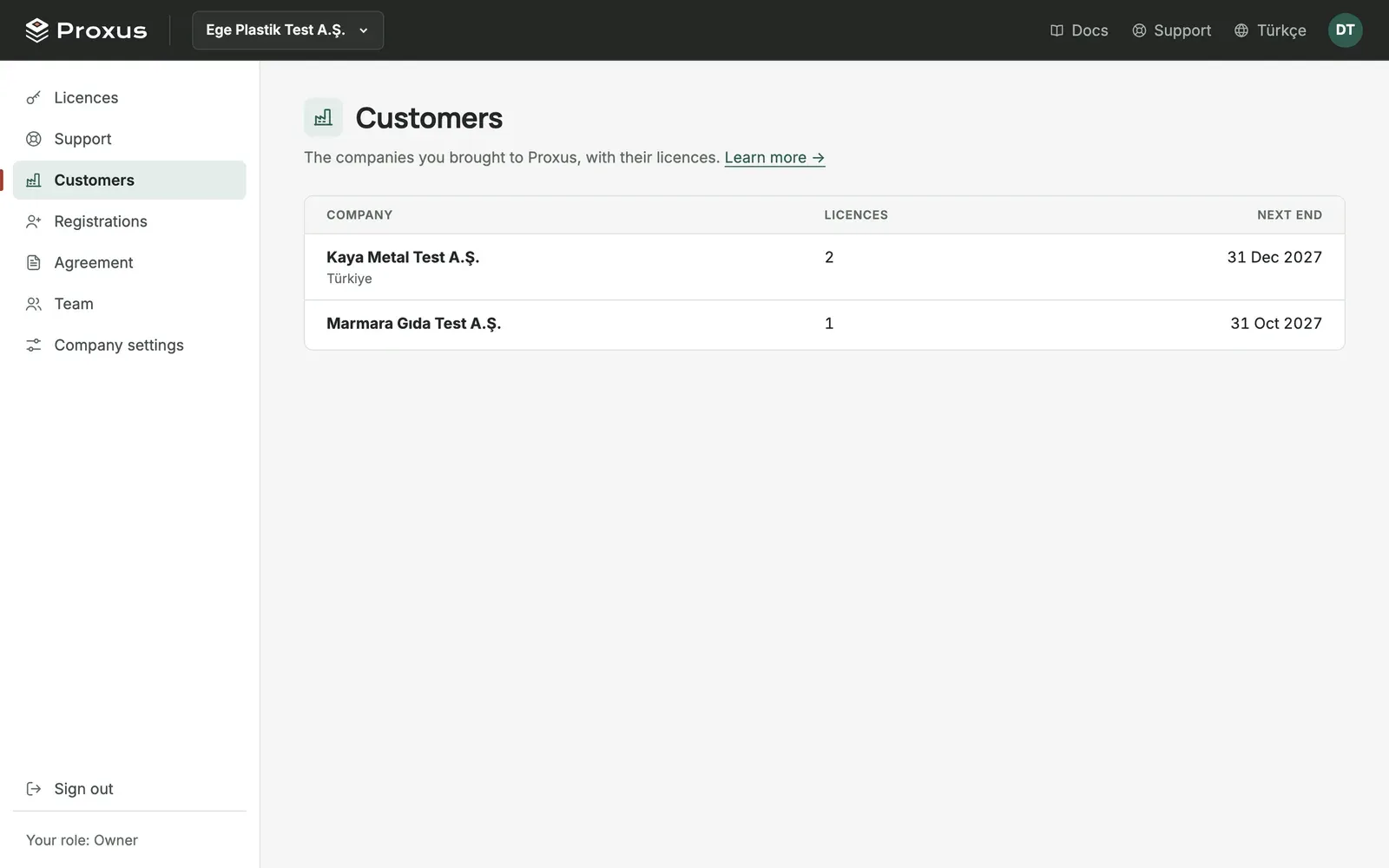
Customers lists the companies that are your customers, with their licences and the next licence end. Their support requests also appear in Support, so you can follow them. You never see another partner's customers.
Your agreement
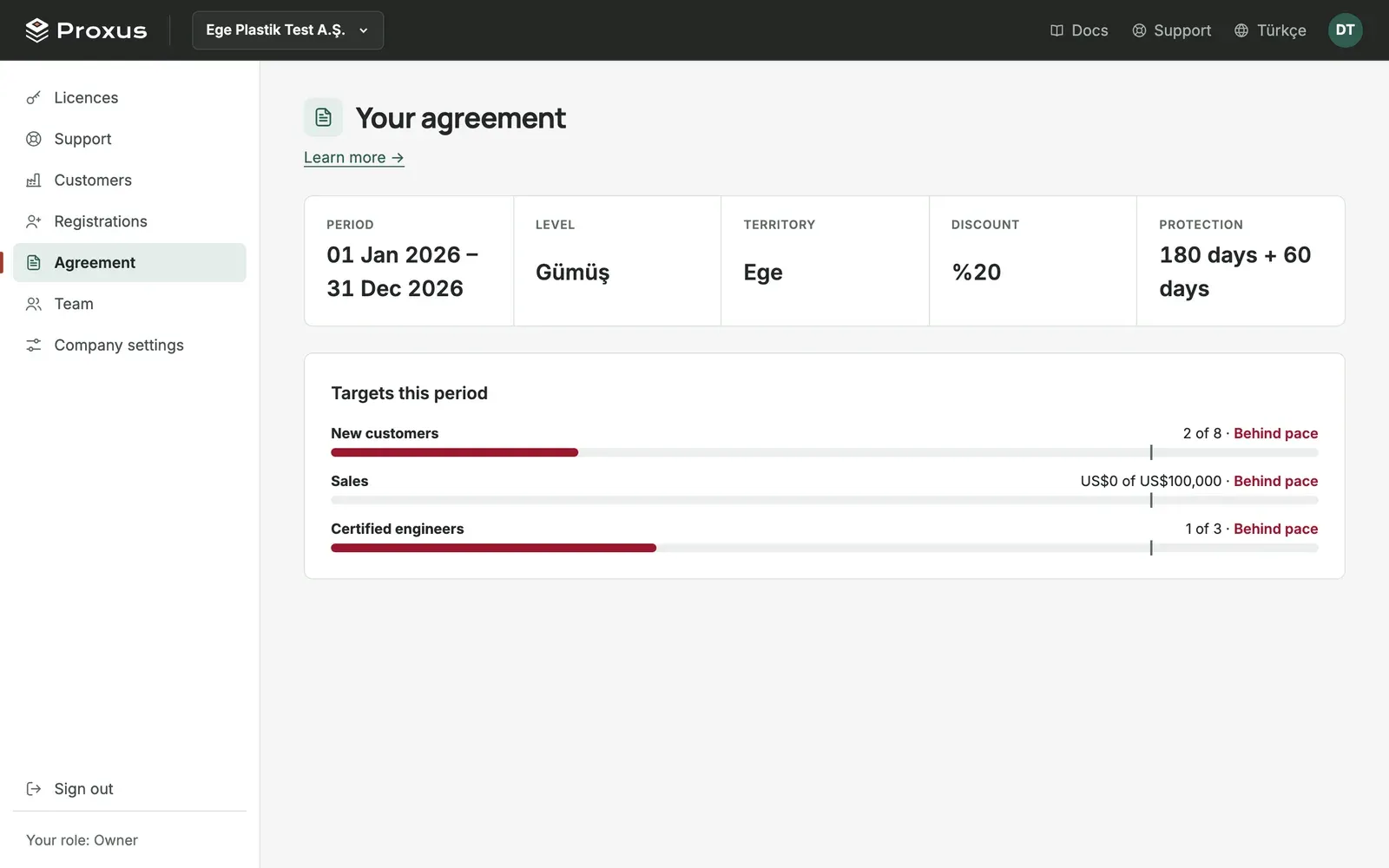
Agreement shows what your partner agreement says: its period, partner type, territory, discount, protection and extension days, and your targets for this period (new customers, sales, certified engineers) with how far you are. Owners and admins see it. If it is empty, your agreement has not been entered yet; ask your Proxus contact.
While your agreement runs, Agreement also offers your partner badge (authorised reseller, system integrator or authorised distributor) in English and Turkish, as SVG and PNG. Use it on your website, proposals and email signature without changing its colours or text.
Emails you receive
The portal emails your company's owners and admins, in your company's language:
- Every Monday: a summary of your registrations, licences ending soon and open support requests, when there is something to say.
- Each quarter: where you stand against your targets.
- When a registration is decided: approved, declined, extended or won. The person who registered also gets it.
- Before protection ends: a reminder, with the option to ask for an extension.
- After a quiet period: a note when no new company has been registered for a while, with an offer of help.
- When behind target: a check once a month.
- Before each agreement year ends: an invitation to review the year together and agree next year's targets in writing, as the partner agreement sets out.
- Before the agreement ends: a reminder to talk about the next period.
What's next
Was this page helpful?
Evaluating Proxus? See it on your own machines in a 30-minute technical session.